loader
Non scrum black friday bannerNon scrum black friday banner

Explore Categories

JIRA Software – Hands-on Professional Training

Refer & Earn

JIRA Software – Hands-on Professional Training

JIRA Software – Hands-on Professional Training

Hands-on Jira training to manage work items, boards, sprints, JQL, and progress tracking.

2K+ professionals enrolled in Simpliaxis JIRA training

2K+

Enrolled

Google Rating for JIRA

4.8/5

Trustpilot Rating for JIRA

4.8/5

100% Money Back Guarantee
The full amount will be refunded if you are not satisfied with the class within 2 Hours.
Terms and conditions Apply*
  • 8 Hours of Live, Instructor-Led Jira Software Training
  • Hands-On Practice with Scrum & Kanban Boards, Sprints, JQL & Filters
  • Build Dashboards, Reports & Timeline Views Like a Pro
  • Get Trained by Experienced Jira Trainers + Simpliaxis Course Completion Certificate
  • Weekend Sessions + Lifetime Access to Course Materials
Read more...
Want to Train Your Team? Get a Quote

Credential issued by

Jira Accredited Jira Software Certification Body Logo
Refer & Earn
JIRA course video preview
  • Guaranteed to Run Workshops
  • Expert-Led Study Sessions
  • Networking Opportunities
  • Flexible Monthly Payment Plans
  • Real-World Case Studies
  • Hands-On Project Experience
  • Group/Corporate Training

    Empower teams through training

    skill up your team
    Group/Corporate Training bag icon

    Need guidance? Talk to an expert

    Contact Course Advisor

    Need guidance? Talk to an expert chat icon
    OverviewSchedulesBenefitsCurriculumCorporate TrainingsFAQsReviews
    • 450K+

      Professionals trained

    • 250+

      Workshops every month

    • 20+

      Trainers

    Course Overview

    JIRA Software Hands-on Professional Training Overview

    The Jira Software training offered by Simpliaxis is an interactive program that helps professionals understand how to use Jira to organize, track, and manage everyday work. The program focuses on practical Jira Software capabilities, from creating projects and managing work items to organizing tasks, tracking progress, and generating reports. Participants who enrol in the training work with practical Jira scenarios to create and update work items, move tasks through workflow statuses, organize work using boards, search for information with JQL, and monitor progress through dashboards and reports. They also learn the ways to use dashboards and timeline views to monitor work and communicate progress. 

    This 8-hour live online training, usually delivered over two weekends through evening sessions and helps working professionals build practical Jira skills. Participants who complete the training receive a Simpliaxis Course Completion Certificate. 

    What Is JIRA Software - Hands -on Training?

    The Jira software course offered by Simpliaxis is an interactive training program that helps professionals in understanding the ways to use Jira Software to organize, track, and manage everyday work. It focuses on practical activities such as

    • Creating and updating work items, including epics, stories, tasks, and subtasks.
    • Tracking work through Scrum and Kanban boards.
    • Planning and monitoring sprints using Jira.
    • Finding and organizing work using filters and JQL.
    • Generating dashboards and reports to communicate progress.

    What's Included in Our JIRA Training?

    Simpliaxis provides a practical learning experience designed to help participants become confident Jira users. This hands-on training program includes: 

    • 8 hours of live, instructor-led training.
    • Evening sessions spread across two weekends.
    • Hands-on exercises using Jira Software.
    • Practical demonstrations of Scrum and Kanban boards.
    • Jira Query Language (JQL) practice.
    • Work item management and tracking exercises.
    • Dashboard, reporting, and timeline view demonstrations.
    • Simpliaxis Course Completion Certificate upon successful completion.

    What Skills Will You Gain from JIRA Software Hands-on Training?

    Through practical exercises and instructor-led demonstrations, participants develop the following skills:

    • Jira Navigation and Project Management
    • Work Item Creation and Management
    • Working with Workflows (Statuses and Transitions)
    • Scrum and Kanban Board Usage
    • Planning and Running Sprints in Jira
    • JQL and Filter Management
    • Dashboards and Reporting
    • Roadmaps and Timeline Views

    What Are the Modes of JIRA Training?

    Simpliaxis delivers this training program through live online instructor-led sessions. The 8-hour training is divided across two weekends, with evening sessions to accommodate working professionals and participants from international regions.

    JIRA Training Highlights

    What Are the Key Highlights of JIRA Software Training?

    The Jira Software Training covers essential features and practical capabilities that help participants use Jira effectively in Agile project environments. The key highlights of the course are outlined below.
  • 8-Hour Practical Training
  • Weekend Evening Schedule
  • Expert-Led Learning
  • Hands-On Exercises
  • JQL and Reporting Practice
  • Course Completion Certificate
  • Career upliftment

    Boost your career with the JIRA Certification

    Average Salary

    43 K

    Min

    64 K

    Average

    94 K

    Max

    Divider between average salary and hiring companies
    Divider between average salary and hiring companies

    Hiring Companies

    Amazon
    Accenture
    JPMorgan Chase
    United Health Group
    Divider between hiring companies and demand
    Divider between hiring companies and demand

    Demand Growth

    Career demand illustration

    45 %

    Demand %

    Average Salary

    62 K

    Min

    93 K

    Average

    140 K

    Max

    Divider between average salary and hiring companies
    Divider between average salary and hiring companies

    Hiring Companies

    Capital One
    CIBC
    Bank of America
    Barclays
    Divider between hiring companies and demand
    Divider between hiring companies and demand

    Demand Growth

    Career demand illustration

    30

    Demand %

    Average Salary

    78 K

    Min

    115 K

    Average

    167 K

    Max

    Divider between average salary and hiring companies
    Divider between average salary and hiring companies

    Hiring Companies

    Wells Fargo
    Oracle
    IBM
    Salesforce
    Divider between hiring companies and demand
    Divider between hiring companies and demand

    Demand Growth

    Career demand illustration

    35

    Demand %

    Today, over 389,000 companies worldwide use Jira across industries ranging from software and financial services to healthcare and marketing. Because enterprise Jira instances rely on complex custom workflows, automation rules, and reporting dashboards, theoretical knowledge is rarely enough for modern employers. Professionals with hands-on Jira training stand out because they can immediately build backlogs, troubleshoot workflow bottlenecks, and leverage built-in AI and analytics features without lengthy onboarding.

    Today, over 389,000 companies worldwide use Jira across industries ranging from software and financial services to healthcare and marketing. Because enterprise Jira instances rely on complex custom workflows, automation rules, and reporting dashboards, theoretical knowledge is rarely enough for modern employers. Professionals with hands-on Jira training stand out because they can immediately build backlogs, troubleshoot workflow bottlenecks, and leverage built-in AI and analytics features without lengthy onboarding.

    What Are the Learning Outcomes of JIRA Software Professional Training?

    By the end of the training, participants will be able to

    • Explore Jira Software confidently and create projects to organize everyday work.
    • Create, organize, assign, and update work items effectively.
    • Use Scrum and Kanban boards to organize tasks, plan sprints, and track work progress.
    • Apply JQL to search, filter, and retrieve relevant project information.
    • Generate and interpret reports to monitor work progress and project status.

    Unsure about your prep?

    JIRA Practice Test

    • Immediate Results
    • Sample Papers
    • Time-Limited
    • Comprehensive Explanation
    • Previous Exams

    Benefits focused on Individuals and corporate

    What Are the Benefits of JIRA Software Hands-on Professional Training?

    Individuals Benefits Individual benefits of JIRA certification illustration
    • Improve Everyday Jira Proficiency :Learn to create, update, assign, and track work items while navigating Jira more confidently in your daily responsibilities.
    • Organize and Track Work Effectively:Use Scrum and Kanban boards, work item hierarchies, and workflow statuses to maintain better visibility into assigned work.
    • Develop Practical JQL Skills:Learn to search for specific work items, create filters, and retrieve relevant information using Jira Query Language.
    • Strengthen Reporting Skills:Create dashboards, use reporting gadgets, and understand timeline views to communicate work progress more effectively.
    • Enhance Professional Capabilities: Build practical Jira proficiency that supports your responsibilities across development, testing, business analysis, project coordination, and management.
    Corporate Benefits Corporate benefits of JIRA certification illustration
    • Faster Employee Onboarding: Help new team members understand Jira's everyday features and become productive with the organization's existing workflows more quickly.
    • Consistent Jira Usage: Develop a shared understanding of how employees create, update, assign, and track work items across teams.
    • Cleaner and More Reliable Jira Data: Encourage consistent work item creation, updates, labeling, and tracking to improve the quality of information recorded in Jira.
    • Better Work Visibility: Help employees use boards, filters, dashboards, and reports to provide clearer updates on work progress and pending tasks.
    • Improved Team Coordination: Equip team members with practical Jira skills to communicate updates, manage dependencies between work items, and coordinate everyday activities.

    Common attendees

    Who usually attend JIRA Training

    This program is suitable for professionals who use Jira or want to learn how to manage everyday work through the platform. This includes:

    • Team Members and Team Leads.

    • Software Developers.

    • QA and Test Engineers.

    • Business Analysts.

    • Project Coordinators.

    • Project Managers.

    • Scrum Masters.

    • Product Owners and Product Team Members.

    Prerequisites for JIRA certification training

    What Are the Prerequisites for JIRA Software Hands-on Training?

    There are no mandatory prerequisites for enrolling in the Jira Software – Hands-on Professional Training. The program is suitable for beginners as well as professionals who want to improve their practical Jira skills. However, the following knowledge can help participants understand the concepts more easily:

    • Basic awareness of Agile concepts and terminology.
    • General familiarity with project or task management.
    • Basic computer and internet navigation skills.

    Note: Basic Agile awareness is helpful but is not a formal requirement. The course focuses on Jira usage rather than teaching Agile methodologies or Jira administration.

    Ready for your next professional milestone?

    We’re here to guide you

    Connect With Us
    Simpliaxis advisor discussing career and training options with a professional

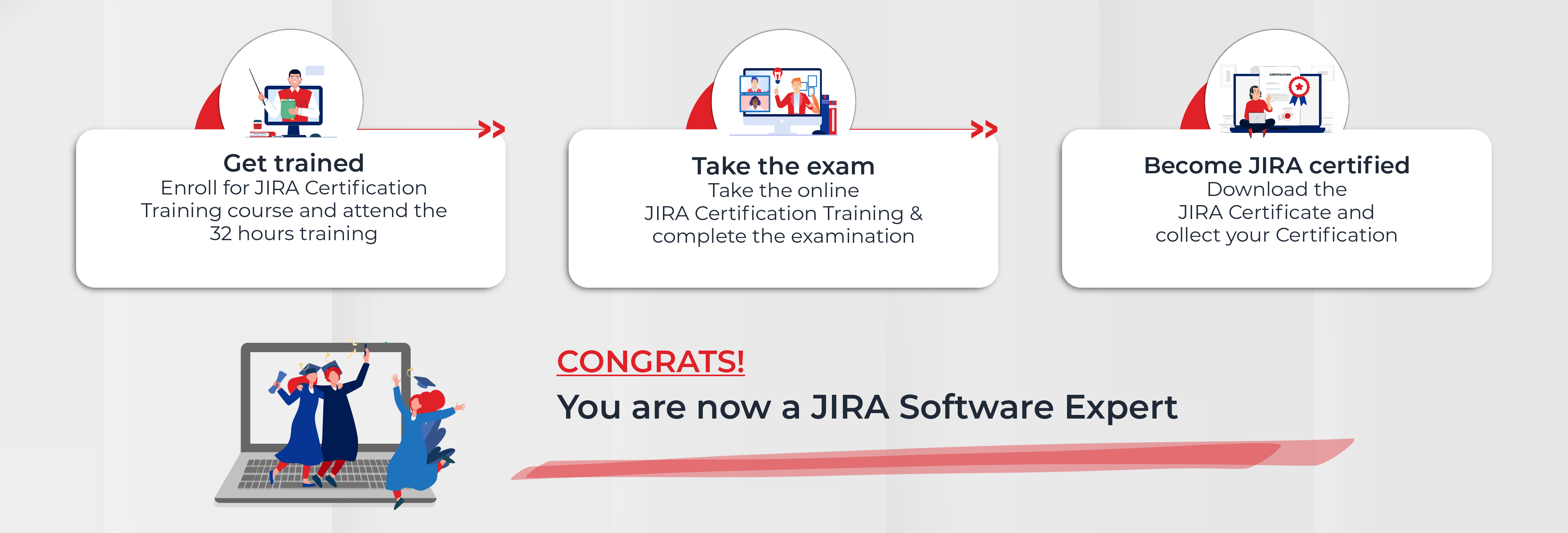
    Process to Become a JIRA Software Certified

    Steps to achieve JIRA certification - eligibility, application, prep, exam
    1

    Enroll in the Training:

    Register for the Jira Software Hands-on Professional Training offered by Simpliaxis to gain practical knowledge of Jira tools and workflows.

    2

    Attend the Session:

    Complete the 8-hour instructor-led training program, participate in practical exercises, and gain experience working with Jira Software features.

    3

    Receive the Certificate:

    Upon successful completion of the training,get a Simpliaxis Course Completion Certificate.

    Get the JIRA Certification

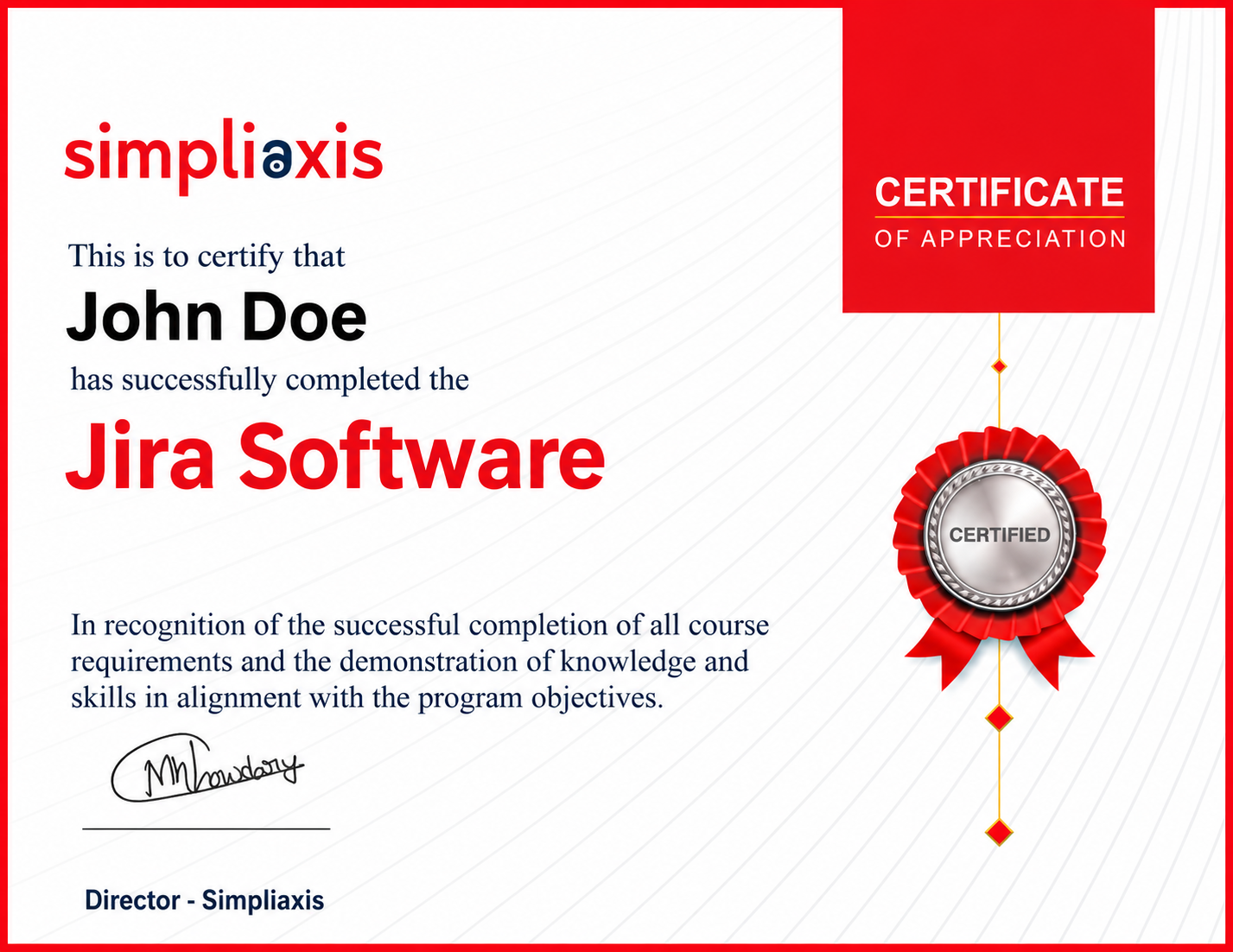
    JIRA Software Hands-on Certificate

    decor image for certificate backgroundSample JIRA certificatedecor image for certificate background

    Course Curriculum

    Jira Software – Hands-on Professional Training Curriculum

    • What is Jira, and why is it used?
    • Creating a project in Jira.
    • Navigating the Jira interface.
    • Understanding project versions and components when raising work.
    • Managing personal settings and notifications.

    What participants learn: Understand Jira's interface, create projects, navigate key features, and manage their personal Jira preferences.

    • Creating work items in Jira.
    • Understanding the work item hierarchy: Epics, Stories, Tasks, and Subtasks.
    • Writing clear and effective work items.
    • Attaching files and screenshots.
    • Cloning and editing work items.
    • Commenting and sharing work items.
    • Labeling and linking work items.
    • Logging work and updating due dates.
    • Viewing work item history.
    • Watching and voting on work items.
    • Moving work items through workflow statuses and transitions.

    What participants learn: Create, update, organize, and track work items while maintaining clear information and collaboration.

    • Introduction to Jira Query Language (JQL).
    • Understanding JQL fields, operators, and values.
    • Writing JQL queries to find specific work items.
    • Using AND and OR conditions in queries.
    • Sorting search results.
    • Creating and saving filters.
    • Sharing saved filters.
    • Editing and managing shared filters.
    • Subscribing to filter updates.
    • Performing bulk updates to work items.
    • Importing work items from Excel (subject to permissions and Jira edition; otherwise, treat as optional or remove).

    What participants learn: Search Jira efficiently, retrieve relevant work items, manage saved filters, and perform everyday issue management activities.

    • Creating Scrum boards.
    • Creating Kanban boards.
    • Understanding Scrumban boards.
    • Using Scrum and Kanban boards to organize work.
    • Editing boards for everyday use.
    • Using card layouts and card colors (basic overview).
    • Adding and using quick filters.
    • Understanding board filters.
    • Planning and starting sprints in Jira.
    • Tracking sprint progress through boards.
    • Creating and starting sprints.
    • Working with the product backlog

    What participants learn: Use Scrum and Kanban boards to organize tasks, track work, and manage sprint activities within Jira.

    • Creating Jira dashboards.
    • Adding and using dashboard gadgets.
    • Customizing dashboard layouts.
    • Adding saved filters as gadgets.
    • Sharing dashboards with team members.
    • Generating Jira reports.
    • Adding reports to dashboards.
    • Using Timeline views to visualize work and progress.

    What participants learn: Build dashboards, generate reports, and use timeline views to monitor and communicate work progress.

    course schedules

    Schedules for Jira Software – Hands-on Professional Training in USA

    Jira Software – Hands-on Professional Training Upcoming Schedules

    • Jira Software – Hands-on Professional TrainingNov 28, 2026 10:00 AM - 06:00 PM (EST) 1 DayOnlinePrice: USD 699
    • Jira Software – Hands-on Professional TrainingDec 03, 2026 10:00 AM - 06:00 PM (EST) 1 DayOnlinePrice: USD 699
    • Jira Software – Hands-on Professional TrainingDec 05 - Dec 06, 2026 08:30 AM - 12:30 PM (EST) 2 DaysOnlinePrice: USD 699
    • Jira Software – Hands-on Professional TrainingDec 12, 2026 10:00 AM - 06:00 PM (EST) 1 DayOnlinePrice: USD 699
    • Jira Software – Hands-on Professional TrainingDec 17 - Dec 18, 2026 08:30 AM - 12:30 PM (EST) 2 DaysOnlinePrice: USD 699
    • Jira Software – Hands-on Professional TrainingJan 09 - Jan 10, 2027 06:30 PM - 10:30 PM (EST) 2 DaysOnlinePrice: USD 699
    • Jira Software – Hands-on Professional TrainingJan 23 - Jan 24, 2027 06:30 PM - 10:30 PM (EST) 2 DaysOnlinePrice: USD 699
    • Jira Software – Hands-on Professional TrainingJan 29, 2027 10:00 AM - 06:00 PM (EST) 1 DayOnlinePrice: USD 699
    • Jira Software – Hands-on Professional TrainingFeb 13 - Feb 14, 2027 06:30 PM - 10:30 PM (EST) 2 DaysOnlinePrice: USD 699
    • Jira Software – Hands-on Professional TrainingFeb 19, 2027 10:00 AM - 06:00 PM (EST) 1 DayOnlinePrice: USD 699

    Have more questions or need

    personalized guidance?

    Contact Learning Advisor
    Simpliaxis learning advisors banner

    What you will learn in this JIRA workshop

    What Are the Learning Objectives of the JIRA Software Hands-on Training?

    Create a Project in Jira

    Learn the ways to create a Jira project, navigate its interface, and access the features required to manage everyday work.

    Use Scrum and Kanban Boards

    Understand how to use Scrum and Kanban boards to organize work items, monitor task status, and track progress.

    Manage Work Items

    Understand the Jira work item hierarchy, including epics, stories, tasks, and subtasks, and learn how to create and update them effectively.

    Dashboards, Timeline Views, and Reporting

    Explore how to create dashboards, use gadgets, generate reports, and visualize work progress through timeline views.

    JIRA Certification Course For Corporates

    Why Do Corporates Prefer Simpliaxis for JIRA Software Hand-on Training?

    Simpliaxis offers corporate Jira training to help organizations build practical tool proficiency across their teams. The program can help employees understand how to create and manage work items, use boards, apply filters, and track progress through dashboards and reports.

    Organizations can use this training to support:

    • Faster onboarding of employees who are new to Jira.
    • Consistent work item creation and status updates.
    • Better use of Scrum and Kanban boards.
    • Improved visibility through filters and dashboards.
    • More reliable Jira data for tracking everyday work.

    Our Customer words for us

    Take a Look at Our Clients

    JIRA Course FAQs

    JIRA Software Hands-on Professional Training FAQs

    Jira Software is a work management and issue-tracking tool used by teams to organize tasks, manage work items, track progress, and generate reports. It supports Scrum and Kanban boards, allowing teams to plan and monitor their work.

    Jira offers features such as work item tracking, Scrum and Kanban boards, backlog management, sprint planning, JQL, saved filters, dashboards, reports, and timeline views.

    With Jira you can organize work items in a backlog, select items for a sprint, start and monitor the sprint, update work item statuses, and track progress using Scrum boards and sprint reports.

    Jira is a powerful project management tool that helps agile teams streamline their workflow, improve communication, and deliver high-quality software products. Its benefits include enhanced team collaboration, efficient task tracking, and real-time insights on project progress.

    The training runs for 8 hours across two weekends, with live online evening sessions. This format allows working professionals to attend without committing to full-day weekday sessions.

    Jira is widely recommended as a top choice for Agile projects.

    Yes, Jira supports SAFe Agile methodologies with its flexibility in scaling Agile processes, managing dependencies, and aligning with organizational goals.

    No. You do not need programming skills to perform everyday Jira activities such as creating work items, updating statuses, using boards, managing filters, and generating reports.

      Learning JIRA offers valuable project management skills crucial for various industries. It enhances your ability to efficiently manage tasks, workflows, and projects, especially in Agile and Scrum methodologies. Proficiency in JIRA is highly sought after, providing career advancement opportunities and making you a competitive candidate in the job market.

      JIRA's flexibility allows customization to meet specific team needs, fostering collaboration and effective communication. Its seamless integration with development tools like Bitbucket and Confluence streamlines workflows. JIRA's powerful querying language, JQL, enables data analysis for insightful reporting and informed decision-making.

    Jira is a software that is used to manage Agile projects. Our Jira training equips you with the necessary information to plan and track teamwork, recognize team performance, and manage overall project delivery.

    Jira certification is a crucial tool for software teams following the Agile methodology. Agile developers utilize Jira to manage their workflow and maintain project organization. If you want to explore opportunities in Agile projects, Jira software training is a helpful resource.

    Jira software supports Agile methodologies that help in successful sprint planning, backlog management, and iterative projects.

    Jira's basic features are accessible to new users. With guided demonstrations and practical exercises, participants can learn to create work items, navigate boards, track tasks, use filters, and generate reports.

    The training runs for 8 hours across two weekends, with live online evening sessions. This format allows working professionals to attend without committing to full-day weekday sessions.

    Simpliaxis offers Jira training online and provides hands-on experience. Our Jira certification is the best, as certified professionals provide stimulation-based learning that helps in understanding and customizing the tool in the real world.

    Simpliaxis is a reliable training organization for professional courses. Jira certification training by Simpliaxis is one of the best training courses at affordable prices. Our certified Jira trainers provide flexible training options to help you explore Jira. So choose Simpliaxis to learn more about Jira.

    You can learn to use Jira to create tasks, project backlogs, sprint backlogs, user stories, epics, solve application issues and bugs, build test cases, and manage live Agile projects.

    Jira training online covers project management, charts, dashboards, enterprise installation, configuration, and management. Learn to customize Jira for your project's specific needs. Our Jira Course includes project control, tracking, and monitoring in live Jira environments.

    Simpliaxis Jira training has many benefits, which include:

    • Online Jira training at home or work
    • Work on Jira projects live
    • Customize Jira for enterprise use
    • High salary among industry peers
    • Grow well inside and outside the company
    • Learn to solve problems
    • Plan and execute Jira projects with workflows

    The program is suitable for software developers, QA and test engineers, business analysts, project coordinators, project managers, Scrum Masters, team leads, and other professionals who use Jira to manage everyday work.

    The Jira course materials are accessible after completing the Jira training and are available for lifelong online reference.

    There are no mandatory prerequisites. Basic computer literacy and awareness of Agile or project management concepts can be helpful, but prior Jira experience is not required.

    Trainers are certified and experienced in Jira. The trainers' profiles will be available after you have registered for the course.

    You can use Jira to construct sprint backlogs, assign user stories and tasks, use burndown charts, have daily stand-up meetings, and analyze sprint results. To ensure sprint success, utilize Jira's sprint planning and tracking features. Our Jira Software Training enables you to learn everything you need to know.

    Jira is widely recommended as a top choice for Agile projects. Simpliaxis online Jira software training provides participants with a clear understanding of how to apply Jira in complex projects.

    Yes, Jira supports SAFe Agile methodologies, offering flexibility in scaling Agile processes, managing dependencies, and aligning with organizational goals.

    You will learn to create Jira projects, manage work items, use Scrum and Kanban boards, plan and track sprints, write JQL queries, manage filters, and generate dashboards and reports.

    Yes. The training is suitable for beginners and professionals who want to develop practical Jira skills. Basic Agile awareness can be helpful, but prior Jira experience is not mandatory.

    No. This program focuses on everyday Jira usage rather than administration, installation, advanced configuration, or system management. Professionals interested in Jira administration should consider a dedicated Jira administration course.

    No formal Agile knowledge is required. However, basic awareness of Agile concepts, Scrum, and Kanban can help you understand how Jira is used to organize and track team activities. The training focuses on using Jira rather than teaching Agile methodologies.

    You can create work items such as epics, stories, tasks, and subtasks, assign them to team members, add descriptions and attachments, update statuses, and track their progress.

    JQL is Jira's query language used to search for and filter work items based on specific criteria. It helps users retrieve relevant information using fields, operators, and conditions.

    Yes, using Jira you can create dashboards, add gadgets, display saved filters, and generate reports to monitor work progress and communicate relevant information.

    Yes. Simpliaxis delivers this program through live online instructor-led sessions. Participants can join remotely from suitable international regions.

    Participants like you who complete the training receive a Simpliaxis Course Completion Certificate. This is only a training completion credential.

    Scrum boards help teams organize work into backlogs and time-bound sprints, while Kanban boards help visualize and track continuous work through different workflow stages. The training explains how to use both board types in Jira.

    You can use board views, work item statuses, saved filters, dashboards, reports, and timeline views to monitor completed, ongoing, and pending work.

    Yes. Although Jira is widely used by Agile teams, it can also help organize and track tasks, issues, and workflows in different work environments. The training focuses on practical Jira usage.

    You can obtain the Jira course certificate immediately after completing the training.

    Yes, you will receive a course completion certificate from Simpliaxis after completing the Jira course training.

    The primary objectives of the Jira certification online equip you with the skills to manage their workflow effectively. It can be the best tracking tool to record, track, and manage the entire project.

    Jira streamlines productivity, improves collaboration, and produces high-quality software for agile teams. Teamwork, task tracking, and project progress visibility are key perks.

    No, Jira does not require coding skills for usability. So, anyone can choose Jira training to advance their career.

    Learning Jira equips users with essential project management skills for various sectors. It improves task, workflow, and project management, notably in Agile and Scrum. Jira proficiency is highly valued, allowing career growth and job market competitiveness.

    All types of payment methods are available. You can pay Online through Credit Cards, Debit Cards and Net Banking, Direct Bank Transfer/Wire Transfer/Wallet to our account and many more.Other payment options available are stripe, Splitit, PayPal for US & CA regions.

    We accept payments from VISA, Master, Maestro, AMEX, and Discover.

    No, there is no transaction processing fee.

    Upon successful completion of payment, you will receive a confirmation email of your payment along with payment invoices.

    Our refund policy depends on how far in advance the cancellation request is made: More than 7 days before the training: You will receive a 100% refund, less a 10% transaction fee. 3–7 days before the training: You will receive a 50% refund of the amount paid. Within 3 days of the training: No refund will be provided.

    You have the flexibility to pay for the course either in full upfront or in installments, depending on your preference. To know more details about it contact us.

    Yes, we offer discounts and promotions for early payments or certain corporate Training. Keep an eye on our website or contact us to get exciting offers.

    Payments can be made conveniently through our secure online payment portal on our website. We do not require visiting a physical location for payment.

    While we accept payments in various currencies, we recommend using the currency from where you want to attend the course.

    • Token or partial payments will become non-refundable after 15 days from the date of payment.
    • Any token or partial amount paid can be applied towards enrollment for any available sessions on our website within 6 months of the payment date.

    It totally depends upon the course. Please check our website regularly for new offers and discounts throughout the year. You can also chat with one of our career consultants to see if any discounts are available.

    To provide high-quality training and help our professional participants & clients to build a high-performing workforce.

    Simpliaxis offers personalized corporate training programs designed for enterprise teams seeking to refine their employees' skills in various job processes or roles, whether through in-person sessions or live virtual instruction. Led by our skilled and certified trainers, these certification programs not only elevate learning curves but also empower teams to effectively apply their newfound skills to meet industry benchmarks. With over 40 certification programs available, the impact is profound, evident in a remarkable 45% improvement in employee retention rates. On average, there's been a notable 30% enhancement in both work satisfaction and capabilities, showcasing the tangible benefits of our training initiatives.

    Yes, course fees for all technologies are affordable. Along with that, we do provide discounts on various courses.

    You can reach out to our experienced career counselor
    or email us on support@simpliaxis.com
    or contact any of our phone numbers
    or you can chat with us anytime
    or visit our contact us page https://www.simpliaxis.com/contact-us

    Yes, we do provide discounts on multiple courses. Please visit the schedules page to view the available discounts.

    All our trainers are highly qualified and certified, having numerous years of experience in the training industry. You can choose your instructors for your course.

    Yes, we do provide corporate Training. We customize Training based on our clients' needs.

    Yes, For every course, online Training is available.

    We provide different modes of Training: virtual Online Training, Live Virtual Training, Corporate Training & also E-learning.

    At Simpliaxis we provide training for courses of all the in-demand technologies. One can choose a course from Project Management, Agile, IT, DevOps, Business, IT Service Management, Quality Management, etc based on their choice of interest. To know more, please visit https://www.simpliaxis.com/

    Choose the course of your interest, schedule it at your convenience from our upcoming schedule list, and register for the training by submitting your details. Proceed to make a payment and you will receive a confirmation email of your course enrolment. Or you can connect our career advisors to consult & choose your course.

    Yes, you will receive a certificate after successful completion of the training course.

    No, you won't get your money back. But, as per your convenience, we can reschedule your training without any extra charges.

    Yes, you can change the date, but you have to inform it 3-4 days before the Scheduled date.

    Select the course of your interest from the website and view all the upcoming workshop schedules. You can select your course from the website https://www.simpliaxis.com/

    Yes, we’ll be posting multiple schedules every week for all the courses. Based on your convenience, you can select the training schedule. Also, we’ve E-Learning programs for popular courses, you can enroll and watch the training modules whenever you want.

    English is the preferred language for training delivery. For corporate Training, any language other than English will have to be requested as a custom service. However, this will be subject to additional costs and the availability of a native language trainer. Please note that only official languages will be considered for this request.

    If you want to know more about the course you can connect us in mail hello@simpliaxis.com or you can call us.

    Find out why 1,000+ professionals love SimpliAxis

    Why Choose Simpliaxis for JIRA Software Training?

    Practical, Hands-On Learning

    Build familiarity with Jira through instructor-led demonstrations and exercises covering everyday tool usage.

    Experienced Instructors

    Learn from trainers with relevant Jira Software experience and practical knowledge of the platform.

    Flexible Weekend Schedule

    Attend an 8-hour live online program delivered over two weekends through evening sessions.

    Focused Learning Approach

    Develop practical skills in work item management, Scrum and Kanban boards, JQL, filters, dashboards, and reporting.

    Course Completion Certificate

    Receive a Simpliaxis Course Completion Certificate after completing the training.

    Learning Support

    Get guidance and assistance during the training to clarify questions and understand practical Jira activities.

    Interactive and engaging Training

    Our Training sessions are designed to be extremely interactive, featuring real-world scenarios with group participation, questions & answers to aid in understanding.

    A wide range of courses

    Simpliaxis offers various internationally acknowledged certification courses in Agile, Scrum, SAFe, DevOps, Project Management, and more.

    giftbox

    Sharing Knowledge is Rewarding! Earn Big with Every Referral UPTO 60% OFF

    Our privacy policy © 2018-2026, Simpliaxis Solutions Private Limited. All Rights Reserved

    Get coupon upto 60% off

    favcon
    favcon-2