


 Call Us


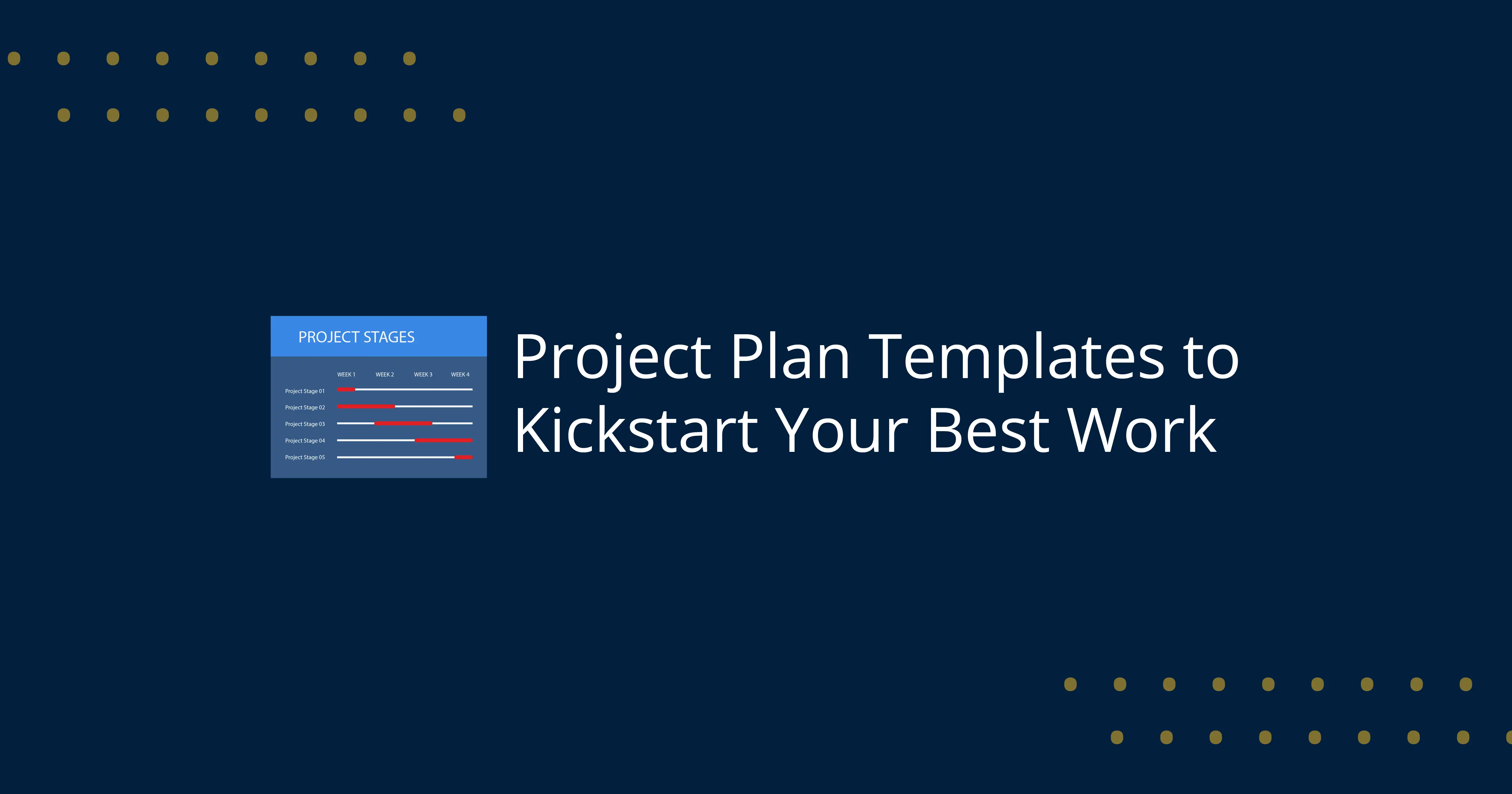
Structured planning is no longer an option in the competitive and fast moving business environment that has become the order of the day. Be it a product launch, an IT implementation or a marketing campaign, clarity, organization and coordination are important to the success of the activity. This is where the Project Plan Template would be very important in that all the aspects of a project are well defined and implemented effectively.
Lack of a structured approach also leads to the usual pitfalls in projects including time schedule delays, lack of clarity in responsibilities, lack of proper communication, and budget overruns. The teams might be unable to monitor the progress or coordinate the efforts and get confused and inefficient. As an illustration, it is hard to visualize dependencies and deadlines without a Project timeline template. Likewise, the lack of a Task tracker template may lead to the missed tasks and the lack of accountability.
An effective Project Plan Template would prove to be the solution to such problems by offering a standard way of organization that sees tasks, schedule, materials, and deliverables all in a single location. It means that all the stakeholders are in tandem and the project moves forward without any hitches during its initiation and completion.
Besides, modern planning has been transformed with the incorporation of AI Project Planning Tools, especially with the emergence of digital transformation. These tools augment the conventional templates by providing data-driven, predictive insights, and real-time collaboration to make project management more efficient.
Everything relating to Best Project Plan Templates, such as their main components, advantages, different types, contemporary developments, and best practices, will be discussed in this blog. Throughout the end, you will have a clear idea on how to select and make use of the appropriate template in order to start off your best work.
What is a Project Plan Template?
Project Plan Template is a template which is an organized and reusable document of the team that assists in planning, organizing and managing the projects effectively. It offers a preset structure which specifies the main project elements including objectives, tasks, timelines, milestones, resources and budgets. Teams can make use of a Project Plan Template to reduce errors, save time and consistency in planning rather than developing a plan each time.
Simply put, a Project Plan Template is a roadmap that helps a project to be started and launched to its completion point. It usually encompasses such tools as Project timeline template to see the schedules and deadlines, and Project milestone template to see the key achievements and milestones progress. These aspects assist teams to remain on course and work towards producing results within the necessary scope.
One must know what is the difference between a plan and a template of a project. Project plan is a specific project-driven document, designed and elaborated to undertake all the activities, schedules and obligations. Project Plan Template on the other hand is an empty format which can be used in various projects. The template is the starting point and the plan is the last, customized version depending on the needs of the project.
Project Plan Templates apply in the whole lifecycle of the project. It assists in the setting of goals and scope during the initiation phase. During planning, it organizes actions, schedule, and resource allocation with the help of such tools as a Project timeline template. In implementation, it makes sure that members of the team know their roles and responsibilities. Milestones are monitored in the monitoring phase through Project milestone template which enables the teams to gauge progress. Lastly, the template assists the project evaluation and documentation in the closure phase.
In general, the Project Plan Template is a critical instrument in efficiency and collaboration, as well as project delivery success in all industries.
What are the Key Elements of a Project Plan Template?
A Project Plan Template includes essential components such as project objectives, timelines, tasks, resources, and milestones. These elements work together to provide a clear structure, helping teams organize work efficiently and track progress throughout the project lifecycle.
What is the Purpose of Project Plan Template?
A Project Plan Template is mainly used to ensure that projects are handled in a systematic and organized manner allowing them to be managed to completion. It assists teams in making project objectives clear with everybody knowing what must be accomplished and why. A Project Plan Template ensures that there is no grey area in the project since well-established goals in the initial stage give the project direction.
A second important purpose is alignment. A Project Plan Template takes care of aligning all the stakeholders, i.e. project managers, team members and clients. It unites various facets including schedules, resources and deliverables into one unified structure. Such correspondence is essential to prevent miscommunication and secure the efficiency of collaboration across the lifecycle of the project.
It is also useful in availing a powerful planning framework. By applying such tools as a Project timeline template and Project milestone template, teams will be able to divide complex projects into easy tasks and phases. This organized methodology is both efficient and it facilitates easier tracking and monitoring. Altogether, a Project Plan Template serves as a base that contributes to a proper decision-making process, accountability, and successful project meeting.
What is the main goal of Project Plan Template?
The primary purpose of a Project Plan Template is to develop a clear and structured roadmap that enables a project to be initiated to its end. It assists teams to set goals, allocate tasks, and create schedules with the assistance of such tools as a Project timeline template. It organizes work and tasks and makes sure that each team member has their tasks and timeframes. In the end, it should be aimed at better efficiency, collaboration, and successful delivery of the project within the scope and expectations.
What is the Success Criteria of Project Plan Template?
A Project Plan Template is expected to be successful according to the degree, to which it assists in accomplishing the project within set limitations. The major standards are to complete the project on-time with a well-organized Project timeline template, within the allocated Project budget template and to deliver all the planned outputs within the scope of the project. Moreover, the quality norms and the expectations of the stakeholders should be fulfilled. KPI monitoring is also required to be effective, as teams should be able to track performance as well as detect problems in time and make sure that the project lifecycle of improvement should be maintained.
What is the Project Team, Governance, and Stakeholders ?
With a well-developed Project Plan Template, the team, the governing structure, and involvement of the stakeholders in a well-planned structure will be clearly defined to facilitate the project execution and coordination. These aspects assist in keeping accountability, streamline communications, and assist in decision making in the lifecycle of the project.
Project Team (Roles)
Defines who is responsible for executing tasks and delivering outcomes
Includes roles such as project manager, team leads, and functional experts
Ensures clarity in responsibilities and avoids duplication of work
Supports task tracking and accountability using a Task tracker template
Governance Structure
Establishes decision-making authority and approval processes
Defines reporting hierarchy and escalation procedures
Ensures alignment with organizational goals and compliance requirements
Helps manage risks and maintain control over project progress
Stakeholder Communication
Identifies all internal and external stakeholders (clients, management, partners)
Ensures regular communication and transparency throughout the project
Aligns expectations and reduces misunderstandings
Project Status Reporting
Uses a Project status report to provide updates on progress, risks, and performance
Helps stakeholders track milestones and overall project health
Supports informed decision-making and timely interventions
Together, these components form a critical part of any Project Plan Template, ensuring that teams remain aligned, communication is effective, and projects are delivered successfully.
Talk to an ExpertWhat are the 7 parts of a project plan ?
An effective Project Plan Template is built on a clear structure that ensures all critical aspects of a project are covered. The 7 parts of a project plan provide this foundation and help teams manage projects efficiently:
Objectives – Define what the project aims to achieve and the desired outcomes
Scope – Outline what is included (and excluded) to avoid scope creep
Deliverables – Specify the tangible outputs expected at each stage
Timeline – Plan schedules and deadlines using a Project timeline template
Resources – Identify required people, tools, and materials through a Resource allocation plan
Budget – Estimate and manage costs using a Project budget template
Risk Management – Identify potential risks and mitigation strategies
These elements guarantee transparency, consistency and management at every stage of the project. With the help of these items included in a Project Plan Template, teams will be able to enhance the accuracy of planning, effective tracking of progress of a project, and the chance of successful project execution.
What are the Benefits of Using Project Plan Templates ?
There are huge benefits associated with the use of Best Project Plan Templates by any organization and team undertaking projects irrespective of their size. These templates are systems of organization that make planning easier, enhance coordination and overall performance of the project.
Time Saving
Time saved is one of the largest benefits of the use of a Project Plan template. To build a plan, teams are able to use Free Project Plan Templates to help them set up objectives, timelines and tasks swiftly as compared to drawing a plan on a piece of paper. This saves duplication of work and also enables the project managers to concentrate more on the execution of projects instead of planning.
Improved Efficiency
A Project Plan Template designed well enhances efficiency since all project factors get to be located in a single location. Such tools as Project timeline template and Task tracker template assist teams to simplify their work processes, set priorities and prevent repetition of work. This systematic practice will make sure that projects are proceeded without unreasonable delays.
Enhanced Collaboration
It is easier to work together when all of them operate under a common structure. Best Project Plan Templates give the team members an understanding of roles, duties and timescale, which helps them remain on track. Improved communication is also achieved by real time updates and shared documents making sure that stakeholders are kept informed always.
Risk Reduction
A structured template aids in detecting the possible risks at the initial stage of planning. Teams can be able to implement proactive approaches in fields such as milestones, budgets, and tracking of progress and it is in this way that the problem can be addressed before it becomes too pronounced. This minimizes chances of project delays, cost overruns and scope creeps.
Scalability
Scalability is another major benefit of Free Project Plan Templates. These templates are easy to transform to small and large and complex projects. With increase in size and complexity of projects templates can be adapted to have other features like advanced tracking, reporting and resource management.
What are the Types of Project Plan Templates (With Examples)?
There is no universal project planning. Various projects demand various approaches and this is where various Project Plan Templates will be used. The nature of the project, its size and complexity will determine the right template that you should select. The most popular categories and some of the practical examples of Project Plans are listed below.
1. Timeline Templates
One of the most common tools of planning is a Project timeline template. It assists in depicting the whole project schedule, start and finish dates, dependencies as well as deadlines. With task mapping through time, teams can have an easy time pointing out the bottlenecks and making sure that the activities are executed in the right order.
Projects with hard time constraints or phases can be of great use with timeline templates. They tend to contain milestones, so it is easier to monitor them by means of a Project milestone template. Timeline templates in the form of either a mere calendar or a more sophisticated Gantt Chart Project Plan Template gives a clear picture that improves the accuracy of planning and time management.
2. Task Templates
A Task tracker template is involved with the breakdown of the project into smaller, manageable tasks. It delegates tasks, monitors the progress and holds the team accountable. The details that are usually involved in each of the tasks are the deadline, the level of priority and the team members that are assigned to specific tasks.
This kind of template is critical in the implementation as well as daily running of the project. It makes sure that no work is left unattended and everyone in the team understands what is expected of him or her. Task tracker template is also employed especially in a working environment that is agile with tasks that are constantly updated and monitored to facilitate effective workflow management.
3. Budget Templates
A project budget template is created to monitor and manage the project expenses. It has both estimated and actual expenses, which will enable the project managers to control the finances. This template is essential to make sure that projects do not encounter cost increases.
Expenses that are usually classified as budget templates include labor, materials, tools and overhead costs. The comparison of planned and actual spending will enable teams to make decisions about finances. A Project budget template included in your Project Plan Template helps in enhancing transparency and financial planning.
4. Strategic Templates
Strategic templates center on the grand-scale planning and the long term objectives. Such are roadmaps, business plans, and structures such as the Work Breakdown Structure (WBS) Template which breaks down projects into smaller parts so as to organize them in a better way.
The other one is the Agile Project Plan Template that enhances flexibility and iterative development. Strategic templates are useful in ensuring that projects are aligned with the organizational targets and give a project a big picture of progress. They come in handy especially during complex projects which involve constant change and strategic decision making.
5. Industry-Specific Templates
Certain templates are designed for specific industries or use cases. For example:
Marketing Campaign Project Plan Template – This template is applied to plan the campaigns, monitor the deliverables, and work with the timelines.
HR Onboarding Project Plan Template – Assists in simplifying the steps of employees onboarding.
IT implementation templates – Focus on system deployment and technical workflows
These specialized Project Plan Templates address unique industry requirements, making them more effective than generic templates. They often include predefined sections tailored to specific workflows, improving efficiency and relevance.
Comparison Table
Template Type | Use Case | Benefits | Limitations |
| Project timeline template | Scheduling | Clear visual planning | Less detail on tasks |
| Task tracker template | Task management | Accountability | Can be complex |
| Project budget template | Cost control | Financial clarity | Needs regular updates |
| Agile Project Plan Template | Iterative projects | Flexibility | Less predictability |
| Work Breakdown Structure (WBS) Template | Task structuring | Organized workflow | Time-consuming setup |
| Gantt Chart Project Plan Template | Timeline visualization | Comprehensive view | Can be complex |
Project Plan Examples
Different industries use tailored Project Plan Examples to meet their specific needs:
Marketing Projects: A Marketing Campaign Project Plan Template is applied to organize campaigns, budget, and monitor such deliverables as content, advertisements, and promotions.
IT Projects: On these system implementations and software development, IT teams have organized templates such as a Work Breakdown Structure (WBS) Template and a Project timeline template.
HR Onboarding: A HR Onboarding Project Plan template will make sure that the new employees follow all the steps, including documentation and training, within a specified time.
These Project Plan Templates demonstrate that templates can be customized to various industries that help to better organize them, increase efficiency and make them successful.
What are the Advanced & Modern Project Plan Templates?
The sphere of project management has undergone tremendous changes due to the appearance of digital tools, automation, and intelligent systems. Project Plan Templates are dynamic and interactive and are replacing traditional fixed and stagnant documents and are able to change and adapt to the changing project requirements. These contemporary templates aim at enhancing flexibility, increasing teamwork and offering real time information about the project performance.
In contrast to simple spreadsheets, advanced templates combine many processes, including automatic update, in-real-time collaboration, and visualization of data. Within one platform, teams are now able to monitor risks, monitor resources and track progress. As an example, a Project timeline template together with dashboards enables a project manager to see the progress instantly and find out the delays. In the same manner, incorporation of a Task tracker template can be used to keep all activities updated and in line with project objectives.
The scalability of modern templates is also present and allows their use in small projects as well as grand and multifaceted undertakings. They can add such components as a Resource allocation plan to maximize the workforce usage and a Project status report to constantly monitor it. Moreover, they are usually cloud-based, which means that remote teams will work in harmony.
The major innovation, though, is the incorporation of artificial intelligence. Organizations are able to automate routine tasks, manage better forecasting, and decision-making by using AI Project Planning Tools. These tools are able to make the traditional planning process more strategic and data-driven thus making the modern Project Plan Templates more powerful and efficient than ever before.
What are AI Powered Project Planning Tools?
AI Project Planning Tools are the successors of project management solutions. They are artificial intelligence tools that can automate the planning processes and analyze the data as well as give actions to improve project results.
Automation is one of the major characteristics of AI Project Planning Tools. Automatic scheduling, task assigning and progress tracking can take place without the need of manual activity and can significantly decrease the amount of mistakes. This enables the project managers to concentrate on strategic decision making instead of working on the administration side.
The other significant benefit is predictive analytics. The AI applications measure the historical data and existing project trends to predict the possible risks, delays and resource scarcity. This is a proactive strategy that allows teams to implement corrective measures ahead of problems affecting the project performance.
Also, these tools complement the workflow management systems by incorporating them into the existing systems and updating data in real-time. AI platforms workflow tools facilitate the smooth running of processes, proper management of task dependencies, and enhance teamwork.
On the whole, AI Project Planning Tools are changing how the projects are planned and implemented because they are making the processes smarter, faster, and more efficient.
What are the Common Mistakes to Avoid in Project Planning?
Regardless of a well-developed Project Plan Template, projects may fail unless the most frequent mistakes of planning are considered. To avoid such pitfalls that may lead to failure, it is important to identify them.
Poor Planning
Poor planning is one of the most common errors. The teams frequently fall into an action with no clear objectives, scope or schedule. This contributes to confusion, failure to meet deadlines and wastage of resources. An organized Project Plan Template can assist in making sure that nothing is left without planning prior to the commencement of the execution process.
No Stakeholder Alignment
Absence of stakeholders alignment may pose significant challenges. Failure to communicate the expectations may lead to misunderstandings, delays, and dissatisfaction. Frequent interaction through devices such as Project status report keeps all the stakeholders informed and on track.
Lack of Tracking
Lack of proper tracking mechanisms means that it becomes hard to track the progress and early detect any problems. The lack of such tools as a Task tracker template or milestone tracking may result in some unnoticed work and project delays. Constant observation is required in order to have control over project performance.
Over complication
Plans made too complicated in either the details to be covered or the structure may be too complex and may not be easily followed by the teams. The Project Plan Temple must be straightforward, straight and uncomplicated. The ability to keep the plan lean enhances usability and helps the teams to concentrate on doing rather than to navigate complexity.
By preventing these pitfalls, one can enhance efficiency, minimize risks, and make the project delivery process go through without problems.
How to Choose the Right Project Plan Template?
It is important to select a suitable Project Plan Template to have effective planning and execution. The decision is based on a number of factors such as the size of project, complexity of project and workflow methodology.
Project Size
An important factor in the choice of templates is the size of your project. Simple templates, such as a Task tracker template or a basic timeline, might work in cases of small projects. However, bigger projects need more detailed tools, e.g. a Work Breakdown Structure (WBS) Template to organize various tasks and dependencies.
Project Complexity
Complex projects that have a number of stakeholders, stages, and dependencies necessitate elaborate templates. Under these circumstances, structured templates such as a Project timeline template in conjunction with resource planning would be useful in order to have more coordination and control.
Agile vs Waterfall Approach
The methodology you choose also influences the type of template:
An Agile Project Plan Template is ideal for flexible, iterative projects where requirements evolve over time.
Waterfall-based projects benefit from structured templates like a Work Breakdown Structure (WBS) Template, which clearly defines each phase and task sequence.
Flexibility and Customization
The best template must be simple to customize and modify when there is development in the project. Contemporary templates have the capability to update in real-time and collaborate as well as scale.
These factors can be considered to help the teams choose the most appropriate Project Plan Template that will lead to more organization, efficiency, and successful undertaking of the project.
What are the Tools & Software for Project Planning Templates?
The selection of the tools is the key to using a Project Plan Template successfully. Due to the improvement of the technologies, the teams can choose between old-fashioned spreadsheets and a variety of no-code and AI-driven tools.
Excel vs No-Code Tools
The most common tools that are used to create simple Project Plan Templates are traditional tools such as the Excel and Google Sheets. They are straightforward, can be easily reached and are applicable in small projects. Nevertheless, they are still prone to being inactive, manual, and have limited collaborative capabilities.
Conversely, no-code tools have dynamic and interactive templates. These systems enable users to create workflows that are customized with no knowledge of programming. They favour real time work, automation and enhanced data management and therefore suit expanding and complicated projects.
SaaS Project Management Tools
SaaS applications, such as Asana, Wrike, and others, offer a Project Plan Template with pre-set functionalities, such as task management, task scheduling, and reporting. The tools combine features such as a Project timeline template and Task tracker template, which allow teams to work on projects efficiently within a single tool.
They additionally facilitate teamwork, whereby more than two users are able to work at the same time, provide updates, and create an immediate Project status report. This renders SaaS tools very useful in distributed teams.
AI Tools
The AI Project Planning Tools have brought a new level of project management. These tools automate scheduling, forecast risks, optimize resources and so on. Through historical analysis, AI tools can give information that enhances decision making and project performance.
On the whole, integrating traditional, no-code, SaaS, and AI technologies will enable companies to select the most appropriate solution to their requirements, thereby making Project Plan Templates more effective, scalable, and powerful.
What are the Project Plan Design Best Practices?
Design is very important in ensuring that a Project Plan Template is effective and user friendly. A properly constructed template does not only increase the level of readability but also understanding and interaction among the staff members.
Use Visuals for Clarity
Complex information is simplified by the use of visual elements. The use of diagrams, flowcharts and organized layouts can assist teams to quickly understand project details. It is also easier to remember and visual representation makes things easier to understand.
Use Icons for Better Communication
There are icons that are effective in simplifying information. They are used as visual information that is used to draw attention to essential areas including tasks, risks, and milestones. As an effective use of icons, the template becomes more interesting and easier to navigate.
Leverage Timelines
The Project timeline template will be necessary to give a clear picture of the project phases and deadlines. Timelines assist in comprehending sequences, dependencies, and progress of tasks in a team to be managed better in terms of time.
Incorporate Charts and Graphs
Tracking performance and progress is better achieved through charts and graphs. As an illustration, task completion can be illustrated in bar charts whereas milestones can be pointed out by the use of progress indicators. These aspects offer immediate information and facilitate factual decision-making.
Keep It Simple and Consistent
Do not make the design complex. The usability is enhanced by a clean and consistent layout containing distinct headings and spacing. This will be done to enable the Project Plan Template to be easy to follow, therefore making the teams concentrate on doing instead of interpreting.
Free Project Plan Template Downloads
Free Project Plan Templates will help people and organizations in initiating project plans without necessarily spending money to acquire costly tools. Such templates can be selected in several formats, giving users a chance to find the alternative that should be incorporated into their workflow and technical needs.
Excel Templates
Free Project Plan Templates are the simplest and most flexible templates that are based on Excel. They enable users to make organised plans comprising task lists, schedules and budgets. Excel is adequate in simple planning and tracking, which is supported by such features as formulas, conditional formatting, and charts.
Google Sheets Templates
Google sheets have Free Project Plan Templates in the clouds, which allow real time working. It is also suitable with remote teams since multiple team members can work at the same time. It is also compatible with other tools, and a user can control and update progress, as well as share a Project status report in real-time.
AI-Powered Templates
Free Project Plan Templates are becoming more and more accessible due to AI Project Planning Tools. These templates are not just a mere template, they provide automation, forecasting and intelligent scheduling. The AI tools are capable of planning, allocating tasks, and dynamically changing the schedule based on the project information.
What to Look For
When downloading Free Project Plan Templates, consider:
Ease of customization
Scalability for larger projects
Integration with other tools
Support for collaboration
Overall, Free Project Plan Templates provide a cost-effective and efficient way to streamline project planning, making them an essential resource for both beginners and professionals.
FAQs
1. What is the best project plan template for beginners?
Beginners should use a simple Project Plan Template because it is easy to read and follow. A Task tracker template or Project timeline template will enable the users to see how the tasks will flow and what their deadlines are. The customization of these templates is simple, and the technical expertise is little. It is a good idea to start with Free Project Plan Templates, and gain the confidence of project planning.
2. How do I choose the right project plan template?
The selection of the appropriate Project Plan Template will depend on the size, complexity and style of workflow of your project. Agile Project Plan Templates can be used with a flexible project, whereas a structured project can be well represented with a Work Breakdown Structure (WBS) Template. Team size and collaboration needs are something to consider as well. The template must be simple to modify and expand as your project increases.
3. What are the essential elements of a project plan?
An effective Project Plan Template consists of such important elements as objectives, scope, timeline, budget, and deliverables. A project timeline template and Project milestone template are some of the tools that help in organizing these aspects. It must also have a Project status report to monitor progress. These elements guarantee clarity and alignment during the project life cycle.
4. Can AI help in project planning?
Yes, AI Project Planning Tools may enhance project planning to a great extent by helping it to be automated. They assist in scheduling, forecasting risks and optimization of resources. The AI tools also can offer insights guided by data in order to enhance decision-making. This will make project management more effective and precise.
5. Are project plan templates useful for PMP exam prep?
Yes, a Project Plan Template is useful in preparation to the PMP exam because it is in line with major project management concepts. PMP methodologies are embodied in templates such as the Work Breakdown Structure (WBS) Template and the timeline tools. They assist in the management of scope, time and cost. Learning using templates boosts theoretical and practical knowledge.
6. Can project planning templates be customized to fit different industries or project types?
Yes, Project Plan Templates are very much flexible and could be tailored to suit various types of projects. You have the option to edit parts, create new fields or change workflows to suit your requirements. An example is a Marketing Campaign Project Plan Template or HR Onboarding Project Plan Template that can be customized according to the needs of a particular case. Relevance and efficiency is enhanced through customization.
7. What are the key components that every effective project planning template should include?
A full Project Plan Template is composed of activities, plans of action, milestones, budget, and resources. These components can be managed with the help of such tools as a Task tracker template and Project budget template. It must also contain a Project status report to be used to track it out. These components guarantee a blemishless implementation and tracking.
8. Which metrics or KPIs should I track within my project planning template?
The Project Plan Template KPIs are time, cost, scope, and quality. A Project timeline template and Project budget template are available to keep track of progress and expense amounts respectively. Some of the other significant measures are rate of accomplishing tasks and milestones. These KPIs are useful in measuring the project success and performance.
9. What is a Gantt chart project plan template?
A Gantt Chart Project Plan Template is a graphic representation which shows the activities in a timeline. It presents the task dependencies, time durations and the progress in a systematic manner. It is easier to schedule and detect delays. It comes in particularly handy in large projects that have stages.
10. Why use free project plan templates?
Free Project Plan Templates are a less expensive approach to project management without spending much money on special tools. They provide pre-made modules that are time-saving and increase order. Start ups and small teams can particularly find these templates helpful. They also can be enhanced with superior tools such as AI Project Planning Tools as projects increase.
Conclusion
An effective Project Plan Temple may mean the difference between a smooth running project or not. It assists you in planning, establishing timetables, budgeting, and maintaining focus among others. Such tools as Task tracker template and Project timeline template will allow to keep track or not to lose the track during the execution.
It is important to use Best Project Plan Templates since it saves time, enhances teamwork, and minimizes countless errors. Be it a small project or a big project; it is always easy to plan and make it simple and less stressful.
In the future, AI Project Planning Tools are transforming project planning. They are able to automate, foresee risks and assist in making smarter decisions within a shorter time.
All I would recommend is, begin with Free Project Plan Templates, master the fundamentals and then graduate to more complex tools as your projects expand. In this manner, you will be able to plan, work smarter and attain better results.







 Lowest-Price Challenge











 Personalized Path


.webp)


 USA
USA  Canada
 India
India UK
UK Australia
 Singapore


