


 Call Us



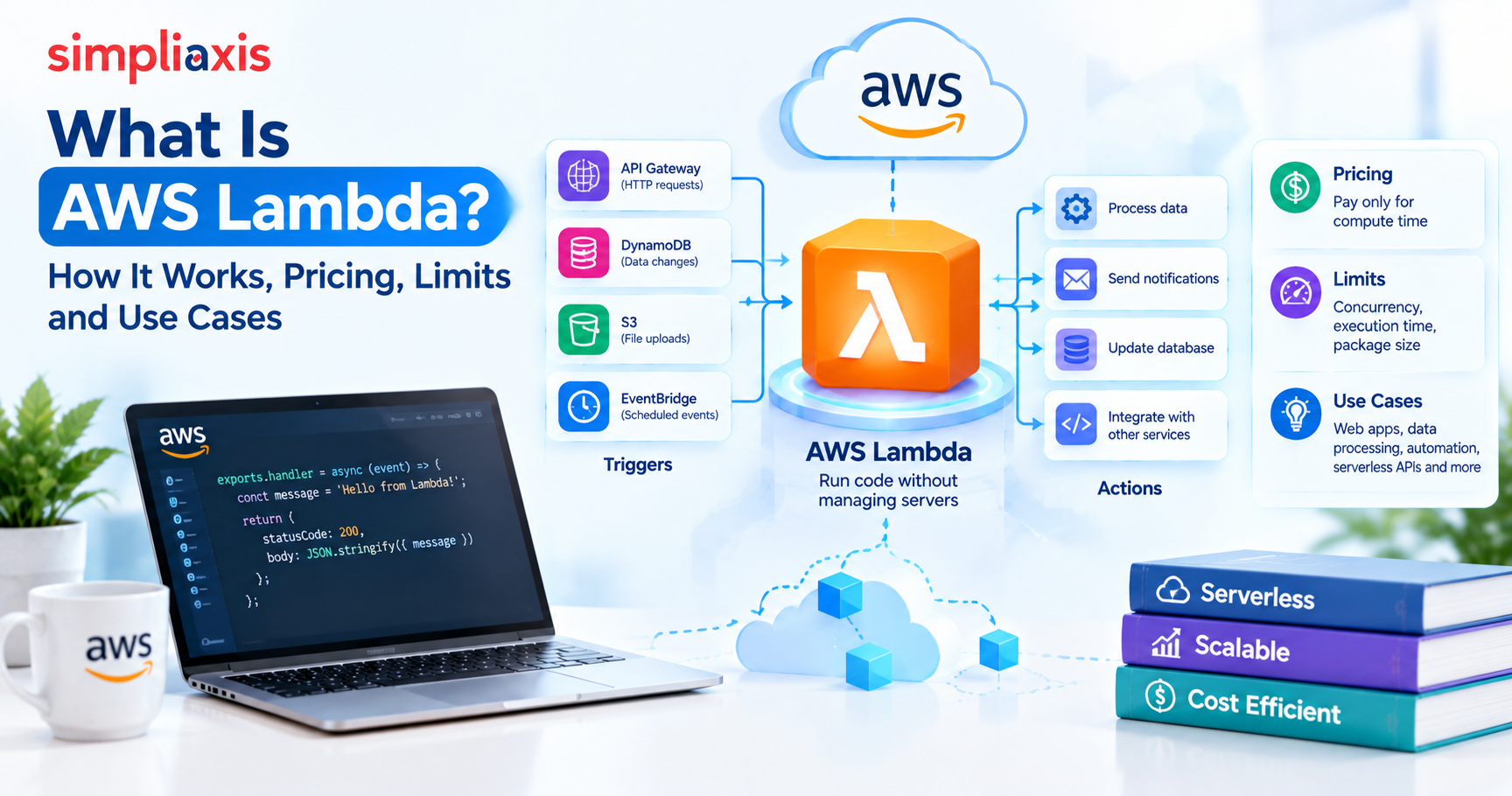
AWS Lambda is Amazon's serverless compute service, and it runs your code only when an event triggers it, such as a file landing in Amazon S3, an HTTP call through API Gateway or a message arriving in an SQS queue. You upload a function, and AWS looks after the servers, scaling and patching. You pay per request plus the memory-time (GB-seconds) your code actually uses.
Key Highlights of AWS Lambda
- An event invokes a Lambda function's handler, which runs for up to 15 minutes and then goes idle.
- Official limits include 128 MB to 10,240 MB of memory, a 900-second timeout, 6 MB synchronous payloads and 1,000 concurrent executions per Region by default.
- You pay $0.20 per million requests plus a GB-second rate, and the monthly free tier covers one million requests and 400,000 GB-seconds.
- Cold starts are the main trade-off. SnapStart and provisioned concurrency both address them, but you can't use the two on the same function version.
- The AWS Developer Associate exam tests Lambda most heavily, and Lambda now backs many AI agent tools.
Introduction to AWS Lambda
Picture a food delivery app in Bengaluru. Every time a restaurant uploads a menu photo, the app needs a 200-pixel thumbnail. You could keep an EC2 server running all day, waiting for uploads that arrive a few hundred times. Or you could write 20 lines of Python that run only when a photo arrives and cost nothing in between. The second option is AWS Lambda.
The unit you deploy is a function rather than a server. You bring code and a trigger, AWS brings the machines, and you never SSH into anything or patch an operating system.
Lambda rarely works alone, so it's worth knowing what AWS is and its core services before you start. In a typical setup, S3 calls the function, the function writes to DynamoDB, API Gateway exposes it to the outside world, and CloudWatch records what happened.
How AWS Lambda Works
AWS creates an isolated execution environment on demand, feeds it one event at a time and reuses it whenever it can. That's the whole model, and triggers, scaling and cold starts all follow from it.
Event Sources and Triggers
An event is a JSON document describing something that happened, and Lambda receives events in three ways. With synchronous invocation the caller waits for the answer, which is how API Gateway, an Application Load Balancer or a direct AWS Lambda invoke behave. With asynchronous invocation the caller hands the event off and moves on; S3 notifications, SNS and EventBridge work like this, and Lambda queues the event internally. With an event source mapping, Lambda itself polls SQS, Kinesis or DynamoDB Streams and invokes your function with batches of records.
The difference shows up when something fails. A synchronous caller sees the error immediately. An asynchronous one doesn't, so you need destinations or a dead-letter queue to find out.
The Handler Function
Lambda calls the handler with two arguments: the event payload and a context object that carries details such as the request ID and remaining time. Any code outside the handler runs once per environment during initialization, which makes it the right place to create SDK clients and database connections.
Execution Environment and Runtimes
Each environment is an isolated microVM holding your code, a runtime and a /tmp directory. The official Lambda runtimes page lists managed runtimes for Node.js, Python, Java, .NET and Ruby, with identifiers such as python3.14 and nodejs24.x, all available on both x86_64 and arm64. Go and Rust use the OS-only runtime, provided.al2023.
Amazon Linux 2 reached end of life on June 30, 2026, and AWS recommends moving to runtimes based on Amazon Linux 2023. If your project still runs on python3.10 or python3.11, put that upgrade on the plan.
Scaling and Concurrency
Concurrency is the number of requests in flight at the same moment, which you can estimate as average requests per second multiplied by average duration in seconds. At 200 requests per second and 250 ms each, you need about 50 environments.
The default is 1,000 concurrent executions per Region, and each function can add 1,000 environments every 10 seconds. New AWS accounts start with reduced quotas that AWS raises as usage grows, so don't be surprised if a fresh student account shows a lower number in Service Quotas.
AWS Lambda Function Example: Step-by-Step
Building the classic example teaches you more about an AWS Lambda function than any diagram. An S3 upload triggers a function, and the function writes a thumbnail to a second bucket. AWS publishes this exact pattern as the S3 thumbnail tutorial, and what follows is a condensed CLI version of it.
Step 1: Create two buckets. One holds originals and the other holds thumbnails. Never write output into the bucket that triggers the function, because the tutorial warns that doing so can invoke your function continuously in a loop and run up charges.
aws s3api create-bucket --bucket menu-photos-src --region us-east-1
aws s3api create-bucket --bucket menu-photos-src-resized --region us-east-1
Step 2: Create an execution role. The role lets Lambda read from S3, write to S3 and send logs to CloudWatch. Scope s3:GetObject to the source bucket and s3:PutObject to the destination bucket, and nothing wider.
Step 3: Write the handler (Python).
import boto3, uuid For comparison, a Node.js handler behind an API Gateway endpoint that returns JSON looks like this: export const handler = async (event) => { |
Step 4: Package and deploy. Pillow contains compiled code, so you have to install it for the Lambda platform rather than for your laptop.
| pip install --platform manylinux2014_x86_64 --only-binary=:all: \ --implementation cp --python-version 3.12 --target package pillow boto3 cd package && zip -r ../function.zip . && cd .. && zip function.zip lambda_function.py aws lambda create-function --function-name CreateThumbnail \ --runtime python3.12 --handler lambda_function.lambda_handler \ --zip-file fileb://function.zip --timeout 10 --memory-size 1024 \ --role arn:aws:iam::<account-id>:role/LambdaS3Role |
Step 5: Connect the trigger. Grant S3 permission with aws lambda add-permission, then apply a bucket notification for s3:ObjectCreated: Put events on the source bucket.
Step 6: Test. Upload a JPG and check the destination bucket with aws s3api list-objects-v2. If nothing appears, open the function's log group in CloudWatch Logs. Nine times out of ten you'll find a missing IAM permission or a library built for the wrong platform.
Once you move past a tutorial, stop running these commands by hand and define everything in AWS SAM or CDK. A template.yaml with one AWS::Serverless::Function resource and an Events block replaces steps 2 to 5 and keeps them in version control. If you'd like instructor-led practice with Lambda alongside EC2 and S3, Simpliaxis'sCloud Computing with AWS trainingcovers the three together.
AWS Lambda Use Cases
Lambda suits work that is short-lived, event-driven and arrives in bursts. The patterns below are the ones you'll see most often in real accounts.
- File processing. Thumbnails, PDF text extraction or virus scanning on every S3 upload. An edtech platform can convert assignment uploads to a standard format the moment students submit.
- REST and HTTP APIs. API Gateway, Lambda and DynamoDB together make a complete backend for a mobile app with uneven traffic, such as a festival-season offers app.
- Queue workers. An SQS queue absorbs order spikes and Lambda drains it in batches, so a flash sale doesn't crush the database.
- Scheduled jobs. An EventBridge schedule runs a function at 2 a.m. to clean stale sessions, rotate reports or call a partner's API, replacing a cron server that sat idle 23 hours a day.
- Stream processing. Functions read Kinesis or DynamoDB Streams records to enrich telemetry, update search indexes, or push notifications in near real time.
- Operations automation. A function can react to CloudTrail or AWS Config events, for example, tagging untagged EC2 instances or raising an alert when a security group opens port 22 to the world.
- Webhooks and chat integrations. Payment gateway callbacks, GitHub webhooks and Slack slash commands all work without a server kept online for them.
- Tool backends for AI agents. Lambda gives a large language model safe, auditable actions such as "check order status" or "create a ticket", which gets its own section further down.
AWS Lambda Pricing and Free Tier Explained
You pay for two things with AWS Lambda pricing, a charge per request and a charge for duration, and duration is measured in GB-seconds (memory allocated multiplied by run time). The figures below come from the official AWS Lambda pricing page as checked on 5 October 2026, for US East (N. Virginia). Prices vary by Region, so if you deploy in Asia Pacific (Mumbai), use the Region selector on the same page to check that rate.
| Price component | Rate on the official page |
| Requests | $0.20 per 1 million requests |
| Duration, x86 | $0.0000166667 per GB-second (first 6 billion GB-seconds per month) |
| Duration, Arm (Graviton) | $0.0000133334 per GB-second, the rate used in the page's Arm worked example |
| Ephemeral storage above 512 MB | $0.0000000309 per GB-second (512 MB included at no extra cost) |
| Provisioned concurrency | $0.0000041667 per GB-second while enabled, plus $0.0000097222 per GB-second of duration (rates used in the page's worked example) |
| Free tier | 1 million requests and 400,000 GB-seconds per month, shared across x86 and Arm |
To see how this adds up, take a college placement portal whose API gets 5 million requests a month, each running 200 ms at 512 MB on x86.
- Compute: 5,000,000 x 0.2 s x 0.5 GB = 500,000 GB-seconds. Subtract the 400,000 free GB-seconds, leaving 100,000. At $0.0000166667, that is about $1.67.
- Requests: 5 million minus 1 million free = 4 million, at $0.20 per million = $0.80.
- Total: about $2.47 a month. Switch to Arm and compute drops to about $1.33, for a total near $2.13.
Memory works as a cost lever in both directions. Doubling it doubles the GB-second rate, but Lambda allocates CPU in proportion to memory, so the function may finish in half the time. Measure before you assume either way. And the Lambda line on the bill is rarely where serverless costs surprise people. API Gateway, NAT gateways for VPC functions and CloudWatch Logs ingestion often cost more than the functions themselves.
AWS Lambda Limits and Quotas
Some AWS Lambda limits are hard limits you can't change, while others are soft quotas you can raise through Service Quotas. The table below is taken from the official Lambda quotas pagein the AWS Lambda documentation, as read on 5 October 2026. These values do change, so recheck them before an exam or a design review.
| Resource | Official value | Adjustable? |
| Memory | 128 MB to 10,240 MB, in 1 MB steps (about one vCPU at 1,769 MB) | No |
| Timeout | 900 seconds (15 minutes) | No |
| Concurrent executions | 1,000 per Region by default | Yes, up to tens of thousands |
| Scaling rate per function | 1,000 execution environments every 10 seconds | No |
| Synchronous payload | 6 MB request and 6 MB response; 200 MB for streamed responses | No |
| Asynchronous payload | 1 MB | No |
| Deployment package (.zip) | 50 MB zipped upload; 250 MB unzipped including layers | No |
| Container image | 10 GB uncompressed, including all layers | No |
| /tmp ephemeral storage | 512 MB to 10,240 MB | No |
| Environment variables | 4 KB total per function | No |
| Layers | 5 per function | No |
| Code storage (.zip and layers) | 300 GB per Region | No; use self-managed S3 code storage |
Two of these cause most production incidents. The 6 MB synchronous payload limit breaks APIs that try to return large files, and the usual fix is to return a pre-signed S3 URL instead. The default concurrency of 1,000 is shared by every function in the Region, so one runaway batch job can throttle your customer-facing API. The quotas page also points out how this compares with API Gateway's default throttle of 10,000 requests per second, which is far higher.
AWS Lambda Cold Starts and How to Reduce Them
A cold start is the extra latency on the first request into a new execution environment, while Lambda loads your code, starts the runtime and runs your initialization code. Warm requests reuse an existing environment and skip all of that.
How much should you care? For user-facing APIs, quite a lot. For background jobs, hardly at all. A thumbnail that appears 800 ms later than usual bothers nobody, but a checkout API that pauses on one request in fifty does.
The fixes below run roughly from least to most effort:
- Trim the package. Fewer dependencies load faster, and you should import only the SDK clients you actually use.
- Do heavy setup outside the handler so it runs once per environment instead of once per request.
- Choose the runtime deliberately. The runtimes page notes that interpreted languages like Python and Node.js are fastest for simple functions, while Java tends to start slower but runs fast once warm.
- Turn on SnapStart. According to theSnapStart documentation, Lambda snapshots the initialized environment when you publish a version and resumes from that snapshot. It supports Java 11 and later, Python 3.12 and later, and .NET 8 and later. Java pays no extra cost, while Python and .NET functions pay for snapshot caching and for each restoration.
- Use provisioned concurrency when latency requirements are strict. It keeps a set number of environments pre-initialized, for an extra hourly-style charge.
Be aware that SnapStart doesn't support provisioned concurrency, so you have to pick one per function version. SnapStart also can't be used with Amazon EFS or with ephemeral storage above 512 MB.
AWS Lambda vs EC2 vs Fargate
The choice between AWS Lambda and EC2 comes down to who manages the server and how long the work runs. Lambda manages everything and suits short, bursty tasks, whereas EC2 hands you a full virtual machine. AWS Fargate sits in between, running a container you supply without asking you to manage hosts.
| Factor | AWS Lambda | Amazon EC2 | AWS Fargate (ECS/EKS) |
| Unit you deploy | Function (.zip or container image) | Virtual machine | Container task or pod |
| Server management | None | You patch and scale the OS | None for hosts; you manage images |
| Max run time | 15 minutes per invocation | Unlimited | Unlimited |
| Scaling | Automatic, per request | Auto Scaling groups you configure | Service auto scaling you configure |
| Billing | Per request plus GB-seconds | Per instance-second while running | Per vCPU and memory while running |
| Idle cost | Zero (unless provisioned concurrency) | Full instance cost | Full task cost |
| Best fit | Event handlers, APIs with spiky traffic, glue code | Long-running apps, custom OS needs, GPUs | Steady containerized services, long jobs |
If the work finishes in seconds and traffic is uneven, start with Lambda. If it runs for hours, needs a GPU or holds long-lived connections, go with EC2 or Fargate. Teams that already ship containers will find the orchestration side of that decision covered in our Docker vs Kubernetes comparison.
AWS Lambda Best Practices
Most AWS Lambda best practices come down to security, observability and changing things safely. A demo can skip them; a production system can't.
- IAM least privilege. Give each function its own execution role, scoped to specific ARNs. A thumbnail function needs s3:GetObject on one bucket, not s3:* on all of them.
- Configuration in environment variables, secrets in Secrets Manager. Environment variables are capped at 4 KB in total and are visible to anyone who can read the function configuration. Fetch database passwords from AWS Secrets Manager or Parameter Store at init time and cache them.
- Observability with CloudWatch and X-Ray. Log in structured JSON and set log retention, since the default keeps logs forever. Put alarms on Errors, Throttles and Duration, and enable AWS X-Ray tracing to see which downstream call is slow.
- Idempotency. Asynchronous events and queue messages can be delivered more than once. Store a processed event ID in DynamoDB with a conditional write so that a retried payment webhook doesn't charge a customer twice.
- Layers for shared code. Common libraries belong in a Lambda layer, as long as you remember the five-layer and 250 MB unzipped limits.
- Versions and aliases. Publish immutable versions and point a prod alias at them. Shift traffic gradually with weighted aliases and CodeDeploy, and roll back by moving the alias. Our DevOps pipeline tools implementation guide shows where this fits in a CI/CD flow.
- Deliberate timeouts. A 15-minute timeout on an API function hides bugs and burns money. Match the timeout to the caller, because API Gateway callers need seconds rather than minutes.
AWS Lambda for AI Agents and Tool Calling
Lambda has become a common way to give AI agents real actions to take. The model decides what should happen, a Lambda function carries it out, and IAM controls exactly what that function can touch.
AWS currently offers two paths. In Amazon Bedrock Agents, an action group can pass the parameters an agent collects to a Lambda function that holds your business logic. The Bedrock action groups documentation, however, now labels the service Amazon Bedrock Agents Classic, closed to new customers, and points newcomers to Amazon Bedrock AgentCore.
With AgentCore Gateway, you register a Lambda function as a target and describe its tools with a JSON schema (name, description, input schema). The AgentCore Lambda targets guide notes that the function receives the tool arguments as the event and gets the tool name in the context object. It must return valid JSON and needs a timeout suited to the tool's work.
A minimal tool handler looks like this:
| def lambda_handler(event, context): tool = context.client_context.custom["bedrockAgentCoreToolName"].split("___")[-1] if tool == "get_order_status": return {"order_id": event["order_id"], "status": lookup(event["order_id"])} return {"error": f"unknown tool {tool}"} |
Because each tool is a separately permissioned function, an agent that can read order status can't also issue refunds unless you build that tool and grant access to it. If you want to build an agent like this end to end, the Agentic AI with AWS Bedrock workshopwalks through agent design on AWS.
AWS Lambda and AWS Certifications
Lambda shows up across the AWS certification track at different depths. The table reflects the official AWS Certification listings and the DVA-C02 exam guide, checked for this article.
| Certification | How deeply Lambda is tested |
| AWS Certified Cloud Practitioner | Concept level: what serverless compute is, when to pick Lambda over EC2 |
| AWS Certified Solutions Architect - Associate (SAA-C03) | Architecture choices: event-driven designs, decoupling with SQS and SNS, cost trade-offs |
| AWS Certified Developer - Associate (DVA-C02) | Heaviest coverage: the exam guide has a task titled "Develop code for AWS Lambda", covering configuration, error handling, VPC access and tuning |
| AWS Certified CloudOps Engineer - Associate (formerly SysOps Administrator - Associate) | Monitoring, throttling, quotas and automation with Lambda |
| AWS Certified DevOps Engineer - Professional | Deployment strategies with versions, aliases and CodeDeploy, plus automated remediation |
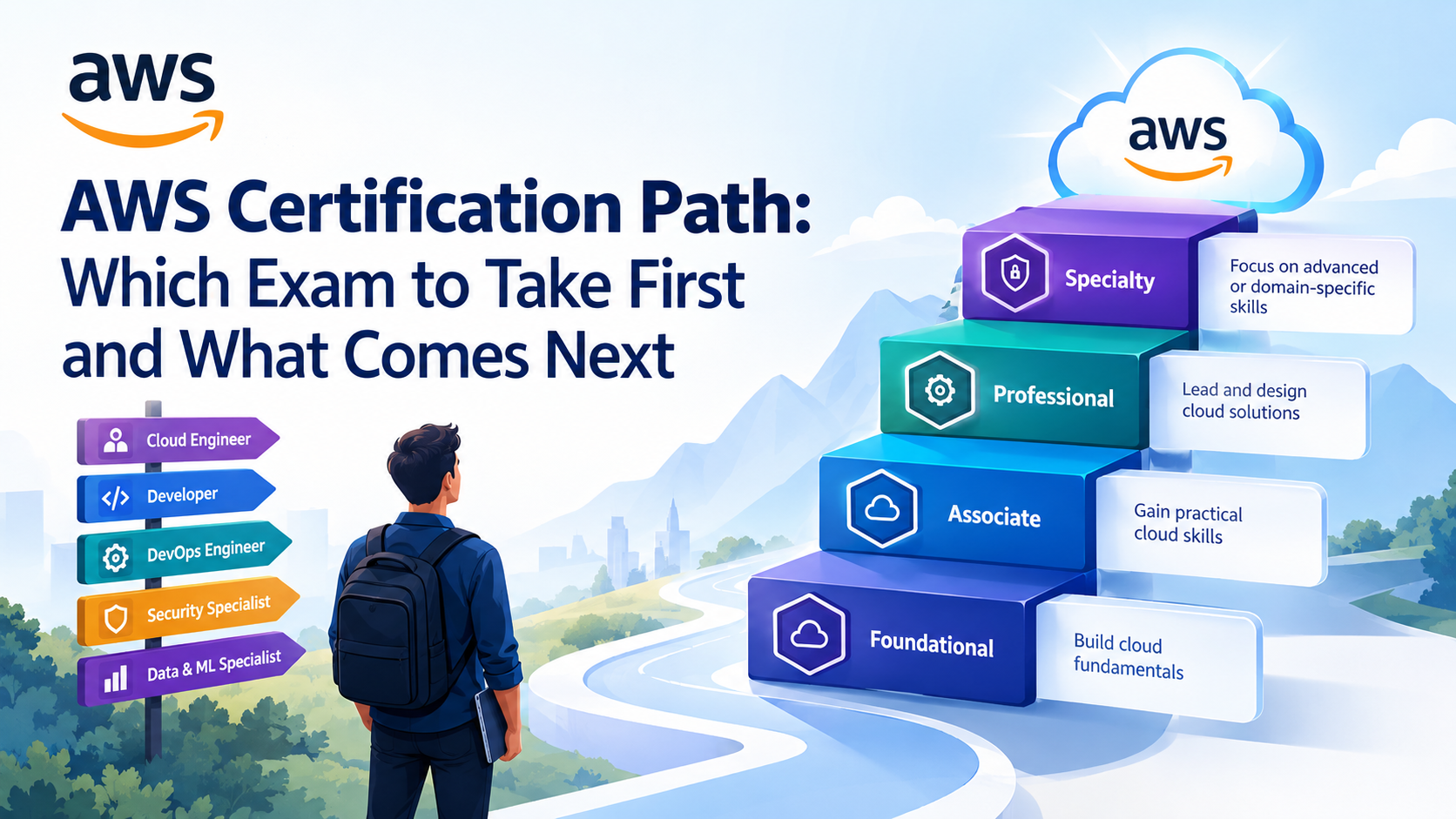
Most learners in India do well starting with Cloud Practitioner and then moving to Solutions Architect Associate for the architecture side. Our AWS Solutions Architect Associate certification guideexplains that exam's format and a preparation plan. After that, engineers focused on operations usually take the CloudOps (formerly SysOps) route, while people who run deployment pipelines aim for DevOps Engineer Professional.
Conclusion
AWS Lambda is the simplest way to run code on AWS without owning a server. An event arrives, your handler runs, and you pay for milliseconds of memory-time. It's a strong fit for file processing, APIs with uneven traffic, queue workers, scheduled jobs and AI agent tools, and a poor one for long-running work, very large payloads or latency-critical paths where nobody is managing cold starts.
The quickest way to learn it is to build the S3 thumbnail function above, break it on purpose and read the CloudWatch logs. If you then want a guided route toward a recognized credential, the AWS Cloud Practitioner certification training is a sensible place to begin.


_1774523451.webp)





 Lowest-Price Challenge











 Personalized Path


.webp)


 USA
USA  Canada
  India
India  UK
UK  Australia
  Singapore


