


 Call Us



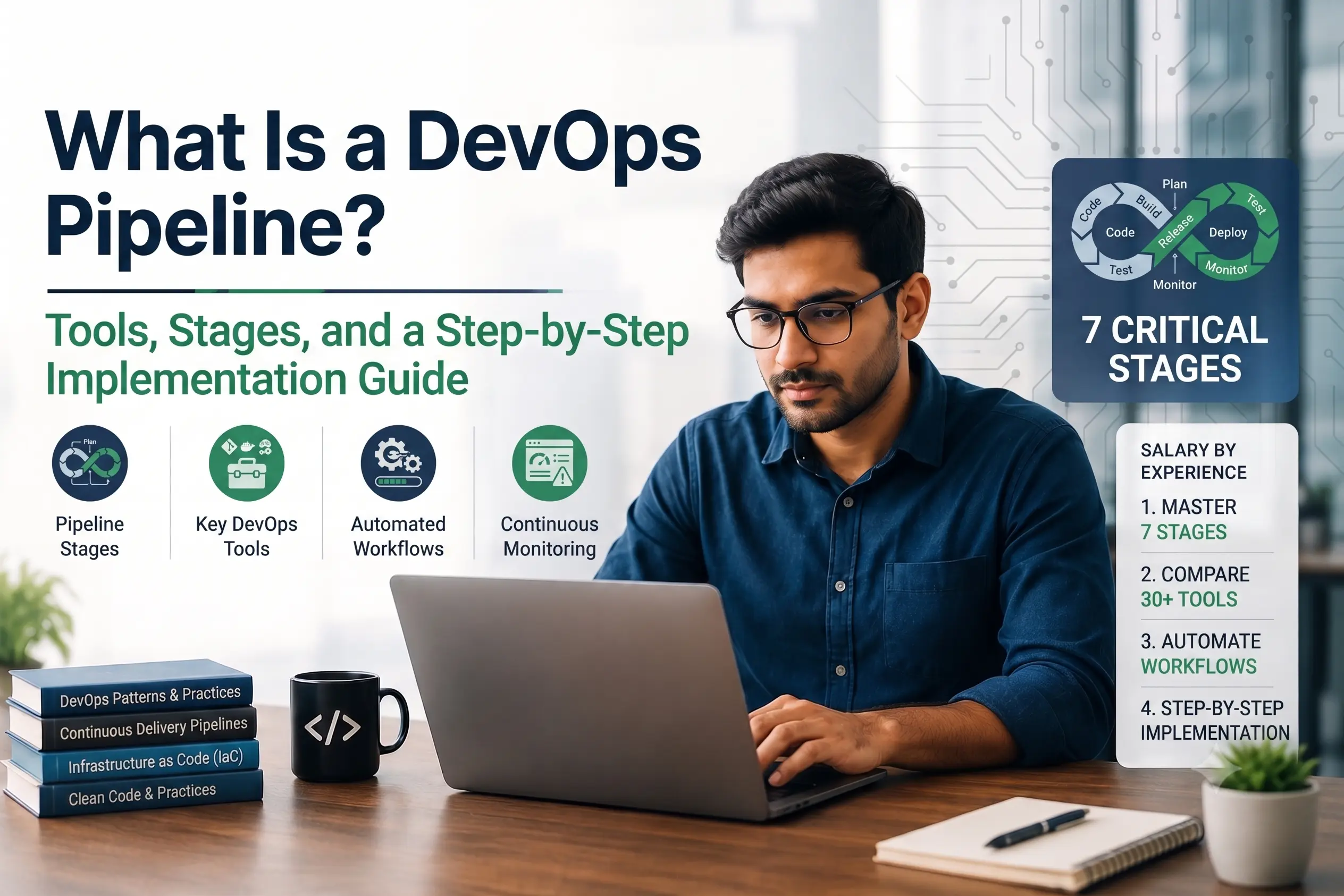
A DevOps pipeline is an automated sequence of stages, source control, build, test, release, and deploy, that moves code changes from a developer's commit to a live production environment with minimal manual intervention. It is built using CI/CD tools such as Jenkins, GitHub Actions, GitLab CI, Azure DevOps, CircleCI, or ArgoCD, and it typically combines continuous integration (automatically building and testing every change) with continuous delivery or deployment (automatically releasing that change). A well-designed pipeline shortens release cycles, catches defects earlier, and gives teams a repeatable, auditable path to production.
Key Highlights of DevOps Pipeline
- A DevOps pipeline automates four core stages: source, build, test, and deploy, with security and monitoring increasingly built in as additional stages rather than afterthoughts.
- CI/CD is the engine inside a DevOps pipeline: continuous integration merges and tests code frequently, while continuous delivery or deployment automates the release step.
- Leading tools in 2026 include Jenkins for self-hosted flexibility, GitHub Actions for GitHub-native teams, GitLab CI for all-in-one DevOps platforms, Azure DevOps for regulated enterprise release management, CircleCI for fast managed cloud pipelines, and ArgoCD for Kubernetes-native GitOps delivery.
- Implementation follows a repeatable path: assess the current workflow, choose tools, define pipeline-as-code, automate testing and security scans, roll out progressively, and monitor with DORA metrics.
- The four DORA metrics, deployment frequency, lead time for changes, change failure rate, and mean time to recovery, are the industry-standard way to measure whether a pipeline is actually improving software delivery.
- Common pitfalls include flaky or missing automated tests, hard-coded secrets, environment drift between staging and production, and pipelines configured manually in a UI instead of version-controlled as code.
What Is a DevOps Pipeline?
A DevOps pipeline is the automated workflow that takes a code change all the way from a developer's local machine to a running application in production. Instead of manually building, testing, and deploying software at the end of a release cycle, teams define the entire path as a series of automated steps that run every time code changes. This is what allows modern engineering organizations to ship updates daily, or even multiple times a day, instead of once a quarter.
The term "DevOps pipeline" is often used interchangeably with "CI/CD pipeline," and in practice the two overlap heavily. A DevOps pipeline is the broader concept: it includes the cultural and process side of DevOps (shared ownership between development and operations, infrastructure as code, monitoring and feedback loops) as well as the technical automation. The CI/CD pipeline is the concrete, tool-driven backbone that makes that automation happen. Every pipeline is defined in a configuration file (YAML in most modern tools) that is stored in version control alongside the application code, a practice generally referred to as pipeline-as-code.
Organizations building out a DevOps capability, or professionals training for roles like DevOps engineer or site reliability engineer, typically start by learning pipeline fundamentals through a structured DevOps certification and training program before working hands-on with specific tools.
Why DevOps Pipelines Matter
The business case for a DevOps pipeline goes well beyond developer convenience. Organizations that automate their build, test, and release process consistently ship smaller, safer changes more often, which lowers the risk of any single release compared with large, infrequent "big bang" deployments. Because a pipeline runs the same automated checks on every change, it removes variability caused by manual testing and manual release steps, the kind of variability that leads to the "it worked when I tested it locally" class of production incidents.
There is also a direct link between pipeline maturity and business outcomes. Teams that can deploy on demand, in minutes rather than days, can respond to customer feedback, security patches, and competitive pressure far faster than teams still relying on scheduled release windows. This is why deployment frequency and lead time for changes, two of the four DORA metrics covered later in this guide, have become standard talking points in engineering leadership conversations, not just inside the DevOps team itself.
Finally, a well-built pipeline is a form of institutional knowledge. When the steps to build, test, and deploy an application exist only in one engineer's head, or scattered across manual runbooks, that knowledge is fragile. When those same steps are captured as versioned, reviewable pipeline code, the organization retains that capability even as individual team members change roles.
DevOps Pipeline vs CI/CD Pipeline: How They Relate
Continuous Integration (CI) is the practice of merging code changes into a shared repository frequently, with every merge automatically triggering a build and a suite of automated tests. This catches integration problems early, when they are cheap to fix, rather than weeks later during a manual QA cycle.
Continuous Delivery (CD) extends CI by automatically preparing every tested change for release, so it can be deployed to production at any time with a single approval or push of a button. Continuous Deployment goes one step further and removes the manual approval gate entirely: every change that passes the pipeline is deployed to production automatically. Most enterprise teams run continuous delivery rather than full continuous deployment, keeping a manual or automated policy gate before production for compliance and risk-control reasons.
A DevOps pipeline wraps CI/CD with the additional practices that make it safe to run in a real organization: infrastructure as code so environments are reproducible, configuration and secrets management, automated security and compliance scanning, observability and alerting, and a rollback or feature-flag strategy for when something goes wrong. In short, CI/CD is the automation engine; the DevOps pipeline is the full assembly line built around it.
DevOps Pipeline Stages Explained
While every organization customizes its pipeline, almost all CI/CD and DevOps pipelines are built around the same core stages.
- Source (or Plan): The pipeline is triggered by a change, typically a commit, a pull request, or a merge to a specific branch, in a version control system such as Git. This stage also covers code review and branch policies.
- Build: The application's source code is compiled, packaged, and its dependencies resolved. For containerized applications, this stage produces a container image; for interpreted languages it may simply install dependencies and run linting.
- Test: Automated tests run against the build artifact, typically in layers: fast unit tests first, then integration tests, then slower end-to-end or UI tests. Static code analysis and dependency vulnerability scanning are increasingly run at this stage too.
- Package and Release: The tested artifact is versioned and stored in an artifact registry or container registry, ready to be promoted through environments.
- Deploy: The artifact is deployed to a target environment, development, staging, or production, using a defined deployment strategy such as rolling updates, blue-green deployments, or canary releases.
- Monitor and Feedback: Once live, the application is monitored for errors, performance regressions, and business metrics. Alerts and dashboards feed back into the next planning cycle, closing the loop that gives DevOps its name.
Security is no longer treated as a separate, later stage. Modern pipelines embed static application security testing (SAST), software composition analysis (SCA), and container image scanning directly into the build and test stages, a practice commonly known as DevSecOps or "shifting security left."
Continuous Feedback, Monitoring and Operations
Continuous feedback. Short feedback loops tell developers within minutes whether a change broke the build, a test or a security check, and tell the team after release whether users are affected. Route alerts and user signals into the next planning cycle.
Continuous monitoring. Track error rates, latency and saturation for every release, and compare them against thresholds that trigger automatic rollback or a halt to the canary rollout. Add log analysis so failures explain themselves.
Continuous operations. Plan for releases without user-visible downtime through rolling or blue-green strategies, health checks and on-call ownership, so that maintenance and incidents do not interrupt service.
Top DevOps Pipeline Tools Compared
There is no single best CI/CD tool. GitHub Actions suits teams hosted on GitHub, GitLab CI/CD suits teams that want code, security and pipelines on one platform, Jenkins suits teams that need maximum control, Azure DevOps suits Microsoft-centered and regulated enterprises, CircleCI suits fast managed cloud builds, and Argo CD suits Kubernetes GitOps delivery.
The right choice depends on where your code already lives, whether you need self-hosted control or a managed service, and whether your deployment target is Kubernetes. The table below compares the ten tools most commonly used to build DevOps pipelines today.
| Tool | Hosting Model | Best Fit | Notable Strength | Configuration Format |
| Jenkins | Self-hosted (open source) | Enterprises needing deep customization and on-premises control | Enormous plugin ecosystem; can be adapted to almost any workflow, at the cost of higher maintenance overhead | Declarative or Scripted Pipeline (Jenkinsfile, Groovy-based) |
| GitHub Actions | Managed (cloud), with self-hosted runners available | Teams already hosting code on GitHub | Lives directly inside the repository; large marketplace of reusable workflows; OIDC support removes the need for long-lived cloud credentials | YAML workflow files in .github/workflows |
| GitLab CI/CD | Managed (cloud) or self-hosted | Teams that want source control, registry, security scanning, and pipelines in one platform | Tightly integrated DevOps platform; strong built-in security and compliance scanning | .gitlab-ci.yml |
| Azure DevOps | Managed (cloud), Microsoft-hosted or self-hosted agents | Enterprises standardized on Microsoft/Azure with formal approval and audit requirements | Rich approvals, audit trails, and release-gate policies suited to regulated industries | YAML pipelines (azure-pipelines.yml) or classic UI editor |
| CircleCI | Managed (cloud) or self-hosted runners | Teams wanting fast, managed pipelines without running their own build servers | Strong Docker layer caching, native parallelism, and orbs (reusable config packages) | YAML (.circleci/config.yml) |
| ArgoCD | Self-hosted, runs inside Kubernetes | Teams practicing GitOps for Kubernetes-native continuous delivery | Continuously reconciles the live cluster state against a Git repository; strong rollback and drift detection | Kubernetes manifests / Helm / Kustomize, declared in Git |
| Harness | Managed SaaS with self-hosted delegates | Larger organizations with complex release environments | CI plus advanced delivery, with continuous verification, policy controls and progressive deployment | Pipelines defined in the Harness platform |
| TeamCity | Cloud or on-premises | Enterprises with complex build chains | Build chains with snapshot and artifact dependencies; detailed build configuration | Kotlin DSL or UI |
| Bitbucket Pipelines | Atlassian cloud, with self-hosted runners | Teams standardized on Bitbucket and Atlassian | Native Bitbucket workflow; reusable Pipes for common integrations | bitbucket-pipelines.yml |
| AWS CodePipeline + CodeBuild | AWS managed services | AWS-native workloads | Deep IAM and AWS service integration; no CI server to maintain | Pipeline stages and actions in AWS; buildspec.yml for CodeBuild |
Teams preparing for AWS roles can pair this with our AWS Certified DevOps Engineer training.
A common modern architecture pairs a CI tool (GitHub Actions or GitLab CI) for building, testing, and producing container images, with ArgoCD handling continuous delivery into Kubernetes using GitOps principles, where the desired state of the cluster is always defined declaratively in a Git repository rather than pushed imperatively by a script. For teams not running Kubernetes, Jenkins, Azure DevOps, or CircleCI can own both the CI and CD portions of the pipeline end to end.
A Closer Look at Each Tool
Jenkins remains one of the most widely deployed CI/CD servers precisely because it is unopinionated: through its plugin ecosystem it can be wired into almost any source control system, build tool, or deployment target. That flexibility comes with a tradeoff, teams are responsible for hosting, upgrading, and securing the Jenkins server and its plugins themselves, which is why it tends to show up most in organizations with an existing platform engineering function to own that maintenance.
GitHub Actions removes that hosting burden for teams already using GitHub, since workflows are defined in the same repository as the code and run on GitHub-managed infrastructure by default. Its marketplace of community-built actions means common tasks, publishing a package, deploying to a cloud provider, running a linter, rarely need to be scripted from scratch, and OpenID Connect (OIDC) support lets workflows authenticate to AWS, Azure, or Google Cloud without storing long-lived secret keys.
GitLab CI/CD is built into the same platform as GitLab's source control, container registry, and security scanning features, so pipelines can reference built-in vulnerability scanning and license compliance checks without adding a separate tool. This consolidation is a major reason enterprises with strict compliance requirements often standardize on GitLab as a single DevOps platform rather than assembling one from several point solutions.
Azure DevOps is the natural choice for organizations already standardized on Microsoft infrastructure. Its release pipelines support formal, auditable approval gates, useful for industries such as finance or healthcare where a documented sign-off is required before a production release, alongside Azure Boards and Azure Repos for teams that want work tracking and source control from the same vendor.
CircleCI focuses specifically on making the CI portion of the pipeline fast, through aggressive dependency and Docker layer caching and straightforward parallelism across test suites. Its "orbs" (shareable, versioned configuration packages) reduce boilerplate for common language and deployment setups, which makes it a popular option for teams that want a managed pipeline without adopting an entire platform's ecosystem.
ArgoCD takes a fundamentally different approach from the other five tools: rather than pushing changes to an environment, it runs inside the target Kubernetes cluster and continuously pulls from a Git repository, correcting the live cluster whenever it drifts from what is declared in Git. This GitOps model gives teams a built-in audit trail (every change is a Git commit) and a natural rollback mechanism (reverting the commit reverts the cluster).
For authoritative, always-current details on configuring each tool, refer to the official documentation: Jenkins documentation, GitHub Actions documentation, GitLab CI/CD documentation, Azure Pipelines documentation, CircleCI documentation, and Argo CD documentation.
How to Choose a CI/CD Tool
Start with your environment, not a feature checklist. The right tool is the one that fits where your code lives, where you deploy and how much platform work your team can own.
| Evaluation area | What to check |
| Hosting | Do you need a managed service, self-hosted control or a hybrid with your own runners? |
| Configuration | Does your team prefer YAML, a scripting DSL, a visual editor or a mix? |
| Build performance | Can the tool parallelize tests, cache dependencies and scale runners? |
| Deployment | Do you need simple deploys, approvals, progressive delivery or GitOps? |
| Kubernetes | Is Kubernetes one target among many, or the center of your platform? |
| Security | How are secrets, tokens, runner access and third-party extensions controlled? |
| Governance | Can you enforce shared templates, policies, approvals and audit trails? |
| Cost of ownership | What do licenses, compute, runner management, upgrades and admin time cost together? |
Best CI/CD Tool by Use Case
| Use case | Recommended option | Why |
| Code hosted on GitHub | GitHub Actions | Workflows live in the repository and run on hosted or self-hosted runners |
| One platform for code, security and pipelines | GitLab CI/CD | Source control, registry, scanning and pipelines in one product |
| Maximum customization and on-premises control | Jenkins | Large plugin ecosystem, at the cost of maintenance |
| Fast, test-heavy cloud builds | CircleCI | Parallelism, caching and test splitting |
| Microsoft or regulated enterprise | Azure DevOps Pipelines | Approvals, checks and protected resources |
| Kubernetes GitOps delivery | Argo CD | Git as the source of truth with drift reconciliation |
| AWS-native workloads | AWS CodePipeline + CodeBuild | Managed, with IAM and AWS service integration |
| Complex enterprise release governance | Harness | Verification, policy and rollout strategies |
Open Source vs Managed CI/CD and Total Cost of Ownership
Open-source tools remove license fees but not operating cost. With Jenkins, for example, your team owns infrastructure, upgrades, plugin compatibility, availability, backups and security. Managed platforms move that work to the vendor but typically charge for users, compute minutes, credits or runners. Compare the full cost, not just the license line.
- Subscription or license fees
- Build compute and storage
- Self-hosted runner infrastructure
- Administration time
- Upgrade and patching effort
- Security engineering
- Outage and recovery risk
- Compliance work
- Developer time lost to slow or unstable pipelines
Open source makes sense when customization and control create real business value. Managed services make sense when engineering time is better spent on the product than on keeping CI infrastructure running.
How to Build a DevOps Pipeline: Step-by-Step Implementation Guide
- Assess the current workflow. Map how code moves today: how builds happen, how testing is done, how releases are approved, and where manual handoffs cause delay. This baseline is what you will later compare DORA metrics against.
- Choose the toolchain. Pick a source control platform (commonly Git via GitHub, GitLab, or Azure Repos), a CI/CD engine from the comparison table above, and, for containerized workloads, a container registry and orchestration platform such as Kubernetes.
- Containerize the application where relevant. Package the application using Docker so that what runs in the pipeline's test stage is identical to what runs in production, eliminating "it worked on my machine" failures.
- Write the pipeline as code. Create the pipeline configuration file (Jenkinsfile, GitHub Actions workflow YAML, .gitlab-ci.yml, or azure-pipelines.yml) and commit it to the same repository as the application code, so pipeline changes go through the same review process as application changes.
- Automate the build and unit test stage first. Get every commit building and running unit tests automatically before adding anything else; this is the minimum viable CI setup and delivers fast feedback immediately.
- Layer in deeper testing and security scanning. Add integration tests, then end-to-end tests, then static analysis and dependency/container vulnerability scanning, keeping the fastest checks earliest in the pipeline so failures surface quickly.
- Automate artifact versioning and storage. Every successful build should produce a uniquely versioned, immutable artifact or container image stored in a registry, never rebuilt or mutated after the fact.
- Define environments and promotion rules. Set up development, staging, and production environments using infrastructure as code (for example, Terraform or Azure Resource Manager templates) so environments are reproducible and drift-free.
- Automate deployment with a safe rollout strategy. Configure rolling updates, blue-green deployments, or canary releases so a bad change affects a small percentage of traffic and can be rolled back automatically if health checks fail.
- Add monitoring, alerting, and feedback. Connect the deployed application to observability tooling so the team is notified of failures immediately, and route that feedback into planning for the next cycle.
- Measure and iterate. Track the four DORA metrics from day one, and revisit pipeline design quarterly as team size, deployment frequency, and compliance requirements evolve.
Here is a minimal CI workflow in GitHub Actions. It runs on every pull request and push to main, installs dependencies, tests and builds. Pin each action to the current major version you have reviewed.
name: cion: pull_request: push: branches: [main]jobs: build-test: runs-on: ubuntu-latest steps: - uses: actions/checkout@v4 - uses: actions/setup-node@v4 with: node-version: 20 cache: npm - run: npm ci - run: npm test - run: npm run buildThis covers the source, build and test stages. Add a release job that pushes a versioned image to a registry, then a deploy job that targets staging before production.
Choosing a Deployment Strategy
Rolling deployments replace instances gradually, blue-green deployments switch traffic between two identical environments, and canary deployments send a small share of real traffic to the new version first. Canary limits the impact of a bad release; blue-green gives the fastest rollback.
The last mile of a pipeline, actually releasing the new version to users, carries the most risk, so most mature pipelines pick one of three deployment strategies rather than simply replacing the old version outright:
- Rolling deployment: Instances running the old version are replaced gradually with instances running the new version, a few at a time, so the application stays available throughout the release with no dedicated second environment required.
- Blue-green deployment: Two identical production environments exist, one live ("blue") and one idle ("green"). The new version is deployed to the idle environment, tested, and then traffic is switched over instantly, giving a near-instant rollback path by simply switching traffic back.
- Canary deployment: The new version is released to a small percentage of real traffic first, monitored closely against error-rate and latency thresholds, and only rolled out further once it proves healthy, limiting the blast radius of a bad release to a fraction of users.
Kubernetes-native pipelines using ArgoCD commonly implement canary and blue-green strategies through progressive delivery controllers, while simpler workloads on virtual machines or platform-as-a-service targets often start with rolling deployments and graduate to blue-green or canary as reliability requirements grow.
Best Practices for a Reliable DevOps Pipeline
- Treat pipeline configuration as code. Store pipeline definitions in version control alongside the application, never configure critical pipelines only through a UI, so every change is reviewable and auditable.
- Build a test pyramid. Run many fast unit tests, fewer integration tests, and a small number of slow end-to-end tests, so the pipeline gives feedback in minutes, not hours.
- Keep pipelines fast. Parallelize independent jobs, cache dependencies, and fail fast on the cheapest checks first, since slow pipelines encourage developers to skip or batch commits.
- Never hard-code secrets. Use a dedicated secrets manager or the CI/CD tool's native secret store rather than embedding credentials in pipeline files or environment scripts.
- Keep environments consistent. Use containers and infrastructure as code so staging mirrors production closely enough that "it passed in staging" is a reliable signal.
- Make rollback a first-class feature. Every deployment strategy should have a tested, fast rollback path, not a manual, improvised one discovered during an incident.
- Give teams shared ownership of pipeline health. Treat a broken pipeline as a top-priority incident for the whole team, not a problem for a single "DevOps person" to fix alone.
Securing the Pipeline (DevSecOps)
The pipeline itself is part of your security boundary. Build these controls in, rather than adding them after an incident.
| Control | Where it runs | What it catches |
| Secrets scanning | Commit and build | Credentials accidentally committed to the repository |
| Static analysis (SAST) | Build and test | Insecure code patterns before release |
| Dependency scanning (SCA) | Build and test | Known vulnerabilities and license issues in libraries |
| Container image scanning | Build and release | Vulnerable base images and packages |
| Dynamic testing | Staging | Issues that only appear in a running application |
| Artifact signing and SBOM | Release | Tampering and unknown components in what you ship |
| Short-lived credentials (OIDC) | Deploy | Long-lived cloud keys stored in the CI system |
Teams building these skills can explore our DevSecOps training.
Common Pitfalls to Avoid
- Weak or missing automated tests. A pipeline that deploys quickly but without solid test coverage just ships defects to production faster.
- Flaky tests that are tolerated. Once a team starts ignoring intermittent test failures, the pipeline's signal stops being trusted, and real failures get missed too.
- Environment drift. Manual, undocumented changes to staging or production servers cause deployments that work in one environment and fail in another.
- Overly long pipelines. Pipelines that take an hour or more to complete push developers toward batching changes and skipping checks, undermining the entire point of continuous integration.
- Hard-coded secrets and credentials. Storing API keys or passwords directly in pipeline files is a recurring cause of security incidents.
- No rollback or feature-flag strategy. Teams that can only move forward, never safely back, tend to slow down deployment frequency out of fear rather than confidence.
- Building pipelines only in a UI. Configuration that lives only in a tool's web interface, rather than in version control, is difficult to review, replicate, or restore after an outage.
Measuring Pipeline Success With DORA Metrics
The DORA (DevOps Research and Assessment) metrics are the industry-standard way to measure whether a DevOps pipeline is actually improving software delivery, rather than just adding automation for its own sake. They combine two throughput metrics and two stability metrics:
- Deployment Frequency: How often an organization successfully releases to production. Elite-performing teams deploy on demand, often multiple times per day.
- Lead Time for Changes: The time from a developer's first commit to that change running in production, covering coding, review, testing, and deployment. Elite teams achieve lead times under one hour.
- Change Failure Rate: The percentage of deployments that cause a failure in production requiring a rollback, hotfix, or remediation. Elite teams keep this between 0 and 15 percent.
- Mean Time to Recovery (MTTR): How long it takes to restore service after a production incident caused by a deployment. Elite teams typically recover in under one hour.
Tracking these four numbers before and after a pipeline overhaul gives an objective, defensible way to show whether the investment in automation is paying off, rather than relying on anecdotal impressions of "things feel faster now."
CI/CD Trends to Watch in 2026
AI-assisted troubleshooting and verification. Platforms are adding automation for failure analysis, log summaries and post-deployment health checks. Treat these as accelerators for engineers, and keep human approval and policy gates on production changes.
Stronger software supply chain controls. Runner isolation, protected resources, trusted templates, secrets handling, artifact integrity and policy enforcement are now core pipeline concerns, because the delivery system can be an attack path.
GitOps and platform engineering. Kubernetes teams increasingly separate build automation from declarative delivery, while platform teams publish reusable templates, policies and approved deployment paths so each application does not invent its own process.
DevOps Career and Certification Angle
Designing, building, and operating DevOps pipelines has become one of the most in-demand skill sets in software engineering, and it spans several distinct career tracks: DevOps engineer, site reliability engineer, platform engineer, and cloud engineer all spend significant time on pipeline design and CI/CD tooling. Because the tooling landscape changes quickly, structured certification programs are a common way for both new and experienced engineers to validate hands-on pipeline skills to employers.
Professionals building this skill set typically combine platform-specific certifications with broader DevOps credentials. Options worth considering include the AWS Certified DevOps Engineer training, which covers CI/CD, infrastructure as code, and monitoring on AWS; the Microsoft AZ-400 DevOps Engineer Expert certification, focused on designing and implementing DevOps processes on Azure; and foundational, framework-level courses such as DevOps Foundation certification training for professionals who are newer to the discipline. Readers who want a deeper primer specifically on the CI/CD side of the pipeline can also review Simpliaxis's existing guide on how CI/CD works.
Key Takeaways
- A DevOps pipeline automates the path from code commit to production, built around source, build, test, and deploy stages, with security and monitoring increasingly integrated throughout rather than bolted on at the end.
- CI/CD is the automation engine inside a DevOps pipeline; the broader pipeline also includes infrastructure as code, secrets management, and observability.
- Jenkins, GitHub Actions, GitLab CI, Azure DevOps, CircleCI, and ArgoCD each fit different needs, self-hosted flexibility, GitHub-native simplicity, all-in-one platforms, regulated enterprise release management, fast managed pipelines, and Kubernetes GitOps respectively.
- Successful implementation follows a repeatable sequence: assess, choose tools, containerize, define pipeline-as-code, layer in testing and security, automate deployment, then monitor and iterate.
- DORA metrics, deployment frequency, lead time for changes, change failure rate, and mean time to recovery, are the standard way to prove a pipeline investment is working.
- Common pitfalls, weak test coverage, hard-coded secrets, environment drift, and UI-only pipeline configuration, undermine even well-intentioned automation efforts.
- DevOps pipeline skills map directly to certification paths such as AWS Certified DevOps Engineer, Microsoft AZ-400, and DevOps Foundation training for professionals building this career track.
Frequently Asked Questions
1. What is the difference between a DevOps pipeline and a CI/CD pipeline?
A CI/CD pipeline is the automated build-test-deploy workflow itself. A DevOps pipeline is the broader concept that includes CI/CD plus the surrounding practices, infrastructure as code, security scanning, monitoring, and feedback loops, that make continuous delivery sustainable in a real organization.
2. Which DevOps pipeline tool should a beginner start with?
GitHub Actions is generally the easiest entry point for individuals and small teams because it requires no separate server to manage and integrates directly with a GitHub repository. Jenkins and Azure DevOps are common next steps for learning enterprise-scale, self-hosted pipeline management.
3. Do I need Kubernetes to build a DevOps pipeline?
No. Kubernetes is common for containerized, cloud-native applications, and tools like ArgoCD are specifically built for Kubernetes GitOps, but plenty of effective pipelines deploy directly to virtual machines, serverless platforms, or traditional application servers using Jenkins, GitHub Actions, Azure DevOps, or CircleCI alone.
4. What is GitOps and how does it relate to ArgoCD?
GitOps is a practice where the desired state of an environment is declared in a Git repository, and a tool like ArgoCD continuously compares that declared state to what is actually running, automatically correcting any drift. It is most commonly used for Kubernetes continuous delivery.
5. How long does it take to implement a DevOps pipeline?
A minimal CI pipeline, automated build and unit tests on every commit, can often be running within days. A full pipeline with automated security scanning, multi-environment promotion, and production-grade rollback strategies typically takes several weeks to a few months, depending on application complexity and compliance requirements.
6. What are DORA metrics and why do they matter?
DORA metrics, deployment frequency, lead time for changes, change failure rate, and mean time to recovery, are the standard way to measure whether a DevOps pipeline is genuinely improving software delivery speed and stability, rather than just adding automation.
7. Is Jenkins still relevant in 2026?
Yes, particularly in large enterprises with existing on-premises infrastructure and highly customized build requirements, though its market share has been declining relative to managed, cloud-native tools like GitHub Actions and GitLab CI.
8. What certification is best for someone wanting a DevOps engineer career?
The right certification depends on the primary cloud platform: AWS-focused teams typically pursue the AWS Certified DevOps Engineer Professional credential, Azure-focused teams pursue the Microsoft AZ-400 certification, and those newer to the discipline often start with a foundational DevOps certification before specializing.
9. What are the main stages of a DevOps pipeline?
The main stages are source, build, test, release, deploy and monitor. A commit or pull request triggers the pipeline, the code is built and packaged, automated tests and security scans run, the versioned artifact is stored in a registry, the release is deployed with a rollout strategy such as rolling, blue-green or canary, and monitoring feeds results back into planning.
10. What is the difference between continuous delivery and continuous deployment?
Continuous delivery prepares every change that passes the pipeline for release and waits for an approval before production. Continuous deployment removes that approval, so every passing change goes to production automatically. Most regulated enterprises choose continuous delivery.
11. Jenkins vs GitHub Actions: which should I choose?
Choose GitHub Actions if your code is on GitHub and you want a managed service with no server to maintain. Choose Jenkins if you need deep customization, on-premises control or integration with a legacy system, and you have a team that can own upgrades, security and plugin maintenance.
12. Can Argo CD replace Jenkins or GitHub Actions?
Not on its own. Argo CD handles continuous delivery to Kubernetes by syncing the cluster to a Git repository, but it does not build code or run test suites. Teams usually pair it with a CI tool such as GitHub Actions, GitLab CI or Jenkins.
13. How do you secure a CI/CD pipeline?
Keep secrets in a secrets manager or the tool's encrypted store, never in pipeline files. Use short-lived credentials through OIDC where supported, restrict who can change pipeline definitions, review and pin third-party actions or plugins, isolate runners, and scan code, dependencies and container images on every build.
14. What is pipeline as code?
Pipeline as code means defining build, test and deploy steps in a versioned file, such as a Jenkinsfile, a GitHub Actions workflow or a .gitlab-ci.yml, stored with the application code. Changes are reviewed like any other code, which makes the pipeline auditable and repeatable.
15. How do I choose a CI/CD tool for my team?
Start with where your code lives and where you deploy. Then compare the hosting model, configuration format, build speed and caching, deployment strategies, security and approval controls, integrations and total cost of ownership, including maintenance time. Run a proof of concept on a real repository before committing.
16. How is AI changing DevOps pipelines in 2026?
Vendors are adding AI assistance around the pipeline, mainly for failure analysis, log summaries and checking deployment health after a release. The core stages are unchanged, and teams should keep human approval and policy gates on production changes.








 Lowest-Price Challenge











 Personalized Path


.webp)


 USA
USA  Canada
  India
India  UK
UK  Australia
  Singapore


