


 Call Us



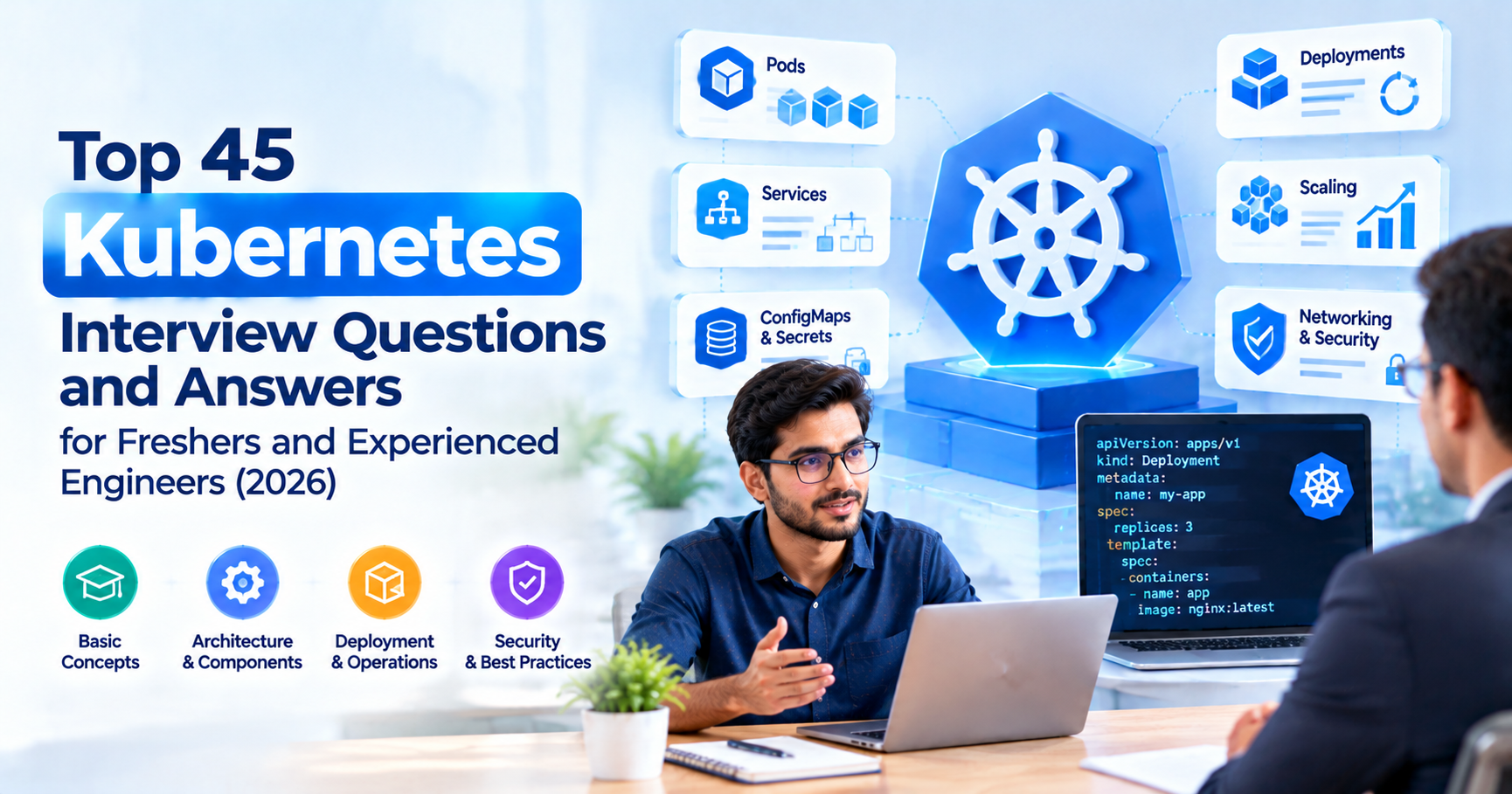
Most Kubernetes interview questions in 2026 come from five areas: core objects (pods, Deployments, Services), day-two operations like scaling, storage, probes and upgrades, live troubleshooting with kubectl, security (RBAC, NetworkPolicy, Pod Security Admission), and managed platforms such as Amazon EKS, AKS and GKE. Freshers mostly get definitions. Once you have 3 or more years on your CV, expect "how would you debug this" instead.
Key Highlights of Kubernetes Interview Questions
- 45 numbered questions, grouped by level: 12 for freshers, 14 for experienced engineers, 10 troubleshooting scenarios, 5 on security and 4 on managed Kubernetes.
- Every scenario answer follows the same pattern: symptom, the exact kubectl commands, likely causes and the fix.
- Short YAML snippets where a manifest explains the answer faster than a paragraph.
- A table that maps each question group to the official CKA and CKAD exam domains and their weights.
- A two-week preparation plan you can run on a laptop with kind or minikube.
Introduction to Kubernetes Interview Preparation
Most Kubernetes interviews go wrong at the same moment. The candidate defines a pod, a Service and a Deployment without trouble, then the interviewer says "your pod is in CrashLoopBackOff, walk me through it", and the answer goes vague. Definitions get you through the screening call; debugging is what gets you the offer.
This guide covers both halves. The first part is the k8s interview questions every fresher should be able to answer cleanly in two or three sentences. The second part is what panels ask people who have spent real time in production: rollout failures, OOMKilled containers, DNS that resolves nothing, and certificates that quietly expired on a Saturday. Each answer also notes what the interviewer is really listening for, so you know where to put the weight.
If you'd like to work through these scenarios in guided labs, Simpliaxis's Docker and Kubernetes trainingcovers containers, cluster objects and troubleshooting in one track. Whichever way you prepare, keep a terminal open while you read. Typing a command once teaches you more than reading about it ten times.
How Kubernetes Interviews Are Structured
The shape of the interview depends on your seniority. A fresher round checks vocabulary and mental models, while a senior round checks how you think when something is on fire.
| Role | Typical experience | What the round focuses on | Format you should expect |
| Fresher or junior DevOps | 0 to 2 years | Pods, Deployments, Services, namespaces, basic kubectl, Docker vs Kubernetes | Verbal Q and A, sometimes writing a Deployment YAML |
| DevOps or cloud engineer | 2 to 5 years | Rollouts, autoscaling, storage, probes, resource limits, Helm, CI/CD into a cluster | Scenario questions, live kubectl on a shared screen |
| Platform engineer or SRE | 5 years and above | Cluster upgrades, etcd, networking, security, multi-tenancy, cost, incident stories | System design plus "tell me about an outage you handled" |
With experienced candidates, the questions rarely stay theoretical. The interviewer will keep asking "and then what?" until you reach the root cause or admit what you'd check next, and that admission is fine. "I'd run kubectl describe and read the Events section" is a perfectly good answer when it's the honest next step.
Kubernetes is also only one piece of the DevOps loop, and many panels mix in CI/CD, Git and infrastructure as code. Pair this list with our DevOps interview questions and answersguide to cover that ground.
Kubernetes Architecture at a Glance
A cluster has two halves: the control plane, which makes decisions, and the worker nodes, which actually run your containers. Nearly every interview opens with some version of "explain the components", so know this table well enough to sketch it on a whiteboard.
| Component | Lives on | What it does | Interview one-liner |
| kube-apiserver | Control plane | Front door for every request; validates and stores objects | "Everything, including kubectl and the kubelet, talks to the API server." |
| etcd | Control plane | Consistent key-value store holding cluster state | "Lose etcd without a backup, and you lose the cluster's memory." |
| kube-scheduler | Control plane | Picks a node for each unscheduled pod | "It filters nodes, scores them and binds the pod." |
| kube-controller-manager | Control plane | Runs control loops (ReplicaSet, Node, Job and others) | "It keeps actual state matching desired state." |
| cloud-controller-manager | Control plane | Talks to the cloud provider for load balancers, routes and nodes | "Why a LoadBalancer Service creates an AWS or Azure load balancer." |
| kubelet | Every node | Starts and watches containers for pods assigned to its node | "The node agent that reports pod and node status." |
| kube-proxy | Every node | Programs Service routing rules (iptables or IPVS) | "Turns a Service IP into real pod endpoints." |
| Container runtime | Every node | Pulls images and runs containers (containerd, CRI-O) | "Kubernetes talks to it through the CRI." |
Underneath all of it sits the reconciliation loop. You declare what you want, and controllers keep nudging the cluster towards that state until reality matches. For a slower walk through each component, read ourintroduction to Kubernetes.
Kubernetes Interview Questions for Freshers
These questions decide whether you clear the first round. Keep each answer short and back it with one example. Several of them also turn up in Docker and Kubernetes interview question lists, because panels like checking that you know where one tool ends and the other begins.
1. What is Kubernetes and why do teams use it?
Kubernetes is an open source platform that schedules, scales and heals containerised applications across a group of machines. You describe the desired state in YAML (say, "three replicas of this image behind a stable address") and Kubernetes keeps it true, restarting containers that fail and replacing nodes that disappear.
Teams adopt it because running dozens of containers by hand stops working quickly. Rolling updates, service discovery, autoscaling and self-healing come built in.
What the interviewer is checking: that you say "desired state" and "self-healing" instead of stopping at "container orchestration".
2. What is a pod?
The pod is the smallest deployable unit in Kubernetes. It holds one or more containers that share a network namespace (so one IP address) and can share volumes, which is why containers in the same pod reach each other over localhost. If container networking is still fuzzy, read about Docker networking first.
Most pods run a single application container. You'd reach for a multi-container pod only for tightly coupled helpers, like a log shipper or a proxy. If you're still unsure what a container actually is, revisit how Docker works under the hoodbefore the interview.
What the interviewer is checking: that you don't confuse a pod with a container.
3. What is a node?
It's a worker machine, virtual or physical, that runs pods. Every node runs the kubelet, kube-proxy and a container runtime. kubectl get nodes -o wide lists them along with internal IPs, OS image and kernel version.
4. What is the difference between a Deployment and a ReplicaSet?
A ReplicaSet keeps a fixed number of identical pods running. A Deployment manages ReplicaSets for you and adds rolling updates, rollback and revision history on top.
Change the image in a Deployment and it creates a new ReplicaSet, scales that one up and scales the old one down. You'll rarely create a ReplicaSet directly.
| apiVersion: apps/v1 kind: Deployment metadata: name: web spec: replicas: 3 selector: matchLabels: app: web template: metadata: labels: app: web spec: containers: - name: web image: nginx:1.27 ports: - containerPort: 80 |
5. What are the Kubernetes Service types?
There are four, and each gives a stable virtual IP and DNS name to a changing set of pods picked out by labels:
- ClusterIP (default): reachable only inside the cluster.
- NodePort: opens a port on every node and forwards to the Service.
- LoadBalancer: asks the cloud provider for an external load balancer.
- ExternalName: returns a CNAME to an external DNS name, with no proxying.
A headless Service (clusterIP: None) is a variant that hands back pod IPs directly. StatefulSets depend on it.
What the interviewer is checking: that you know a Service finds pods through label selectors, never through pod names.
6. What is a namespace and when would you create one?
Think of it as a logical partition of the cluster. Names only have to be unique inside a namespace, and you can attach ResourceQuotas, LimitRanges, RBAC rules and NetworkPolicies to it.
Teams usually split by team or by environment, for example payments-dev and payments-prod. On its own a namespace is not a hard security boundary, so you still need RBAC and network policies.
7. What does the kubelet do?
The kubelet is the agent running on every node. It watches the API server for pods assigned to its node, asks the container runtime to start them, runs liveness and readiness probes and reports status back. Stop the kubelet and the node will eventually show NotReady.
8. What is etcd and why does it matter?
etcd is the distributed key-value store holding all cluster state, from every Deployment, Secret and ConfigMap to every node record. Only the API server talks to it directly.
Because it uses the Raft consensus protocol, production control planes run an odd number of etcd members (3 or 5) to keep quorum.
9. What is the difference between a ConfigMap and a Secret?
Both inject configuration into pods, either as environment variables or as mounted files. ConfigMaps are for non-sensitive data; Secrets are for passwords, tokens and the like.
Candidates often miss that Secret values are only base64 encoded by default, which is encoding and offers no real protection. Say that you'd enable encryption at rest for Secrets in etcd and lock down access with RBAC.
kubectl create configmap app-config --from-literal=LOG_LEVEL=info
kubectl create secret generic db-cred --from-literal=password='change-me'
10. What are labels and selectors?
Labels are key-value pairs on objects, such as app=web or tier=frontend, and selectors filter objects by them. Services, Deployments and NetworkPolicies all find their pods this way.
kubectl get pods -l app=web,tier=frontend
Annotations look similar, but they hold non-identifying metadata like a build ID or a tool's configuration.
11. Which kubectl commands do you use every day?
Group them by task instead of reciting a cheat sheet:
| kubectl get pods -A -o wide # what is running, and where kubectl describe pod # events, probe failures, scheduling messages kubectl logs -c --previous # logs from the crashed container kubectl exec -it -- sh # shell inside a container kubectl apply -f deploy.yaml # declarative changes kubectl rollout status deploy/web # watch a rollout kubectl explain deployment.spec.strategy # field docs without leaving the terminal |
What the interviewer is checking: whether you've actually used a cluster. Small details like --previous and kubectl explain give that away.
12. What is the difference between Docker and Kubernetes?
Docker builds and runs containers on a single host. Kubernetes runs and manages containers across many hosts and handles scheduling, scaling, networking and recovery, so the two sit at different layers of the same problem.
It's worth adding that Kubernetes removed dockershim in v1.24, and clusters now use CRI runtimes such as containerd. Images built with Docker still run fine because they follow the OCI image format. OurDocker vs Kubernetes comparisongoes deeper, and the explainer on how Docker and Kubernetes work together walks through the build-to-deploy flow.
Kubernetes Interview Questions and Answers for Experienced Engineers
Somewhere around 2 to 5 years of experience, interviewers stop asking "what is" and move on to how things work, why you'd choose them and what breaks. The questions below are the ones that come up most often in DevOps and platform rounds.
13. How do rolling updates and rollbacks work in a Deployment?
Pods are replaced gradually, at a pace set by two fields: maxSurge (how many extra pods may exist during the update) and maxUnavailable (how many may be down). Readiness probes gate the whole process, since a new pod only counts once it's ready.
| kubectl set image deploy/web web=nginx:1.27.2 kubectl rollout status deploy/web kubectl rollout history deploy/web kubectl rollout undo deploy/web --to-revision=3 |
For zero downtime on a small service, maxUnavailable: 0 with maxSurge: 1 is a safe default.
14. When would you use a StatefulSet instead of a Deployment?
Reach for a StatefulSet when each replica needs a stable identity, as with databases, Kafka brokers, ZooKeeper or Elasticsearch. Its pods get ordered names (db-0, db-1), stable DNS through a headless Service, and their own PersistentVolumeClaim from volumeClaimTemplates that survives rescheduling.
By default, pods are created and terminated in order. A Deployment treats every replica as interchangeable, which suits stateless web and API tiers.
15. What is a DaemonSet and where is it used?
A DaemonSet runs one copy of a pod on every node, or on every node that matches a selector, and new nodes pick up the pod automatically. You'll see it used for log collectors (Fluent Bit), node monitoring agents (node-exporter), CNI plugins and storage drivers.
16. What is the difference between HPA, VPA and Cluster Autoscaler?
Each one scales something different:
| Autoscaler | Scales | Based on | Watch out for |
| Horizontal Pod Autoscaler (HPA) | Number of pod replicas | CPU, memory, custom or external metrics | Needs a metrics API and resource requests on containers |
| Vertical Pod Autoscaler (VPA) | CPU and memory requests of pods | Historical usage | Do not combine with HPA on the same CPU or memory metric |
| Cluster Autoscaler (or Karpenter on AWS) | Number of nodes | Pending pods that cannot be scheduled | Node provisioning takes minutes, not seconds |
The core formula is in the Kubernetes HPA documentation: desired replicas equals current replicas multiplied by current metric value divided by target value, rounded up. So 4 pods running at 90% CPU against a 60% target become 6.
17. What is the difference between Ingress and Gateway API?
Ingress routes external HTTP and HTTPS traffic to Services through an Ingress controller such as NGINX or Traefik. Gateway API is its successor, a set of role-oriented resources (GatewayClass, Gateway, HTTPRoute, GRPCRoute) that handles header matching and weighted traffic splitting without controller-specific annotations.
This question is a chance to show you keep up. The Kubernetes Ingress documentationnow says the Ingress API is frozen and the project recommends Gateway instead. Ingress remains generally available and isn't being removed, but it won't get new features.
18. Explain PersistentVolume, PersistentVolumeClaim and StorageClass.
A PersistentVolume (PV) is a piece of storage in the cluster, and a PersistentVolumeClaim (PVC) is a pod's request for storage of a given size and access mode. A StorageClass tells the cluster how to provision volumes dynamically, for example through an AWS EBS gp3 class.
With dynamic provisioning you write only the PVC and the CSI driver creates the PV. Bring up access modes (ReadWriteOnce, ReadOnlyMany, ReadWriteMany, ReadWriteOncePod) and reclaim policies (Retain or Delete) too. Setting Delete on a production database volume is a classic mistake.
19. What are liveness, readiness and startup probes?
A liveness probe asks whether the container is still healthy; if it fails, the kubelet restarts the container. A readiness probe asks whether the container can take traffic, and a failure pulls the pod out of Service endpoints without restarting it. A startup probe covers slow applications, holding off liveness and readiness checks until it succeeds.
Probes can use HTTP GET, TCP socket, gRPC or exec. One outage pattern shows up again and again: a liveness probe that checks a downstream database. The database blips, every pod restarts at once, and a small incident turns into a big one.
20. How do resource requests and limits relate to QoS classes?
Requests are what the scheduler reserves for a container, and limits are the ceiling. Go over a CPU limit and you get throttled; go over a memory limit and the container is OOMKilled.
Kubernetes derives a QoS class from those values. Guaranteed means every container has CPU and memory requests equal to limits. Burstable means at least one request or limit is set but the Guaranteed rule isn't met. BestEffort means nothing is set. When a node runs short of memory, BestEffort pods are evicted first and Guaranteed pods last.
21. What are taints and tolerations?
A taint on a node repels pods, and a toleration on a pod lets it land on a tainted node anyway. The effects are NoSchedule, PreferNoSchedule and NoExecute, the last of which also evicts pods already running.
kubectl taint nodes gpu-node-1 gpu=true:NoSchedule
Keep in mind that a toleration only permits scheduling and never forces it. If GPU pods must go only to GPU nodes, combine the toleration with node affinity.
22. How do node affinity and pod anti-affinity work?
Node affinity places pods on nodes carrying certain labels, either as a hard rule (requiredDuringSchedulingIgnoredDuringExecution) or as a preference (preferredDuringScheduling...). Pod anti-affinity keeps pods apart, for example spreading replicas across zones with topologyKey: topology.kubernetes.io/zone.
If all you want is even spreading, topology spread constraints are often simpler than anti-affinity and behave better on large clusters.
23. What are init containers and native sidecar containers?
Init containers run to completion, one after another, before the app containers start. They're handy for database migrations, waiting on a dependency or fetching config.
Sidecars run alongside the app for its whole life. With native support, you declare a sidecar as an init container with restartPolicy: Always, so it starts before the app and keeps running. The Kubernetes sidecar containers documentationgives the history: first available in v1.28, enabled by default from v1.29, and stable since v1.33.
| initContainers: - name: log-shipper image: fluent/fluent-bit:3.0 restartPolicy: Always |
24. What is Helm and why use it?
Helm is Kubernetes's package manager. A chart bundles templated manifests with a values.yaml file, so one chart can deploy to dev, staging and prod with different values. Releases are versioned, and helm rollback takes you back to an earlier revision.
Expect follow-ups on Helm vs Kustomize (templating against overlays) and on where Helm fits in a GitOps flow with Argo CD or Flux. Our roundup of the best DevOps tools shows Helm alongside the rest of a typical toolchain.
25. What are Custom Resource Definitions and Operators?
A Custom Resource Definition (CRD) adds a new object type to the Kubernetes API, such as PostgresCluster or Certificate. An Operator is a controller that watches those custom resources and does the operational work a human would otherwise do, including provisioning, backups, failover and upgrades.
Name a few real ones if you can: cert-manager, Prometheus Operator, or a database operator like CloudNativePG.
26. How do you back up and restore etcd?
On a self-managed control plane, take a snapshot with etcdctl and pass the etcd client certificates:
| ETCDCTL_API=3 etcdctl snapshot save /backup/etcd-snap.db \ --endpoints=https://127.0.0.1:2379 \ --cacert=/etc/kubernetes/pki/etcd/ca.crt \ --cert=/etc/kubernetes/pki/etcd/server.crt \ --key=/etc/kubernetes/pki/etcd/server.key |
To restore, run etcdutl snapshot restore /backup/etcd-snap.db --data-dir /var/lib/etcd-restore and point the etcd static pod manifest at the new data directory. Current Kubernetes docs use etcdutl rather than etcdctl for that restore step. On EKS, AKS or GKE the provider runs etcd, so you back up workloads and manifests instead, for example with Velero.
Kubernetes Scenario-Based Interview Questions
Experienced rounds are usually decided here. Kubernetes scenario based interview questions test whether you have a debugging method, and memorised error names won't carry you far. Every answer below follows one pattern you can reuse in any interview: symptom, commands, likely causes, fix.
27. A pod is in CrashLoopBackOff. How do you troubleshoot it?
Symptom: the container starts, exits, and the kubelet restarts it with growing back-off delays.
Commands:
| kubectl describe pod # Last State, Exit Code, Events kubectl logs --previous # logs from the crashed run kubectl get pod -o yaml | grep -A5 lastState |
Likely causes: the app throws an error on start (missing env var, bad config, unreachable database), a wrong command or entrypoint, a liveness probe that fails too early, or an exit code 137 that points to memory.
Fix: correct the config or Secret, add a startup probe for slow apps, or raise memory. Exit code 1 usually means the application itself failed, whereas 137 means something killed it.
28. A container keeps getting OOMKilled. What do you do?
Symptom: kubectl describe pod shows Reason: OOMKilled and exit code 137.
Commands: kubectl top pod --containers for live usage, then compare it with resources.limits.memory in the spec.
Likely causes: a limit set below real peak usage, a memory leak, or a runtime (the JVM is the usual suspect) that sizes its heap without respecting the container limit.
Fix: set the limit from observed peaks plus headroom, configure the runtime (for Java, -XX:MaxRAMPercentage) and fix any leaks. If the node itself ran out of memory, check evictions and QoS classes as well.
29. A pod is stuck in Pending. How do you find out why?
Symptom: the pod never gets a node.
Commands: kubectl describe pod , then read the scheduler message under Events, for example 0/5 nodes are available: 3 Insufficient cpu, 2 node(s) had untolerated taint.
Likely causes: requests larger than any node's free capacity, taints with no matching toleration, node affinity that matches no node, an unbound PVC (wrong StorageClass or zone), or an exhausted ResourceQuota.
Fix: right-size requests, add tolerations or nodes, fix the StorageClass, or let Cluster Autoscaler add capacity.
30. A pod shows ImagePullBackOff. What are the usual causes?
Symptom: status ErrImagePull, followed by ImagePullBackOff.
Commands: kubectl describe pod shows the exact pull error, such as manifest unknown or 401 Unauthorized.
Likely causes: a typo in the image name or tag, a tag that was never pushed, a private registry with no imagePullSecrets, expired registry credentials, or nodes that can't reach the registry (proxy, firewall, or a private subnet without a NAT gateway or VPC endpoint).
Fix: correct the reference, create the pull secret with kubectl create secret docker-registry, or fix node egress. On EKS pulling from ECR, check the node role's ECR permissions.
31. A Service is not reachable even though pods are running. How do you debug it?
Commands:
| kubectl get svc web -o wide kubectl get endpointslices -l kubernetes.io/service-name=web kubectl get pods -l app=web --show-labels |
Likely causes: by far the most common is a Service selector that doesn't match the pod labels. After that come a targetPort that doesn't match the container port, pods that aren't Ready and so are left out of endpoints, and a NetworkPolicy blocking the traffic.
Fix: align labels and ports. An empty EndpointSlice almost always points to a selector or readiness problem.
32. Pods cannot resolve DNS names. How do you troubleshoot?
Commands: start a test pod with DNS tools and work outwards from there.
| kubectl run dnsutils --image=registry.k8s.io/e2e-test-images/agnhost:2.39 --restart=Never -- sleep 3600 kubectl exec -it dnsutils -- nslookup kubernetes.default kubectl exec -it dnsutils -- cat /etc/resolv.conf kubectl get pods -n kube-system -l k8s-app=kube-dns kubectl logs -n kube-system -l k8s-app=kube-dns |
Likely causes: CoreDNS pods that are down or crash-looping, a NetworkPolicy blocking UDP and TCP port 53 to kube-system, a broken CoreDNS ConfigMap, or simply the wrong service name or namespace in the lookup.
Fix: restore CoreDNS, allow DNS egress in your default-deny policies, and use full names like db.payments.svc.cluster.local while you test.
33. A node is NotReady. What do you check?
Commands: kubectl describe node for the Conditions (MemoryPressure, DiskPressure, PIDPressure, Ready). Then SSH in and run systemctl status kubelet and journalctl -u kubelet -n 100.
Likely causes: a stopped kubelet, a container runtime that's down, a full disk, a broken CNI plugin, an expired kubelet certificate, or a network partition from the control plane.
Fix: restart the service or free up disk. If the node needs deeper repair, cordon and drain it (kubectl drain --ignore-daemonsets), or simply replace it when it belongs to an autoscaling group.
34. A Deployment rollout is stuck. How do you handle it?
Symptom: kubectl rollout status deploy/web hangs and then reports that the progress deadline was exceeded.
Commands: kubectl get rs to compare old and new ReplicaSets, then kubectl describe on one of the new pods.
Likely causes: new pods failing readiness, a bad image, missing config, or a PodDisruptionBudget combined with a tight maxUnavailable that leaves no room to move.
Fix: run kubectl rollout undo deploy/web to restore service first, then debug the new version at your own pace. It's worth mentioning that progressDeadlineSeconds (600 seconds by default) is what marks a rollout as failed.
35. HPA is not scaling, or scales too slowly. Why?
Commands: kubectl describe hpa web and kubectl top pods.
Likely causes: Metrics Server isn't installed, so targets show ; containers have no CPU requests, so utilisation can't be calculated; maxReplicas has already been reached; or new pods take a long time to become Ready. According to the HPA documentation, the controller checks metrics every 15 seconds by default, and scale-down is deliberately damped by a stabilisation window.
Fix: install Metrics Server, set requests, tune the behavior.scaleUp policies and cut startup time. If pods sit in Pending after scaling, your real bottleneck is node capacity.
36. kubectl suddenly fails with a certificate error. What happened?
Symptom: kubectl returns x509: certificate has expired or is not yet valid, or control plane components can't talk to each other.
Commands: on a kubeadm cluster, run kubeadm certs check-expiration.
Likely causes: the kubeadm certificate management docs explain that client certificates generated by kubeadm are valid for one year, while the CA lasts ten years. Since kubeadm renews certificates during kubeadm upgrade, clusters that go a year without upgrading are the ones that hit this.
Fix: run kubeadm certs renew all, restart the control plane static pods and update your kubeconfig. Then put an alert or a calendar reminder on the expiry date so it doesn't happen twice.
Kubernetes Security Interview Questions
Nearly every senior round now includes security. A good way to answer is to state the default you'd apply on day one of a new cluster, then explain the trade-off. For the bigger picture, see how cloud-native security and DevSecOps practices are evolving.
37. How does RBAC work in Kubernetes?
Permissions come from four objects. A Role lists allowed verbs on resources inside one namespace, and a ClusterRole does the same across the cluster. A RoleBinding or ClusterRoleBinding then attaches a role to users, groups or ServiceAccounts.
| kubectl create role pod-reader --verb=get,list,watch --resource=pods -n dev kubectl create rolebinding dev-read --role=pod-reader --user=asha -n dev kubectl auth can-i list pods -n dev --as=asha |
Interviewers love hearing kubectl auth can-i, because it shows you test permissions rather than guess at them.
38. What is a NetworkPolicy and how would you use it?
Out of the box, every pod can talk to every other pod. A NetworkPolicy restricts ingress and egress traffic for selected pods by label, namespace or IP block, though it only takes effect if the CNI plugin enforces it (Calico and Cilium both do).
The usual pattern is a default-deny policy per namespace followed by explicit allows:
| apiVersion: networking.k8s.io/v1 kind: NetworkPolicy metadata: name: default-deny namespace: payments spec: podSelector: {} policyTypes: ["Ingress", "Egress"] |
Remember to allow DNS egress afterwards, or you'll recreate the problem from question 32.
39. What replaced PodSecurityPolicy?
Pod Security Admission did. According to the Kubernetes Pod Security Admission documentation, PodSecurityPolicy was removed in v1.25, the same release in which Pod Security Admission became stable. It applies the Pod Security Standards (privileged, baseline, restricted) per namespace in three modes, enforce, audit and warn.
kubectl label ns payments pod-security.kubernetes.io/enforce=restricted
Teams that need rules beyond those three levels add a policy engine such as Kyverno or OPA Gatekeeper.
40. How do you manage Secrets securely in Kubernetes?
Begin with the basics. Enable encryption at rest for Secrets in etcd, limit get and list on Secrets through RBAC, and mount Secrets as files instead of environment variables where you can, since env vars leak into crash dumps and child processes.
For production, many teams keep the source of truth outside the cluster in AWS Secrets Manager, Azure Key Vault or HashiCorp Vault, and sync it in with the External Secrets Operator or the Secrets Store CSI Driver. Plain Secret YAML should never be committed to Git; if manifests have to live in a repository, use Sealed Secrets or SOPS.
41. How do you secure container images in a Kubernetes pipeline?
Scan images in CI with a tool like Trivy or Grype and fail the build on critical vulnerabilities. Use small base images (distroless or Alpine), pin images by digest, and run containers as non-root with a read-only root filesystem.
At admission time you can verify image signatures, for example with Sigstore cosign, and allow only approved registries. Candidates who put controls at build, deploy and runtime tend to impress more than those who stop at one stage.
Managed Kubernetes Interview Questions: EKS, AKS and GKE
Most companies in India and the US run a managed service instead of building clusters by hand, so expect platform-specific questions. EKS interview questions are the most common because so many teams are on AWS; if your target employers are among them, prepare that column in the most depth. If AWS itself is new to you, start with what AWS is.
| Area | Amazon EKS | Azure Kubernetes Service (AKS) | Google Kubernetes Engine (GKE) |
| Control plane | Managed by AWS | Managed by Azure | Managed by Google |
| Pod-to-cloud identity | EKS Pod Identity or IRSA | Microsoft Entra Workload ID | Workload Identity Federation for GKE |
| Default networking | Amazon VPC CNI (pods get VPC IPs) | Azure CNI options or kubenet | VPC-native (alias IPs) |
| Hands-off mode | EKS Auto Mode | AKS Automatic | GKE Autopilot |
| Node autoscaling | Cluster Autoscaler or Karpenter | Cluster autoscaler, node auto-provisioning | Cluster autoscaler, node auto-provisioning |
42. What does a managed Kubernetes service take off your plate, and what stays with you?
The provider runs the control plane: the API server, etcd, upgrades of control plane components and their availability. You still own worker node choices (unless you use an automatic mode), add-ons, networking design, RBAC, workload security, cost and application upgrades.
A sharp answer points out that cluster upgrades remain your job. You have to move to new versions on the provider's schedule and test for deprecated APIs before you do.
43. How do pods on EKS get AWS permissions? Compare IRSA and EKS Pod Identity.
Both methods map an IAM role to a Kubernetes ServiceAccount, so pods don't need static AWS keys or the node's role.
IRSA (IAM roles for service accounts) relies on the cluster's OIDC identity provider and a trust policy per cluster. TheAWS documentation on EKS Pod Identity presents Pod Identity as the simpler option. It needs no OIDC provider, and it uses a single service principal (pods.eks.amazonaws.com) in the role trust policy, so the same role works across clusters, with the EKS Pod Identity Agent running as a DaemonSet on each node. AWS also notes that it isn't available on Fargate or on Windows EC2 nodes, which is where IRSA remains the answer.
If your target roles lean heavily on AWS, the AWS DevOps Engineer certification training covers the pipeline and operations side that sits around EKS.
44. How does workload identity work on AKS?
On AKS you use Microsoft Entra Workload ID. The cluster's OIDC issuer signs a projected ServiceAccount token, and Entra ID exchanges it for an Entra token through a federated identity credential. You annotate the ServiceAccount with azure.workload.identity/client-id and label the pod with azure.workload.identity/use: "true". Microsoft's documentation positions it as the migration path away from the older pod-managed identity.
For Azure-focused roles, it also helps to know the pipeline side that usually sits in front of AKS, since panels often ask how images and manifests reach the cluster.
45. What is the difference between GKE Autopilot and GKE Standard?
With Autopilot, Google manages the nodes, scaling and many security settings, and general-purpose workloads are billed on your pods' resource requests. With Standard, you manage node pools yourself and pay for the nodes.
Autopilot suits a team that wants to focus on workloads. Standard makes more sense when you need privileged DaemonSets, custom kernels or tight control over node types. Because requests drive the bill on Autopilot, getting them accurate matters even more there.
Kubernetes Interview Questions Mapped to CKA and CKAD Domains
Are you holding or studying for the CKA certification? Then your interview prep and exam prep overlap heavily. The table maps the question groups in this guide to the official domains the Linux Foundation lists for theCertified Kubernetes Administrator (CKA) and Certified Kubernetes Application Developer (CKAD)exams, as of October 2026.
| Question group in this guide | CKA domain (weight) | CKAD domain (weight) |
| Architecture, nodes, etcd backup (Q3, Q7, Q8, Q26) | Cluster Architecture, Installation and Configuration (25%) | Not a focus |
| Deployments, rollouts, DaemonSets, scheduling (Q4, Q13, Q15, Q21, Q22) | Workloads and Scheduling (15%) | Application Deployment (20%) |
| Services, Ingress, Gateway API, DNS (Q5, Q17, Q31, Q32) | Services and Networking (20%) | Services and Networking (20%) |
| PV, PVC, StorageClass (Q18) | Storage (10%) | Application Design and Build (20%) |
| Scenario questions (Q27 to Q36) | Troubleshooting (30%) | Application Observability and Maintenance (15%) |
| ConfigMaps, Secrets, RBAC, security (Q9, Q37 to Q41) | Cluster Architecture, Installation and Configuration (25%) | Application Environment, Configuration and Security (25%) |
| Probes, init and sidecar containers (Q19, Q23) | Workloads and Scheduling (15%) | Application Design and Build (20%) and Application Observability and Maintenance (15%) |
Two details from those pages are worth remembering. Both exams are online, proctored and performance-based, so you solve tasks on a live command line in 2 hours. And troubleshooting carries the largest single weight in the CKA at 30%, which is the same reason scenario questions dominate experienced interviews.
How to Prepare for a Kubernetes Interview?
If you already know Linux basics and containers, two focused weeks are enough to get interview-ready, provided most of that time is spent in a terminal. If you're not there yet, our list of in-demand DevOps skills shows what to learn first.
Lab setup. Install kind (Kubernetes in Docker) or minikube on your laptop. kind clusters are quick to create and throw away, and a short config file gives you multiple nodes:
| cat < kind.yaml kind: Cluster apiVersion: kind.x-k8s.io/v1alpha4 nodes: - role: control-plane - role: worker - role: worker EOF kind create cluster --config kind.yaml |
| Days | Focus | Practice task |
| 1 to 2 | Architecture and core objects | Draw the architecture from memory; deploy a 3-replica app with a ClusterIP Service |
| 3 to 4 | Config, storage, probes | Add a ConfigMap, a Secret, a PVC and all three probe types |
| 5 to 6 | Rollouts and autoscaling | Install Metrics Server, configure HPA, run a load test, break and roll back a release |
| 7 to 8 | Scheduling | Taint a worker, add tolerations, test anti-affinity across nodes |
| 9 to 10 | Break-fix drills | Recreate questions 27 to 34 on purpose: bad image, low memory limit, wrong selector, deny-all policy |
| 11 to 12 | Security | Create a Role and RoleBinding, test with kubectl auth can-i, label a namespace restricted |
| 13 to 14 | Mock interviews | Explain three incidents out loud using symptom, commands, cause, fix |
Break your own cluster often. Interviewers can usually tell someone who read about CrashLoopBackOff from someone who caused it at 11 pm and then had to fix it. If you're newer to DevOps as a whole, spend a few days on the culture and practices side (CI/CD, version control, the feedback loop) before the cluster work, so the Kubernetes pieces have something to attach to.
Conclusion
Interviewers asking Kubernetes interview questions reward method over memory. Learn the core objects well enough to explain each in two sentences, then build a habit for failures: describe, logs, events, endpoints, and only then a fix. Add current details like Gateway API, native sidecars and Pod Security Admission, and you'll come across as someone who runs clusters today.
That habit comes from repetition on a real cluster. If you want structured labs and mentor support built around these scenarios, the Docker and Kubernetes trainingat Simpliaxis gives you room to practise them before an interviewer asks.





 Lowest-Price Challenge











 Personalized Path


.webp)


 USA
USA  Canada
  India
India  UK
UK  Australia
  Singapore


