


 Call Us



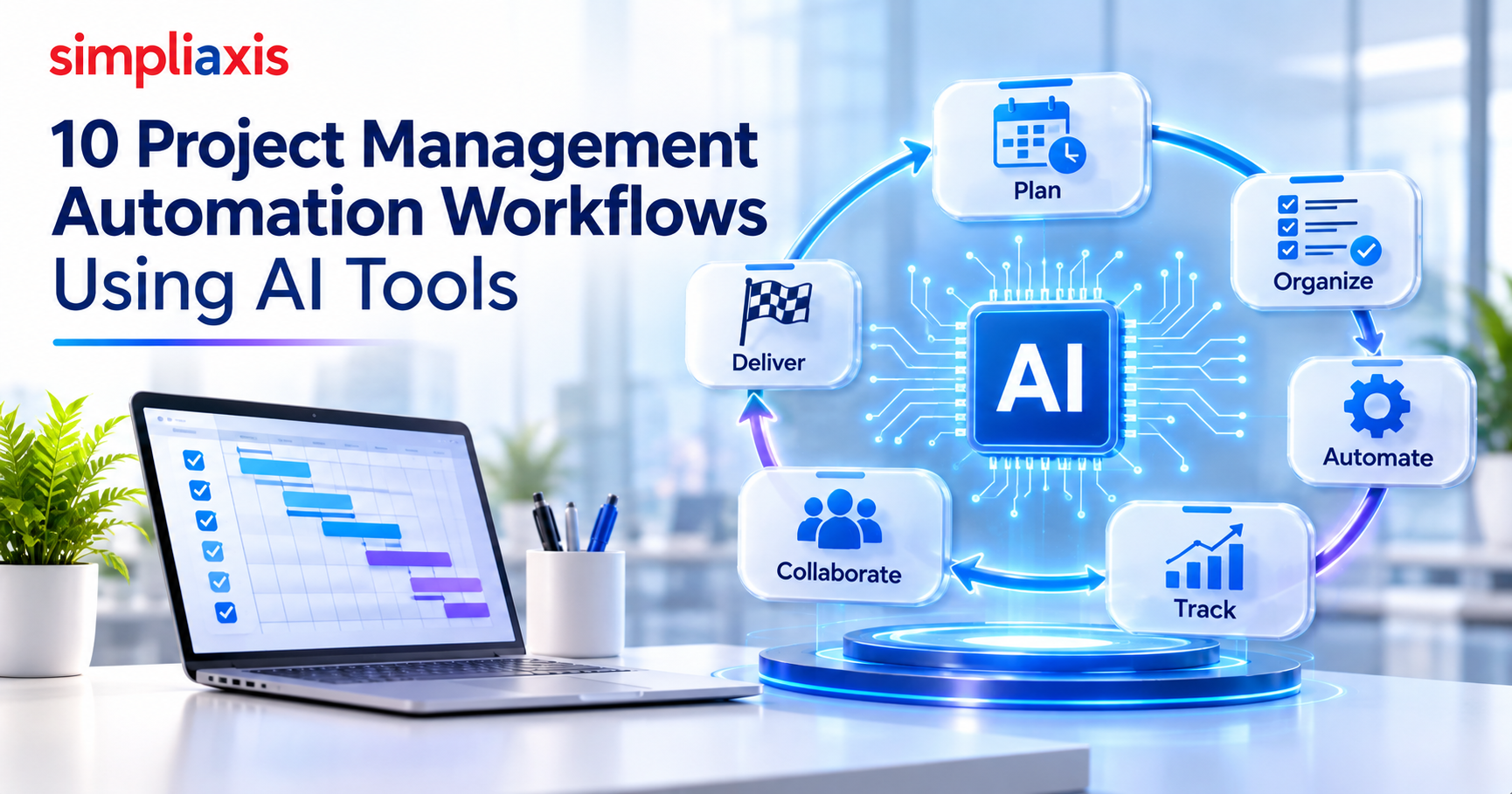
AI project management automation connects an AI model to your project tool so routine work runs on a trigger. An event starts the workflow, the AI reads and classifies the data, and a deterministic step carries out the action. A person reviews anything that affects scope, budget or people.
The 10 workflows covered in this guide:
- Auto-generate weekly status reports from task activity
- Convert meeting recordings into assigned action items
- Flag at-risk tasks and schedule slippage before deadlines
- Draft stakeholder updates from project data
- Triage incoming requests into the right backlog
- Summarize sprint outcomes and generate retrospective inputs
- Auto-update RAG status from schedule and budget variance
- Turn requirements into draft task breakdowns
- Monitor budget burn and trigger threshold alerts
- Generate project closure and lessons-learned drafts
Project management is undergoing a rapid AI-driven shift. According to one industry tracker, 68% of project teams now use at least one AI-powered tool in their workflow, up from just 45% in 2023. Teams that adopt AI-assisted workflows complete projects on time 28% more often than those relying on traditional PM software, while automation alone cuts administrative work by up to 47%.
From automated scheduling to predictive risk flagging (now hitting 87% accuracy versus 54% for manual assessments), AI is turning project management from reactive firefighting into proactive, data-backed execution.
Key Highlights of Project Management Automation Workflows Using AI Tools
- AI adoption in project management has surged: one industry tracker reports that 68% of teams now use at least one AI-powered tool (up from 45% in 2023), and AI-assisted workflows help teams hit on-time completion 28% more often than traditional PM approaches.
- The core architecture behind every AI workflow follows a trigger → AI → action pattern, where a simple trigger layer feeds clean data to a reasoning layer that decides but never acts, followed by a deterministic execution layer that carries out the task.
- Ten ready-to-use automation workflows are covered in detail, from meeting-to-action-item conversion and auto-generated status reports to RAG status updates, budget burn alerts, and AI-drafted lessons-learned documents.
- Building an automation stack works best in three escalating layers: native in-tool automation for simple rules, no-code connectors like Zapier or Make for cross-platform workflows, and custom API/webhook development only for complex or proprietary logic.
- Not everything should be automated. Stakeholder trust conversations, scope prioritization judgment calls, and team morale issues need to stay with the PM, since they depend on empathy and accountability AI can't replicate.
- A practical 30-day rollout (pick one workflow, build with governance, test alongside human review, then decide to scale or stop) paired with clear time, quality, and adoption metrics is what separates teams that get real ROI from those that just accumulate tools.
Organizations are expected to automate 42% of their tasks by 2027, as per World Economic Forum’s Future of Jobs Report. This means the need for project management automation is growing. Project managers collect requirements from stakeholders and turn them into small tasks, and automation tools help with that work.
How Do Project Management Automation Workflows Using AI Tools Work?
Project management automation workflows using AI tools work by connecting artificial intelligence to your existing project platforms (like Jira, Asana, ClickUp, or Monday.com) so the system can handle repetitive and rule-based tasks. This includes scheduling, status reporting, risk detection, and task tracking without constant manual input.
Instead of a project manager updating every task or drafting every report by hand, the AI continuously reads project data, spots patterns, and triggers predefined actions automatically. This shows how AI in project management is growing on a rapid scale.
The trigger → AI → action pattern
The trigger → AI → action pattern is the core architecture behind almost every modern AI automation workflow
Let’s talk about the three stages
1. Trigger:
A trigger is the specific event or condition that starts the workflow. Triggers generally come in three flavors: time-based (run every hour or on a schedule), event-based (react to a new email, a file upload, an API call, or a database change), and condition-based (only fire when specific criteria are met, like "new support ticket marked urgent").
A well-designed trigger doesn't just fire; it also carries context downstream, so the very first step in the workflow already knows what data it's working with.
2. AI model:
This is what elevates the pattern beyond basic automation. Sitting between the trigger and the action, the AI model is the intelligent processor, essentially the "brain," that takes the raw data from the trigger and analyzes, classifies, or transforms it into something structured and usable.
Instead of a rigid rule like "if status = urgent," an AI trigger or AI-processing step can read unstructured context such as a message, a meeting transcript, or a project update, weigh it against your business logic in plain language, and decide which path to take. This is where natural language processing and pattern recognition let the system make judgment calls that a static rule engine couldn't.
Here, you need to study the nuances of the AI prompt library for project managers. This helps you understand which AI model is suitable for a specific task.
3. Action: Once the AI has made sense of the input, the action is the task or sequence of tasks actually executed: sending a notification, updating a task status, reassigning an owner, generating a report, or writing a row into a spreadsheet.
If the trigger is the cause, the action is the effect: the tangible work that gets done without a human clicking a button.
The 3 layers of an AI automation workflow
The three layers of an AI automation workflow describe the architecture that sits underneath every trigger to AI to action sequence: a layer that starts the process, a layer that thinks, and a layer that executes. Different sources label these slightly differently, but the underlying structure is consistent across platforms.
Layer One: Trigger or Perception
This is the entry point of the workflow, and it is intentionally kept simple. It could be a scheduled event, a webhook, a new record in a database, an incoming document, or a user action.
In document-heavy pipelines, this layer is sometimes called "extraction" or "perception," where the system pulls raw structured data plus confidence scores out of unstructured inputs like PDFs or emails. The key design principle here is that this layer stays "dumb." It has no judgment built in; its only job is to fire reliably and pass clean data downstream.
Layer Two: Reasoning or Decision
This is where the intelligence actually lives. The AI model, whether an LLM, a classifier, or a retrieval system, receives the structured input from layer one and applies judgment to it: extracting entities, scoring confidence, classifying intent, or drafting a recommendation.
A useful architectural rule mentioned repeatedly is that this layer should decide but never act directly. It produces a structured output such as "route to human review" or "auto approve," but it doesn't write to any system on its own. This layer also often depends on a supporting data pipeline, feeding it retrieved documents, embeddings, or conversation history so the model's output is grounded in real context rather than a bare prompt.
Layer Three: Execution or Action
The final layer takes the decision from layer two and turns it into something concrete: writing a record to a CRM, sending a Slack message, triggering an approval task, or kicking off the next workflow in the chain. This layer is meant to be deterministic and auditable. Because the reasoning already happened in layer two, execution here is mechanical rather than judgment-based, which makes the whole system easier to debug and trust.
What You Need Before Automating a Project Workflow?
Here is an 8-step checklist to help you automate your workflows effortlessly.
1. Identify processes:
Let’s begin by looking at rule-based tasks and workflows, helping in saving time and reducing manual effort.
2. Define goals:
Here, you’ll need to outline what you like to achieve via automation. This includes faster turnaround times and better customer experience.
3. Diagram workflows:
You will need to develop a visual representation of the current workflow. This helps in understanding each step, potential inefficiencies, and its dependencies.
4. Gather data:
In this crucial step, we’ll collect important data on the user input, current process performance, and task outcomes with your automation design team. This ensures that the solutions connect with your pain points and workflow.
5. Involve stakeholders:
This is an important step where you will engage with end users, team members and decision-makers, ensuring the automation connects with expectations and needs.
6. Design the automation
Here, you’ll need to build or configure the automated workflow which is according to the mapped process. This ensures that it follows the right sequence of tasks, incorporating key decision points.
7. Test thoroughly
We will run different test scenarios that help catch bugs, confirm functionality, and ensure proper automation in real-world scenarios.
8. Implement and monitor the process
Launch the automation and then monitor the performance, helping in making the right adjustments as needed.
Quick-Reference Table: 10 AI Project Management Workflows
| Workflow | Trigger | AI Step | Action | Example Tools | Human Checkpoint | Setup Time | Est. Time Saved |
| 1. Weekly status reports | End of day/week or on-demand request | Pulls data from all connected boards, drafts a report suited to the reader (exec summary vs. task-level detail) | Sends report via email/Slack automatically | monday.com AI Blocks, ClickUp Brain, Zapier | PM reviews the report before it is distributed | 30-45 min | 2-4 hrs/week |
| 2. Meeting-to-action-items | Meeting ends / recording uploaded | Transcribes call, extracts decisions and action items | Auto-creates tasks, assigns owners and due dates | Otter.ai, Fireflies.ai + ClickUp/Asana | PM reviews unassigned and low-confidence items | 15-30 min | 3-5 hrs/week |
| 3. At-risk task flagging | New task update (overdue item, budget change, vendor flag) | Analyzes historical project patterns to score delay/failure probability | Flags at-risk items and notifies PM before deadline slips | Wrike Work Intelligence, Epicflow | PM confirms the risk and its owner before escalating | 1-2 hrs (data connect) | Days of firefighting avoided per project |
| 4. Stakeholder updates | Weekly cycle or milestone reached | Turns project health data into a narrative: what the metrics mean for timeline or budget | Drafts the update for the PM to edit and send | Teamwork AI Project Wizard and similar tools | PM edits tone and nuance before anything is sent | [Team to add] | [Team to add] |
| 5. Request triage | New Slack message, email, or form submission | Classifies request type (bug, feature, change order) and extracts priority/fields | Auto-creates ticket and routes to correct board/assignee | monday.com AI Blocks, eesel AI | PM reviews requests the AI could not route with confidence | 20-30 min | 4-6 hrs/week |
| 6. Sprint summary and retrospective inputs | Sprint closes | Summarizes committed vs. completed work, velocity, unplanned work and blockers; clusters retro feedback into themes | Publishes the summary and themes to the retro board | monday dev Executive Sprint Summary, ClickUp Sprint Retrospective Report Generator | Team reviews themes and root causes in the retro | [Team to add] | [Team to add] |
| 7. RAG status updates | Schedule, budget or risk data changes | Computes status from planned vs. actual milestones, budget burn and open risks | Updates the RAG indicator on the dashboard | Jira dashboards with RAG-status plugins | PM reviews any change to red | [Team to add] | [Team to add] |
| 8. Requirements to task breakdowns | New project brief or client request submitted | Parses the brief and generates a WBS, timeline, and milestone structure | Populates the PM tool with tasks, dependencies, and assignees | Teamwork AI Project Wizard, ClickUp Brain, Asana AI | PM and team leads review the breakdown before tasks enter the plan | 15-20 min per project | 3-6 hrs per project |
| 9. Budget burn alerts | Spend crosses a set threshold (for example 50, 75, 90 and 100 percent of budget) | Checks spend against forecast and thresholds | Escalating alerts to the PM, then the sponsor; optional flag on non-critical spend at the highest threshold | Rocketlane, Mosaic | Sponsor approves any spend pause | [Team to add] | [Team to add] |
| 10. Lessons-learned drafts | Project closure | Synthesizes status reports, RAID logs, budget variance and meeting notes into themes and draft lessons | Produces a draft for review | General-purpose LLM with exported project records | PM and leads validate root causes before publishing to the knowledge base | [Team to add] | [Team to add] |
Setup time and time saved figures are editorial estimates based on typical use, not measured results. Actual savings depend on your volume and baseline, so measure before and after you launch.
Also read:Best Project Management Tools
10 Project Management Automation Workflows Using AI Tools
The 10 project management automation workflows using AI tools include the following
1. Auto-generate weekly status reports from task activity
AI agents connect directly to your PM tool (ClickUp, Asana, monday.com) and pull live data on task completion, blockers, and velocity, then draft a report tailored to the audience: a one-line exec summary for leadership versus a task-level breakdown for the delivery team.
monday.com's AI Blocks and ClickUp Brain can auto-populate report templates on a schedule and push them to Slack or email without the PM manually compiling numbers. The real value isn't just time saved on writing; it's that reports go out consistently even during busy weeks, so stakeholders never lose visibility.
Human checkpoint: PM reviews the report before it is distributed.
2. Convert meeting recordings into assigned action items
Tools like Otter.ai and Fireflies.ai transcribe the call, then an AI layer extracts decisions, owners, and deadlines from the conversation and pushes them straight into your task tool with assignees pre-filled.
This closes the classic gap where action items get discussed verbally but never make it into a tracked system. Because the AI works from the actual transcript rather than someone's rushed notes, it also catches commitments that a distracted note-taker might miss.
Human checkpoint: PM reviews unassigned and low-confidence items before tasks are final.
How to build it: meeting recording to assigned tasks
- Trigger. A meeting ends and the recording or transcript is saved. Use the transcription tool's integration, or a webhook that passes the transcript to the next step.
- AI step. Send the transcript to the model with the fixed prompt below. Ask for structured output, not prose.
- Validate. Check that the output contains every expected field. Mark any action item without a stated owner as "Unassigned" and route it to the project manager, so no owner is guessed.
- Action. Create tasks in the project tool with the summary, owner, due date and a link to the source quote.
- Human checkpoint. The project manager reviews unassigned and low-confidence items within an agreed window, for example [one working day].
- Log. Store the transcript link and the run identifier so every task can be traced back to its source.
Measure. Before launch, record the minutes spent on notes per meeting and the share of action items that get missed. After launch, track the share of items that needed correction.
Prompt template (C.O.R.E. format: role, objective, requirements, expected output)
Role: You are a project coordinator.
Objective: From the meeting transcript below, extract every decision and every action item.
Requirements: For each action item, return the owner exactly as stated in the transcript. If no owner is stated, return "Unassigned". Return a due date only if one is stated; otherwise return "Not stated". Include the exact sentence from the transcript that supports the item. Mark confidence as "low" if the item is ambiguous. Do not invent owners, dates or tasks.
Expected output: A JSON array. Each element has the fields type (decision or action), summary, owner, due_date, confidence (high or low) and source_quote.
Transcript: [paste transcript]
3. Flag at-risk tasks and schedule slippage before deadlines
Rather than waiting for a task to go red after it's already late, tools like Wrike Work Intelligence and Epicflow analyze historical patterns (how long similar tasks took, dependency chains, resource load) to score the probability a task will slip before the deadline arrives.
This shifts risk management from reactive to predictive: the PM gets an early warning while there's still time to reassign resources or renegotiate scope, rather than discovering the problem in a status meeting after the damage is done.
Human checkpoint: PM confirms the risk and its owner before escalating.
4. Draft stakeholder updates from project data
This overlaps with status reporting but is distinct in tone and framing. AI generates persuasive, context-aware narrative updates (not just data dumps) for clients or executives, translating raw metrics into "what this means for the timeline or budget" language.
Teamwork's AI Project Wizard and similar tools can draft these updates by pulling from project health data, letting the PM edit for nuance rather than write from scratch, which is useful when you're managing multiple stakeholder relationships with different communication needs simultaneously.
Human checkpoint: PM edits tone and nuance before anything is sent.
5. Triage incoming requests into the right backlog
When requests arrive via Slack, email, or intake forms, AI classifies the request type (bug, feature ask, change order), extracts key fields like priority and requester, and routes it to the correct board or backlog automatically.
monday.com AI Blocks is built for exactly this: turning unstructured incoming noise into structured, triaged tickets without a human gatekeeper manually reading and sorting every request. This is especially valuable for teams fielding high volumes of ad-hoc tasks that would otherwise clog a single inbox.
Human checkpoint: PM reviews requests the AI could not route with confidence.
6. Summarize sprint outcomes and generate retrospective inputs
AI tools like monday dev's Executive Sprint Summary and ClickUp's Sprint Retrospective Report Generator analyze completed sprint data (tasks committed vs. completed, velocity, unplanned work, blockers) and produce a structured summary the moment a sprint closes.
Some tools go further, clustering raw retro board feedback (sticky notes, comments) into themes and surfacing root causes automatically, so the retro conversation starts from synthesized insight rather than a wall of unsorted notes. This turns retrospectives from note-compiling exercises into genuine discussion time.
Human checkpoint: The team reviews the themes and root causes in the retrospective.
7. Auto-update RAG status from schedule and budget variance
Instead of a PM manually deciding whether a project is "green, amber, or red," AI can compute RAG status directly from live variance data, comparing planned vs. actual milestones, budget burn against forecast, and open risk counts, and update the indicator automatically in tools that support this (e.g., Jira dashboards via RAG-status plugins).
This removes the subjectivity and lag of manual status judgment calls and ensures the color-coded signal stakeholders rely on reflects real-time data rather than last week's memory.
Human checkpoint: PM reviews any change to red before it is shared.
8. Turn requirements into draft task breakdowns
Feed a project brief or requirements doc to an AI planner, and it generates a work breakdown structure (tasks, subtasks, dependencies, and rough timeline) that populates directly into the PM tool.
Teamwork's AI Project Wizard and ClickUp Brain do this well for kickoff scenarios: what used to take a PM hours of manually decomposing a scope document into a task hierarchy becomes a 15-20 minute draft-and-edit exercise. The PM still owns final sequencing and estimation, but starts from a structured draft instead of a blank board.
Human checkpoint: PM and team leads review the breakdown before tasks enter the plan.
9. Monitor budget burn and trigger threshold alerts
This applies the same logic used in cloud-cost monitoring to project budgets: set tiered thresholds (for example 50%, 75%, 90% and 100% of budget consumed) and have AI-connected dashboards trigger escalating alerts as spend crosses each line.
An example tiered setup notifies the PM at 50%, alerts the sponsor or director at 75%, and can auto-flag or pause non-critical spend at 90%+, giving the team a runway to course-correct instead of discovering the overrun at month-end reconciliation. Tools like Rocketlane and Mosaic apply this directly to project finances with Slack, Teams, or email delivery.
Human checkpoint: The sponsor approves any spend pause.
10. Generate project closure and lessons-learned drafts
Rather than treating lessons-learned as a rushed, memory-based exercise at project end, AI synthesizes status reports, RAID logs, budget variance, and meeting notes gathered throughout the project into thematic findings, clustering recurring issues, comparing planned vs. actual outcomes, and drafting specific, reusable lessons with context and recommendations attached.
Crucially, this draft still needs human validation: the recommended workflow has the PM and key leads review the AI's output, confirm root causes, and approve only the insights that hold up before they're published into a searchable knowledge base; otherwise, the lessons risk being generic or inaccurate rather than genuinely actionable for future projects.
Human checkpoint: PM and key leads validate root causes before lessons are published to the knowledge base.
Where Agentic AI Fits: From Fixed Workflows to Supervised Agents
A workflow follows a fixed path: a trigger starts it, the AI step classifies or drafts, and a set action follows. An AI agent is given a goal and decides which steps and tools to use to reach it. Workflows are predictable and easy to audit. Agents are more flexible but harder to control.
Start with workflows. Move a task to an agent only when its path changes from case to case, such as triaging ambiguous requests across several backlogs. Keep the agent's permissions narrow: let it read broadly but write only to the systems it needs, and require human approval before it changes budgets, baselines or assignments. Standards such as the Model Context Protocol make it easier for agents to connect to project tools, which makes the governance steps below more important, not less.
To build these skills, see our Agentic AI Foundation course and Generative AI for Project Managers course.
Choosing Your Automation Stack Without Overbuying
Most teams don't fail at AI-driven project management because they lack tools, they fail because they accumulate too many of them. Once you've mapped out workflows like auto-generated status reports, meeting-to-action-item conversion, or budget burn alerts, the instinct is to grab a best-in-class point solution for each one.
But every additional tool adds a subscription, an integration to maintain, and a fresh place for data to go stale or duplicate itself. Research on AI tool sprawl consistently shows the same pattern: teams end up paying two or three times for the same job because nobody mapped which tool actually owns which decision before adding the next one.
1. Native automation
Native automation refers to the "when this happens, do that" rules built directly into your PM tool, no external service required. ClickUp, Asana, and monday.com all ship with rule engines that trigger actions like reassigning a task, updating a status, or notifying a channel the moment a task changes state.
monday.com's automation builder is the most accessible of the three: it uses a near-natural-language interface where you describe the logic ("when a task moves to Review, notify the design channel and set a due date three days out") and the system assembles the recipe from a library of 200+ pre-built options.
ClickUp's engine supports 100+ pre-built recipes plus fully custom triggers and multi-step actions, with usage capped by plan (100 actions/month on Free, up to 250,000 on Enterprise). Asana's automation rules are unlimited from the Starter tier up, which matters if you're running high-volume triage or status-update workflows and don't want to hit a monthly action ceiling.
2. No-code/low-code connectors
When a workflow needs to move data between tools your PM software doesn't natively support, no-code connectors like Zapier and Make close that gap without a developer. Zapier connects over 9,000 apps and now layers AI into the builder through Zapier MCP, letting you describe a workflow in plain language and have it assemble the trigger-action chain automatically.
Make offers a similar visual, drag-and-drop canvas across 3,000+ apps, generally preferred by teams that want more granular control over branching logic and data transformation than Zapier's more linear format allows.
3. Custom API and webhook workflows
For teams with in-house technical capacity or highly specific logic no-code tools can't express, the deepest layer is building directly against a PM tool's REST API and webhooks. Webhooks push real-time HTTP notifications the instant an event happens, a task moves, a budget field changes, a milestone completes, to any external URL you control, without needing to poll for updates.
Zoho Projects, for instance, lets you define a webhook with a target URL, HTTP method, and custom payload that fires automatically on defined triggers. Some platforms go further: Plane exposes 180+ REST API endpoints alongside webhooks and OAuth 2.0, built explicitly to support custom integrations and even AI agents connecting via Model Context Protocol.
This route makes sense when your logic is genuinely complex, multi-condition branching, calculations against external financial data, or integration with a proprietary system no connector supports, and when the workflow's volume or sensitivity justifies the engineering investment.
Plan limits, recipe counts and app counts in this section change often. They were last checked on [date]; confirm current figures on each vendor's site.
AI Project Management Tools at a Glance
Prices below are as listed by Capterra on a page updated January 16, 2026. Vendor pricing changes often, so check each vendor's pricing page before you buy.
| Tool | Best For | AI and Automation Features | Starting Price | Verified On |
| Asana | Teams that want less manual oversight and proactive deadline tracking | Smart status updates, rule-based automation, generative task help, workload balancing | From $10.99 per user per month billed annually; $13.49 monthly | [date] |
| ClickUp | Teams streamlining a mix of workflows | AI task creation, project summaries, predictive scheduling, automatic status updates, workload balancing | From $7 per user per month billed annually; $10 monthly | [date] |
| monday.com | Highly customized workflows and dashboards | AI risk predictions, routine automation, smart assignment, AI reporting, forecasting | From $9 per seat per month billed annually; minimum 3 seats | [date] |
| Jira | Software teams using Agile | Predictive sprint planning, NLP for tickets, automated assignment, backlog prioritization | From $7.91 per user per month billed monthly | [date] |
| Smartsheet | Customizable automations and data-driven reporting | AI risk assessments, impact analyses, alerts, predictive resource allocation, natural language reports | From $9 per member per month billed annually; $12 monthly | [date] |
| Trello | Simple visual boards with light automation | Predictive due dates, Butler automation, generative card suggestions, smart notifications | From $5 per user per month billed annually; $6 monthly | [date] |
| Microsoft Copilot (Microsoft 365, Project) | Organizations already on Microsoft 365 | Meeting summaries and action items, work breakdown structures, status reports | [verify]: requires a Microsoft 365 subscription | [date] |
| Zapier | [Team to add] | [Team to add] | [verify] | [date] |
| Make | [Team to add] | [Team to add] | [verify] | [date] |
Also read:Best Free AI Tools List
What project managers should not automate?
Some of the key areas which project managers should not automate include the following:
1. Stakeholder Trust and Difficult Conversations
AI handles data-driven, repeatable tasks well, but anything requiring empathy, negotiation, or reading between the lines is a poor fit for automation. Delivering bad news to a client, negotiating scope changes, or managing a stakeholder who's losing confidence in a project all depend on tone, timing, and relationship history that a model can't reliably judge. Automating status updates is fine; automating the conversation that follows a missed milestone is not.
2. Judgment Calls on Scope and Prioritization
Deciding which of five competing priorities gets the team's attention this week involves weighing business context, politics, and risk tolerance that rarely lives in structured data. AI can surface the tradeoffs (which task is most overdue, which has the highest budget exposure) but the final call belongs to the PM, because it carries accountability that can't be outsourced to a model. Treat AI output here as an input to your decision, not the decision itself.
3. Team Morale and Performance Conversations
Recognizing burnout, mediating a conflict between two team members, or giving individual feedback on performance are inherently human tasks. AI-driven sentiment monitoring can flag a pattern worth investigating, but acting on it, sitting down with the person, adjusting workload, or having a hard conversation has to stay with the PM. Automating these interactions risks disengaging the exact people you're trying to support.
Data Privacy and Governance Before You Connect Anything
1. Map What Data Leaves Your System
Before connecting any AI tool to your PM stack, inventory what data it will actually touch: task content, client names, budget figures, personal information about team members.
Every AI system in use should be inventoried and risk-classified, with clear documentation of where the data comes from and where it's going. This single step catches most governance problems before they start, because you can't protect data you haven't mapped.
2. Set Access Controls and Approved Tool Lists
Enforce a mandatory approved-tool list at the infrastructure level, and configure systems to block uploads of confidential or restricted data to any AI service that isn't on that list. Access should follow least-privilege principles, meaning each connected tool gets only the data it needs for its specific job, not blanket access to your entire workspace.
This is especially relevant if you're connecting financial data (budget burn alerts, for instance) to a third-party automation platform.
3. Build an Audit Trail
Every automated decision, an AI-flagged risk, an auto-routed request, an AI-drafted report, should be traceable back to a real user and a real input. Audit trails need to name actual users, not just log "system" as the actor, so that if something goes wrong, you can reconstruct exactly what happened and why.
Pair this with a monthly sampling audit that reviews a slice of AI outputs for accuracy and appropriate data handling, rather than assuming the system is working correctly indefinitely.
Also read: AI in Project Portfolio Management
Your First 30 Days: A Practical AI Automation Rollout
Let’s discuss this in weeks:
1. Week 1: Pick One Workflow and Measure the Baseline
Resist the urge to automate everything at once. Choose one high-frequency, rule-based process where a human already checks the output today, something like weekly status reports or meeting-to-task conversion. Spend the week measuring three numbers before building anything: time per run, error rate, and volume. Assign a process owner accountable for outcomes, a quality reviewer, and someone with final sign-off authority.
2. Week 2: Build Governance and the Smallest Working Version
Apply your data-access policy and define exactly what the AI tool can see. Create prompt templates that specify role, task, input format, and required output structure so results stay consistent across runs. Build the smallest version of the automation that touches real production data, not a demo, and mandate a quick quality check on every output during this phase.
3. Week 3: Run It Alongside Human Review
Launch the automation to a small group, five to twenty users or a single team, and run it in parallel with the existing manual process rather than replacing it outright. Log every deviation, error, and correction the AI produces. This is where you refine templates based on logged evidence rather than anecdotal impressions of how well it's working.
4. Week 4: Decide, Scale, Refine, or Stop
Compare pilot metrics against your Week 1 baseline and make one of three calls: scale it because the numbers hold up, refine it because results are positive but inconsistent, or stop it because there's no measurable benefit. Write your kill criteria in advance, one sentence like "we scale this if it saves at least X hours a week with under Y percent human intervention", so the decision doesn't turn into a debate after the fact.
Measuring Whether Your Automation Is Actually Working
1. Time and Cost Metrics
Start with the basics: hours saved per week, cost per automated task, and payback period. A well-scoped automation should show measurable value within 30 to 45 days and ideally pay back its cost within 12 months for a small team. Calculate this by multiplying hours recovered by the fully loaded hourly cost of the person doing the task, not just their base salary.
2. Quality and Error Metrics
Time savings mean little if the output quality drops. Track the error or hallucination rate (the percentage of outputs needing correction), the escalation rate (how often a case still needs a human to step in), and the automation rate (the percentage of eligible tasks the AI handles fully on its own). If errors are increasing even as time is saved, the automation is shifting work downstream rather than eliminating it.
3. Adoption and Business Impact Metrics
A tool that saves time on paper but nobody actually uses has zero real ROI, so track internal adoption rate alongside the efficiency numbers. At the business level, look at whether stakeholder satisfaction with communication has improved, whether the number of projects finishing on time has increased, and whether the cost of rework or unmanaged scope changes has gone down.
Report these quarterly against the baseline you captured before the rollout, since without that baseline you have no way to prove the automation actually changed anything.
Building AI-Ready Project Management Skills
1. Prompt Engineering as a Core Competency
Industry surveys now rank prompt engineering among the top three skills project professionals need to develop, because the quality of AI output depends directly on how clearly the task is framed. A reliable structure to build prompts around includes role (who the model should act as), objective (what you need), requirements (standards, constraints, format), and expected output (a table, dashboard, or specific deliverable), often summarized as the C.O.R.E. framework. PMs who master this can generate charters, RAID logs, stakeholder communications, and EVM analysis far faster than starting from a blank page.
2. Learning by Doing, Not Theory
Skill development here favors repetition over study. Use one AI tool in different ways daily, generating a meeting agenda one day, drafting a status report the next, and only expand into new functionality once you're comfortable with the basics. Applying AI to a small, low-risk task and learning from the result builds confidence faster than reading about prompting techniques in the abstract.
3. Building a Reusable Prompt Library
As you find prompts that consistently produce good output, document and save them rather than rewriting from scratch each time. More advanced practitioners build reusable prompt libraries for recurring scenarios, RAID log generation, risk mitigation drafts, stakeholder updates, and share what works with the rest of the team. Over time this becomes a durable asset: newer team members can adopt proven prompts immediately instead of learning through trial and error.
Conclusion
AI won't replace the judgment, empathy, and accountability that define good project management, but it will absorb the repetitive administrative work that currently eats into the time available for that judgment.
The teams that get the most value aren't the ones with the most tools connected, they're the ones who scoped one workflow at a time, protected their data before automating anything, measured honestly against a real baseline, and built the prompting skills to keep improving the system.
Reading about AI-driven project management is one thing, leading it confidently is another. If you want to move from experimenting with prompts to actually managing AI-powered initiatives with the frameworks, governance, and delivery skills this shift demands, Simpliaxis PMI Certification Training is built exactly for this transition.
Ready to Apply AI to Your Project Management Workflows?
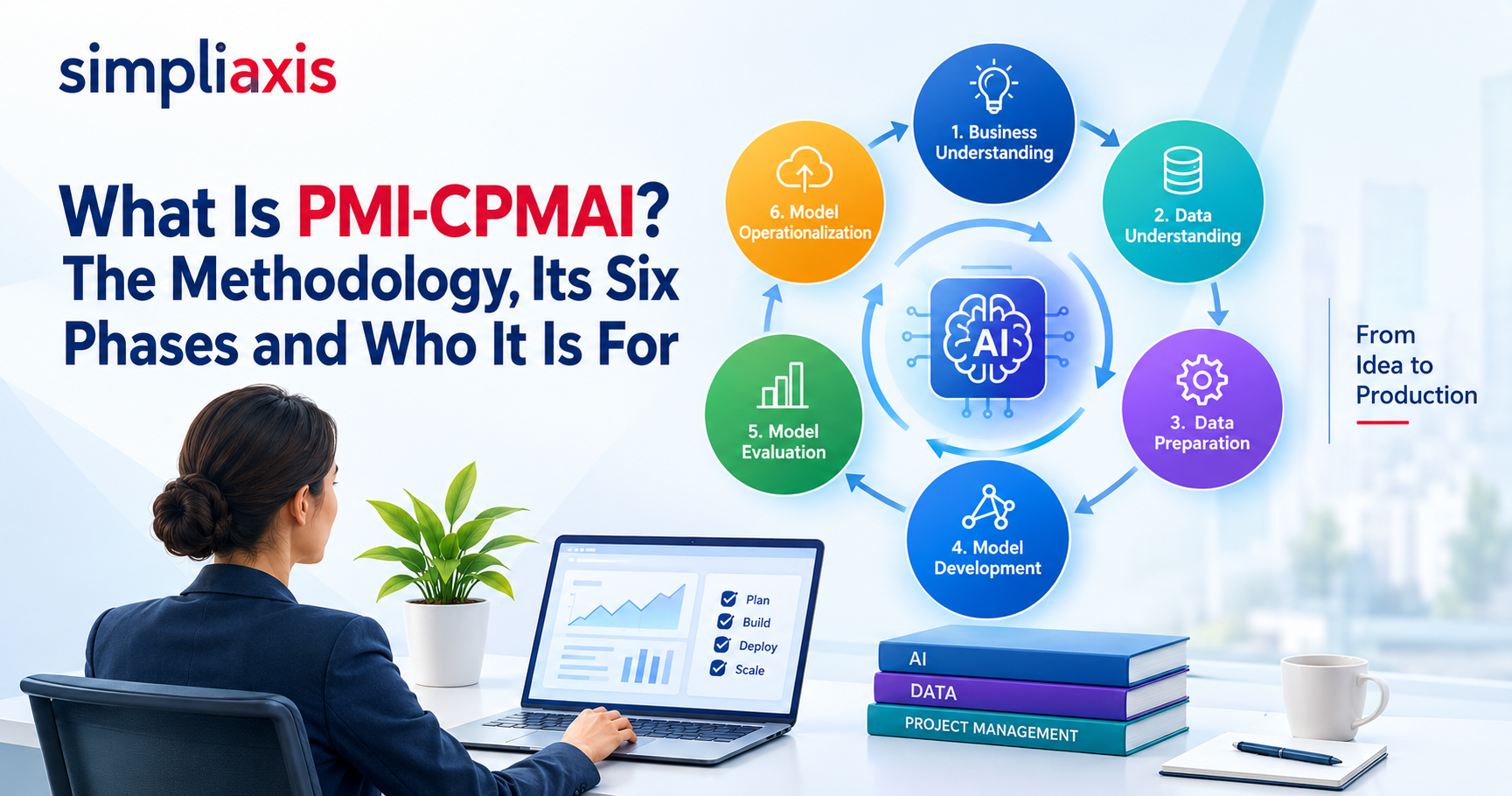
Want to lead AI-enabled projects, not just experiment with tools? Explore our Generative AI for Project Managers course or PMI-CPMAI certification training.
Explore AI Project Management Training
FAQ:
1. Do I need coding skills to build AI automation workflows for project management?
No. Most workflows can be built with native automation rules inside tools like ClickUp, Asana, or monday.com, or through no-code connectors like Zapier and Make that use visual, drag-and-drop builders. Coding only becomes necessary for custom API or webhook integrations involving complex logic or systems that don't have a ready-made connector.
2. How much do AI project management automation tools typically cost per user?
Base PM plans typically run $7 to $13 per user/month (ClickUp, monday.com, Asana), with AI features often billed as a separate add-on of $5 to $28 per user/month depending on the platform and credit allowance. For a 10-person team, expect a realistic AI-enabled total between roughly $140 and $250/month depending on the tool and tier chosen. Prices were last checked on [date]; confirm current rates on each vendor's pricing page.
3. Can AI automation work with on-premises or restricted enterprise project tools?
Yes, but with more setup effort. On-premises or restricted systems usually require custom API and webhook integrations rather than off-the-shelf no-code connectors, since tools like Zapier and Make are built primarily for cloud SaaS apps. Enterprise-grade PM platforms increasingly expose REST APIs and webhooks specifically to support this kind of controlled, self-hosted integration.
4. Will AI automation replace project managers?
No. AI absorbs repetitive administrative work like status reporting and task triage, but judgment calls on scope, stakeholder trust, and team morale remain fundamentally human responsibilities. The shift is toward PMs spending less time on admin and more time on strategy, negotiation, and leadership.
5. How do I convince my PMO to approve AI tools for project workflows?
Lead with the business problem and numbers, not the technology: quantify current-state cost (hours spent, error rates), projected improvement based on a pilot, and a realistic ROI timeline, since most AI features take three to six months to show measurable value. Propose a small, time-boxed pilot with clear success criteria rather than asking for organization-wide adoption upfront, and pair the request with a basic governance rule, such as requiring human review of AI-generated budget forecasts before they update project baselines.
6. What happens to my automations when a tool changes its API or pricing?
Automations built on third-party APIs can break silently or become costlier overnight when a vendor changes fields, deprecates an endpoint, or raises prices, since these changes happen on the vendor's schedule, not yours. Mitigate this by keeping your own copies of prompts and configuration logic, monitoring vendor changelogs, and reserving a small contingency budget (commonly 10 to 20 percent) to absorb pricing shocks without disrupting the workflow.
7. What is the difference between an AI workflow and an AI agent in project management?
An AI workflow follows a fixed path: a trigger starts it, the AI step classifies or drafts, and a set action follows. An AI agent is given a goal and chooses its own steps and tools. Workflows are easier to audit; agents suit tasks whose path varies and need tighter permissions.
8. What is the best first project management workflow to automate with AI?
Choose a frequent, rule-based task where a person already checks the result, such as weekly status reports or turning meetings into action items. Measure time per run, error rate and volume first, run the automation alongside the manual process, then decide whether to scale it.
9. Can I automate project management in Jira with AI?
Yes. Jira supports automation rules, and Capterra lists AI features such as predictive sprint planning, natural language ticket handling, automated assignment and backlog prioritization. Features and plan availability change, so check Atlassian's current documentation. Connectors such as Zapier or Make can add cross-tool workflows.
10. How do I stop an AI workflow from assigning tasks to the wrong person?
Require the AI to return an owner only when one is stated, and to return "Unassigned" otherwise. Validate the output format, route unassigned items to the project manager, keep an audit log linking each task to its source, and sample outputs monthly to check accuracy.
11. How much time do AI project management workflows actually save?
It depends on volume and baseline. The estimates in the quick-reference table are editorial, not guarantees. Measure hours per week before launch, run a pilot alongside manual work, and compare. Count the time spent correcting AI output, which can erase the savings if error rates are high.
12. Is it safe to connect AI tools to project data?
It can be, with controls. Map what data each tool touches, allow only approved tools, give each connection the least access it needs, and keep an audit trail naming real users. Review vendor security terms before connecting budget, client or personal data to any AI service.

_1788785133.jpeg)





 Lowest-Price Challenge












 Personalized Path


.webp)


 USA
USA  Canada
  India
India  UK
UK  Australia
  Singapore


