


 Call Us



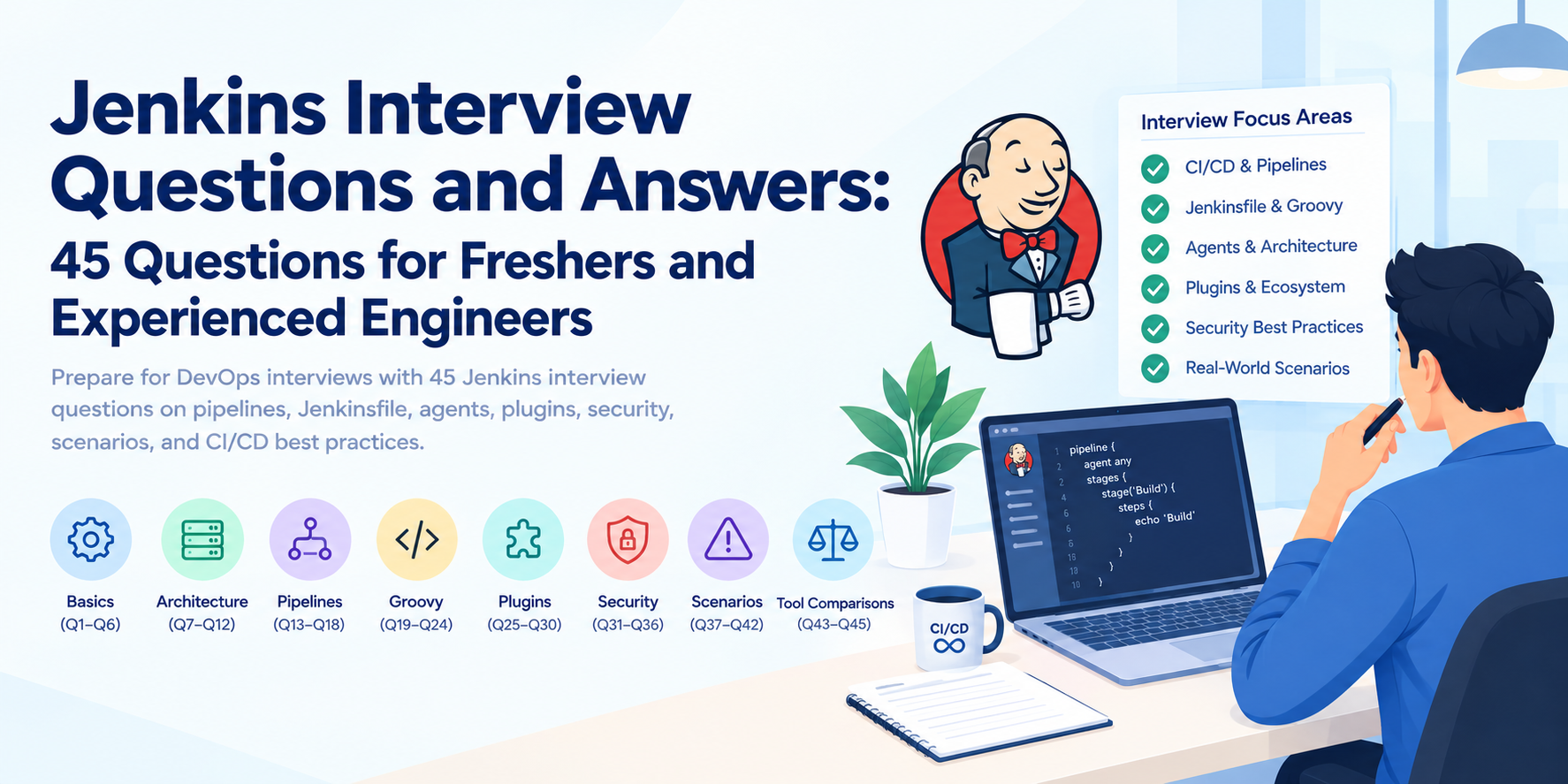
Jenkins interview questions test whether you can build, secure, and troubleshoot automated CI/CD workflows, not just define the tool. Jenkins is an open-source automation server that builds, tests, and deploys software. Interviewers usually probe its architecture (controller and agents), pipelines and the Jenkinsfile, Groovy scripting, plugins, security, and real failure scenarios.
This guide gives 45 Jenkins interview questions and answers, grouped by topic. They suit freshers who need the fundamentals and experienced engineers who face design and scenario rounds.
Key Highlights
- 45 questions in eight groups: basics, architecture, pipelines, Groovy, plugins, security, scenarios, and tool comparisons.
- Pipeline-heavy coverage: every Jenkins pipeline answer shows the syntax interviewers expect, with short Jenkinsfile examples.
- Current terminology: the guide uses controller and agent, as the Jenkins project does.
- Current platform facts: recent Jenkins releases require Java 21 or newer, and the guide explains what that means for your builds.
- Preparation help: a study plan, common mistakes, and five FAQs close the article.
Introduction
A candidate says, "Jenkins is a CI tool." The interviewer nods and asks, "Your build passes locally but fails on the agent. Walk me through it." That second question is where interviews are won or lost.
These Jenkins interview questions follow that pattern. Early questions check vocabulary. Later ones check judgment: how you design a pipeline, protect credentials, keep a busy controller healthy, and recover when a plugin update breaks jobs.
Use the sections as a ladder. If you are applying for your first DevOps role, master Q1 to Q24 and the scenario basics. If you have two or more years of experience, spend most of your time on Q25 to Q45.
What Interviewers Test in a Jenkins Interview
Interviewers rarely want definitions alone. They use Jenkins interview questions for DevOps roles to check five skills, all core DevOps engineer responsibilities:
- Fundamentals: whether you understand continuous integration, delivery, and deployment.
- Pipeline design: whether you can write and structure a Jenkinsfile that others can maintain.
- Operations: whether you can scale agents, back up the controller, and upgrade safely.
- Security: whether you treat credentials, permissions, and plugins as risks.
- Troubleshooting: whether you diagnose problems methodically instead of guessing.
Expect follow-up questions. A good answer states the idea, gives an example from real work, and mentions a trade-off.
Jenkins Basics and CI/CD Interview Questions
These Jenkins CI/CD interview questions cover the ideas behind the tool. They are also the most common Jenkins interview questions for freshers.
Q1. What is Jenkins and why is it used?
Jenkins is an open-source automation server written in Java. Teams use it to automate repetitive software tasks such as compiling code, running tests, packaging artifacts, and deploying releases. Kohsuke Kawaguchi created it as Hudson, and the community renamed it Jenkins in 2011. Its plugin system lets it connect to almost any version control, build, test, or cloud tool.
Q2. What is continuous integration and how does Jenkins support it?
Continuous integration (CI) means developers merge code into a shared branch often, and each merge triggers an automated build and test run. Jenkins supports this by watching a repository, starting a job on every push or pull request, and reporting results quickly. If you want a refresher on what is CI/CD before an interview, review the full flow from commit to release.
Q3. What is the difference between continuous delivery and continuous deployment?
Continuous delivery keeps every change in a releasable state, but a person approves the production release. Continuous deployment removes that approval, so every change that passes the pipeline goes live automatically. In Jenkins, the difference often appears as an input step before the production stage. Both sit within the wider DevOps lifecycle phases, between build and operate.
Q4. What is a Jenkins job and what job types exist?
A job (also called a project) defines work for Jenkins to run. Common types are:
- Freestyle project: configured through the web UI, simple but hard to version.
- Pipeline: defined as code in a Jenkinsfile.
- Multibranch Pipeline: creates a pipeline for every branch or pull request that contains a Jenkinsfile.
- Organization folder: scans a GitHub or similar Organisation and creates multibranch jobs automatically.
- Multi-configuration (matrix) project: runs one job across combinations of axes such as OS or version.
Q5. How is Jenkins installed and configured?
Install Java first. Recent Jenkins releases (2.545 and later) require Java 21 or newer, and the project also supports Java 25. . Then choose an installation method: a native Linux package, the “jenkins.war” file, the official Docker image, or a Helm chart on Kubernetes. Jenkins listens on port 8080 by default. On first start, you unlock it with the generated initial admin password, install plugins, and create an admin user.
Your application builds do not have to use the same JDK. A Java 21 controller can run builds that target Java 17 or other versions through configured tools or containers.
Q6. What are the main advantages and limits of Jenkins?
The main advantages are flexibility, a large plugin ecosystem, self-hosting control, and pipeline as code. The limits are operational. You maintain the controller, plugins, agents, and security yourself, and plugin quality varies. In short, Jenkins gives you control and asks for administration in return.
Jenkins Architecture and Distributed Build Questions
These questions separate users from administrators. They also appear often in Jenkins interview questions for experienced engineers, because they test hands-on scaling and administration knowledge.
Q7. What is the Jenkins controller and what is an agent?
The controller is the central server. It stores configuration, schedules builds, manages security, and serves the web UI. An agent is a machine, VM, or container that runs the actual build steps. Older material, and some interviewers asking Jenkins master slave interview questions, use "master" and "slave." Current Jenkins documentation uses controller and agent, so use those terms and mention the older ones only to show you recognise them.
Q8. How do you set up a distributed build?
Add an agent under “Manage Jenkins > Nodes”. Give it a name, a remote root directory, executors, labels, and a launch method. SSH launch works well for Linux machines. Inbound agents connect to the controller using WebSocket or TCP, which helps when the agent sits behind a firewall. The agent needs a supported Java runtime. Then target it from a job with a label.
Q9. What are executors and how do you size them?
An executor is a slot that runs one build at a time on a node. Two executors on an agent means two parallel builds. Size them by workload. CPU-heavy builds usually work best with executors at or below the core count. I/O-bound jobs tolerate more. Start low, watch queue time and resource use, then adjust. Set the controller's built-in node to zero executors so builds never run there.
Q10. How do labels route jobs to agents?
Labels are tags on agents, such as linux, docker, or gpu. A pipeline requests them with agent { label 'linux && docker' }. Jenkins then picks an available matching agent. Labels let you separate environments, tools, and hardware without hard-coding machine names.
Q11. How do you run Jenkins agents in containers?
Container agents start fresh for each build and disappear afterwards. With the Kubernetes plugin, a pod template describes the agent containers, and Jenkins creates a pod per build (see how Docker and Kubernetes work together). With the Docker Pipeline plugin, a stage can use agent { docker { image 'maven:3-eclipse-temurin-21' } }. The benefits are clean environments, consistent tools, and easy scaling. The cost is image maintenance and cluster configuration.
Q12. How do you scale Jenkins for many teams?
Use several levers together:
- Run builds on ephemeral agents, never on the controller.
- Split very large installations into several controllers by team or business unit, because open-source Jenkins does not cluster a single controller for high availability.
- Use folders and role-based access to separate teams.
- Define pipelines in Git and share common logic through shared libraries.
- Manage controller settings with Configuration as Code (JCasC).
- Monitor heap, queue length, and disk space.
Jenkins Pipeline Interview Questions
This is the most heavily tested area. These Jenkins pipeline interview questions assume you can read and write a basic Jenkinsfile.
Q13. What is Jenkins Pipeline and what is a Jenkinsfile?
Jenkins Pipeline is a set of plugins and a domain-specific language for defining delivery workflows as code. A Jenkinsfile is the text file that holds that definition, usually stored at the root of the repository. Keeping the Jenkins pipeline in source control gives you versioning, code review, history, and easy recovery.
Q14. What is the difference between declarative and scripted pipelines?
Declarative pipelines use a structured pipeline { } block with fixed sections such as agent, stages, environment, and post. They are easier to read and validate. Scripted pipelines use node { } blocks with full Groovy, so they offer more freedom and less structure. Most teams choose declarative and drop into a script { } block only when needed.
Q15. What are stages, steps, and post actions?
A stage is a named phase, such as Build, Test, or Deploy. A step is a single task inside a stage, such as sh or junit. The post section runs after stages finish and supports conditions including always, success, failure, unstable, fixed, and cleanup. Use post for reports, notifications, and workspace cleanup.
Q16. How do you run stages in parallel?
Place a parallel block inside a stage. Each branch runs on an available executor at the same time. Add failFast true to stop the other branches when one fails.
stage('Checks') {
failFast true
parallel {
stage('Unit') { steps { sh 'mvn -B test' } }
stage('Lint') { steps { sh 'npm run lint' } }
}
}
Parallel execution shortens feedback time but needs enough executors.
Q17. How do you use shared libraries?
A shared library is a Git repository of reusable pipeline code. Its vars/ directory holds global steps, src/ holds Groovy classes, and resources/ holds files. An administrator registers the library under system settings, and a Jenkinsfile loads it with @Library('team-lib@v1.4.0') _. Pin a tag or branch so a library change cannot silently break every pipeline. Libraries remove copy-paste across dozens of repositories.
Q18. How do you pass parameters and environment variables?
Declare a parameters { } block to ask for input at build time, using types such as string, choice, and booleanParam. Read values with params.NAME. Define fixed values in an environment { } block, and use built-in variables such as env.BUILD_NUMBER and env.BRANCH_NAME. Keep secrets out of both, and use credentials bindings instead.
Q19. How do you trigger a pipeline from a Git commit?
The preferred method is a webhook. The Git host calls Jenkins on every push or pull request, so builds start immediately and Jenkins does no wasteful polling. The fallback is triggers { pollSCM('H/5 * * * *') }, which checks the repository on a schedule. Use cron for time-based runs such as nightly builds. The H symbol spreads load by hashing the job name.
Q20. How do multibranch pipelines work?
A multibranch pipeline scans a repository, finds every branch and pull request that contains a Jenkinsfile, and creates a job for each. When a branch is deleted, its job disappears. The same Jenkinsfile can behave differently per branch using when { branch 'main' }. This model fits trunk-based and feature-branch workflows because each change gets its own isolated build.
Jenkins Groovy and Scripting Questions
Pipeline code runs on Groovy, so interviewers ask a few focused Jenkins Groovy interview questions even when the role is not developer-heavy. Know the basics and the limits.
Q21. Why is Groovy used in Jenkins pipelines?
Groovy is a dynamic language for the Java Virtual Machine, and it fits Jenkins because Jenkins itself runs on the JVM. Declarative syntax is Groovy-compatible, and scripted pipelines are full Groovy. Pipeline scripts run through a continuation-passing-style (CPS) engine, which lets a running Jenkins pipeline survive a controller restart. Keep heavy computation out of Groovy, because it executes on the controller. Push real work into sh or bat steps on agents.
Q22. How do you write conditional logic in a pipeline?
In declarative syntax, use the when directive to decide whether a stage runs.
stage('Deploy') {
when { allOf { branch 'main'; environment name: 'DEPLOY', value: 'true' } }
steps { sh './deploy.sh' }
}
Available conditions include branch, environment, expression, changeset, not, anyOf, and allOf. Inside a script { } block or a scripted pipeline, use ordinary Groovy if and else.
Q23. How do you handle errors and retries in a pipeline?
Use the step that matches the failure type:
- retry(3) { ... } repeats a block, which suits transient failures such as a flaky network call.
- timeout(time: 10, unit: 'MINUTES') { ... } stops a hung step.
- catchError(buildResult: 'SUCCESS', stageResult: 'FAILURE') { ... } lets the build continue while marking the stage.
- try/catch/finally in a script block handles custom recovery and cleanup.
Do not hide real failures behind retries. Retry only what you know is transient.
Q24. What are the limits of sandboxed pipeline scripts?
The Script Security plugin runs pipeline Groovy in a sandbox that allows only approved method signatures. If a script calls anything else, an administrator must approve it under In-process Script Approval. Trusted global shared libraries run outside the sandbox, which is why access to them must be tightly controlled. Also remember CPS limits: objects that cannot be serialised, such as a regex Matcher, can cause errors, and @NonCPS methods must not call pipeline steps.
Jenkins Plugins, Integrations and Tools Questions
Jenkins gets most of its power from integrations. Interviewers want to see that you can use them without making the system fragile.
Q25. What are Jenkins plugins and how do you manage them safely?
Plugins extend Jenkins with features such as Git support, credentials, pipeline steps, and cloud agents. Manage them like dependencies:
- Install only what you need and remove unused plugins.
- Read changelogs and test updates in a staging instance first.
- Pin plugin versions in a file, and install them with the jenkins-plugin-cli tool in image builds.
- Watch Jenkins security advisories for affected plugins.
Q26. How do you integrate Jenkins with Git, Maven or Gradle?
The Git plugin checks out code with checkout scm in a multibranch job or with the git step using a credentials ID. For builds, either configure tools under Global Tool Configuration and reference them with a tools { } block, or call the project's own wrapper, such as ./mvnw or ./gradlew. Wrappers pin the build tool version in the repository, which reduces "works on my agent" problems. Use batch mode (mvn -B) to keep logs clean.
Q27. How do you integrate Jenkins with Docker and Kubernetes?
For images, a Jenkins pipeline can run docker build and docker push on an agent with Docker access, or use rootless builders such as Kaniko or Buildah inside a cluster. Avoid mounting the host Docker socket into shared agents, because it effectively grants root-level access to the host. For deployment, call kubectl or Helm with credentials scoped to the target namespace. The Kubernetes plugin can also create build agents as pods. Jenkins is one of many best DevOps tools, and interviewers expect you to explain where it ends and tools such as Docker, Kubernetes, and Terraform begin.
Q28. How do you publish test reports and artifacts?
Use JUnit to publish test results, archiveArtifacts artifacts: 'target/*.jar', fingerprint: true to keep build outputs, and publishHTML or the Warnings Next Generation plugin for other reports. Put these in a post { always { } } block so they run even when tests fail. For long-term storage and releases, push artifacts to a repository such as Nexus or Artifactory. Jenkins is not an artifact repository. Between stages on different agents, use stash and unstash.
Q29. How do you send build notifications?
Place notification steps in the post block. The emailext step sends a detailed email, and slackSend posts to Slack when the matching plugin is installed. Notify on failure, fixed, and regression instead of every success. Too many notifications train people to ignore them.
Jenkins Security and Administration Questions
Security answers show maturity. A Jenkins controller holds credentials and can deploy to production, so it is a high-value target.
Q30. How do you secure a Jenkins instance?
Work through the layers:
- Enable authentication and authorisation, and disable anonymous access.
- Connect to LDAP, SAML, or OpenID Connect for single sign-on.
- Serve Jenkins over HTTPS, usually through a reverse proxy.
- Keep CSRF protection and agent-to-controller access control enabled. Both are on by default.
- Set the built-in node to zero executors.
- Limit who can edit Jenkinsfiles, shared libraries, and the script console.
- Update Jenkins and plugins promptly.
Q31. How do you manage credentials in Jenkins?
Store secrets in the Credentials plugin, which encrypts them on the controller. Types include secret text, username and password, SSH keys, certificates, and secret files. Scope them to a folder or the system where possible. Inject them with withCredentials:
withCredentials([string(credentialsId: 'api-token', variable: 'API_TOKEN')]) {
sh 'curl -H "Authorization: Bearer $API_TOKEN" https://api.example.com/deploy'
}
Note the single quotes. Double quotes make Groovy interpolate the secret into the command, which can leak it. Log masking only hides exact matches, so never print secrets deliberately. For stronger control, fetch secrets from an external manager such as HashiCorp Vault.
Q32. How does role-based access control work in Jenkins?
The Role-based Authorization Strategy plugin defines global roles, item (project) roles, and agent roles. Item roles use regular expressions on job names. For example, a role matching team-a-.* can give Team A permission to build and view only its jobs. You then assign roles to users or groups from your security realm. Matrix-based authorisation, which is built in, offers a simpler but less scalable alternative.
Q33. How do you back up and restore Jenkins?
Back up the JENKINS_HOME directory. It contains config.xml, job configurations, nodes/, plugins/, users/, credentials.xml, and the secrets/ folder that decrypts stored credentials. Workspaces and old build logs can usually be excluded. Use volume snapshots or a backup plugin, and store the backup securely because it includes secrets. To restore, install the same Jenkins version, copy the data back, and restart. Better still, keep configuration in Git using Configuration as Code and Jenkinsfiles, so you can rebuild and not just restore. Test your restore at least once.
Q34. How do you upgrade Jenkins with minimal risk?
Follow a repeatable routine:
- Run the Long-Term Support (LTS) production line, not weekly releases.
- Read the changelog and upgrade guide, and check the Java requirement. Recent releases need Java 21.
- Take a backup.
- Upgrade a staging copy and run representative jobs.
- Upgrade production in a quiet window, then update plugins.
- Keep the previous WAR or image ready for rollback.
Jenkins Scenario-Based Interview Questions
Jenkins scenario-based interview questions are where hiring managers separate memorisers from practitioners. They suit experienced candidates most, but strong freshers who show structured thinking stand out too. Answer with a method: observe, narrow down, fix, prevent.
Q35. A build passes locally but fails in Jenkins. How do you debug it?
Start with the console output and identify the first real error. Then compare environments: tool and JDK versions, environment variables, file paths, permissions, network access, cached dependencies, and missing credentials. A clean Jenkins workspace often exposes assumptions your laptop hides. Reproduce the failure by running the same container image locally, or add a temporary printenv and version check to the pipeline. Once you fix it, pin the tool versions or use a build container so the gap does not return.
Q36. Builds have become very slow. What do you check first?
Separate queue time from execution time. Long queues mean too few agents or executors. Long execution means a slow stage. Use the stage view to find the bottleneck, then check dependency downloads, test time, disk I/O, and agent resources. Typical fixes are caching dependencies, using shallow clones, running independent stages in parallel, splitting test suites, and adding agents. Also confirm that builds are not running on an overloaded controller, and that old builds are discarded with buildDiscarder.
Q37. How would you design a pipeline for a microservices repository?
For a monorepo, trigger only affected services with when { changeset 'orders/**' }. For separate repositories, use a multibranch pipeline for each service that calls the same shared library. Build each artifact or image once, tag it with a unique version, and promote that same artifact through environments instead of rebuilding. Run unit tests early, run service tests in parallel, and keep deployment stages separate and parameterised.
Q38. How would you roll back a failed deployment from Jenkins?
Keep every release as an immutable, versioned artifact. A rollback job then redeploys the last known good version, using a parameter for the version. In Kubernetes, kubectl rollout undo, or a Helm rollback does the same. Add a post-deployment health check so the pipeline can trigger the rollback automatically. For database changes, use backward-compatible migrations, because code rollback alone cannot reverse a destructive schema change.
Q39. How would you migrate jobs from freestyle to pipeline as code?
Start with an inventory of jobs, triggers, parameters, and credentials. Convert the simplest job first, writing its steps into a Jenkinsfile with the Pipeline Syntax snippet generator as a guide. Run the new pipeline alongside the old job and compare results. Extract repeated logic into a shared library. Retire the freestyle job only after several successful runs. Migrating in small batches limits risk.
Q40. A plugin update broke several jobs. How do you recover?
First, identify the plugin from the update history and error messages. Jenkins keeps the previous version of an updated plugin, so the Plugin Manager can offer a downgrade. If dependent plugins also changed, downgrade them together or restore the plugin files from backup. After recovery, prevent a repeat: test updates in staging, pin versions in your image build, and update plugins in small groups.
Jenkins vs Other CI/CD Tools
These Jenkins CI/CD interview questions test judgment. Interviewers want a reasoned recommendation, not loyalty to one tool.
Q41. How does Jenkins compare with GitHub Actions and GitLab CI?
| Aspect | Jenkins | GitHub Actions | GitLab CI/CD |
| Hosting | Self-hosted | Hosted runners or self-hosted runners | Hosted or self-managed |
| Configuration | Jenkinsfile (Groovy-based) | YAML workflows in .github/workflows | .gitlab-ci.yml |
| Extensibility | Large plugin ecosystem | Reusable actions from a marketplace | Built-in features and includes |
| Maintenance | You manage controller, plugins and agents | Mostly managed by the platform | Depends on hosting choice |
| Best fit | Complex, mixed or on-premises environments | Teams already on GitHub | Teams wanting one integrated DevOps platform |
Q42. When would you not choose Jenkins?
Choose another tool when a small team already works in GitHub or GitLab, needs simple builds, and does not want to maintain infrastructure. Jenkins also requires more upkeep when no one owns it. It remains a strong choice for on-premises or air-gapped environments, unusual toolchains, and workflows that outgrow simple YAML.
Q43. How do you design pipelines for compliance and audit needs?
Keep pipeline definitions in Git so every change is reviewed and traceable. Protect main branches and trusted shared libraries. Add approval gates with the input step, restricted to named approvers. Fingerprint and store artifacts, scope credentials narrowly, apply role-based access, and enable audit logging. Retain build logs and test evidence for as long as your policy requires. Separation of duties matters: the person who writes code should not be the only person who can release it.
Q44. How do you measure the health of a CI/CD pipeline?
Track build success rate, average build duration, queue time, flaky test rate, and time to repair a broken build. At the delivery level, track deployment frequency, lead time for changes, change failure rate, and time to restore service. Jenkins exposes metrics through plugins such as the Prometheus plugin, and you can chart them in Grafana. Trends matter more than single numbers.
Q45. What would you improve in an existing Jenkins setup?
A credible answer lists priorities, not every idea. A sensible order is:
- Move any UI-only jobs to pipeline as code.
- Set the built-in node to zero executors and use ephemeral agents.
- Manage controller settings with Configuration as Code.
- Clean up plugins and pin versions.
- Test backups and restores.
- Add monitoring and a regular upgrade routine.
Explain why you chose the order. Security and recoverability usually come before speed.
How to Prepare for a Jenkins Interview
Reading the top Jenkins interview questions helps, but practice matters more. Use this plan:
- Run Jenkins yourself: Install it in Docker, connect a Git repository, and build a small project. Following a hands-on DevOps pipeline implementation guide teaches more than memorising definitions.
- Write three Jenkinsfiles: Build one sequential pipeline, one with parallel stages, and one using a shared library.
- Break things deliberately: Fail a build, remove a credential, and lose an agent, then practise diagnosing each.
- Learn the neighbours: Review Git, Docker, Kubernetes, and a cloud platform, because interviewers rarely ask about Jenkins in isolation. Broader DevOps interview questions make good practice.
- Plan your career path: If you are entering the field, the guide on how to become a DevOps engineer shows which skills to build alongside Jenkins.
- Prepare two stories: Describe one problem you fixed and one improvement you made, with measurable results where possible.
Common Mistakes Candidates Make in Jenkins Interviews
- Memorising without practising: Interviewers spot this within two follow-up questions.
- Weak Jenkins fundamentals: Confusing controller, agent, and executor undermines the rest of your answers.
- Ignoring security: Printing secrets or running builds on the controller signals risk.
- Skipping pipeline troubleshooting: Many candidates can write a Jenkinsfile but cannot explain why one failed.
- Using outdated terms and versions: Say controller and agent, and mention current Java requirements.
- Overselling Jenkins: Acknowledge trade-offs. Saying "Jenkins is best for everything" costs credibility.
- Claiming experience you lack: If you have not used Kubernetes agents, say so and explain how you would approach it.
Conclusion
Strong Jenkins interview questions and answers share one pattern: a clear definition, a practical example, and an honest trade-off. If you can explain a pipeline, secure its credentials, scale its agents, and recover from a bad plugin update, you cover most of what interviewers ask.
Use these 45 questions as a practice set. Answer them aloud, run the code samples on a real instance, and refine your own examples. For structured learning, the DevOps Foundation certification training covers the principles behind CI/CD, and the AWS DevOps Engineer certification training suits candidates targeting cloud-based delivery roles.





 Lowest-Price Challenge











 Personalized Path


.webp)


 USA
USA  Canada
  India
India  UK
UK  Australia
  Singapore


