


 Call Us



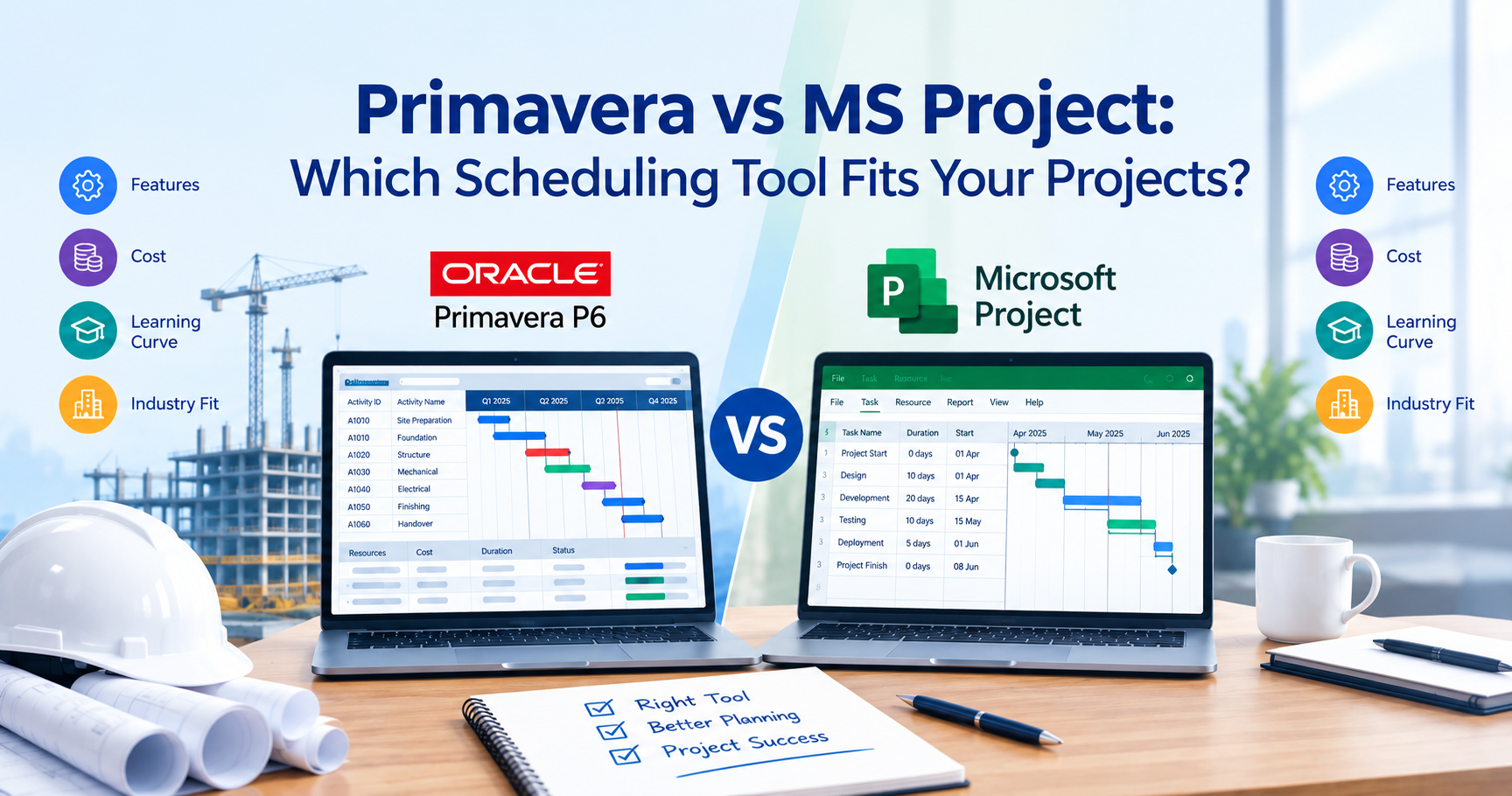
Primavera P6 vs MS Project: What Is the Difference?
Primavera P6 is usually ideal for complex, schedule-intensive projects, while Microsoft Project is often more useful for small to medium-sized projects and teams already using Microsoft tools. Primavera P6 offers extensive scheduling controls, resource management, baselines, and multi-project capabilities. This makes it particularly relevant to construction, engineering, and infrastructure projects. On the other hand, Microsoft Project offers Gantt charts, dependencies, critical path analysis, resource scheduling, and reporting through its desktop application and related Microsoft services.
While comparing Primavera P6 vs. MS Project and making the right choice, it depends on project complexity, reporting needs, industry expectations, licensing costs, and your team's scheduling experience. Therefore, it is necessary to understand these differences and choose the ideal one that best suits your project's needs and your team's capabilities.
Key Highlights of Primavera P6 vs MS Project
- Core difference: Primavera P6 focuses on detailed scheduling and project controls, while Microsoft Project provides a more user-friendly scheduling environment for many business projects.
- Scheduling capabilities: both support dependencies, baselines, and critical path analysis. Primavera P6 has particularly extensive controls for large interconnected schedules.
- Cost: Microsoft provides pricing for both subscription and perpetual licenses. When considering Oracle’s Primavera P6 licensing, more attention is needed on editions, license metrics, support, and deployment arrangements.
- Primavera P6 requires more understanding of scheduling conventions and project controls.
- Application of industry : Primavera P6 is most relevant to construction, EPC, infrastructure, and oil and gas. Microsoft Project works well often for IT, consulting, internal operations, and business initiatives.
- Career relevance: Primavera P6 is good for planning engineers and project controls professionals. Microsoft Project can be used by a wider range of project coordination and management roles.
- Combined usage: Both tools can be used within an organization, although exchanging schedules requires careful validation of calendars, dependencies, activity data, and baselines.
Introduction
A project schedule can look convincing until the first serious delay occurs. A supplier misses a delivery, two activities compete for the same equipment, or a client requests a revised completion forecast. Suddenly, the project team needs more than a list of tasks and dates. It needs to understand which activities affect completion, where resources are constrained, and how the latest forecast differs from the approved plan.
This is where the choice between Primavera P6 and Microsoft Project is key.
Professionals may use both apps to plan activities, set up dependencies, allocate assets, and track progress. But they have a slightly different approach to scheduling. Primavera P6 is very much associated with detailed project controls and complex engineering schedules. Microsoft Project is known for its user-friendly scheduling interface and integration with the Microsoft ecosystem.
So the Primavera vs MS Project debate is not about which software has more features. A tool that is great for a refinery construction schedule may be too complex for an internal marketing effort. Similarly, a construction contract that requires detailed activity coding, schedule updates, and structured submissions may not be satisfied with a simple scheduling application.
Product cost and availability also need attention. Project desktop offerings are now part of Microsoft's project management portfolio, which also includes subscriptions under the Planner brand. Oracle Primavera has a range of products and deployment options. Comparing old product names or unrelated subscription levels may lead to wrong conclusions.
In this guide we will look at the difference between Primavera and MS Project in terms of functionality, cost, usability, industry usage, and career prospects. It also explains where both applications can be useful and how to choose the right software for your projects.
Primavera P6 vs MS Project: What Is the Difference?
The key difference between Primavera P6 and Microsoft Project is in their typical use cases, scheduling workflow, and how they deal with project complexity.
Oracle Primavera P6 is project planning and scheduling software for detailed schedules, resources, project controls, and multi-project environments. It is often used for large construction and engineering programmes where many activities, contractors, and dependencies need to be coordinated.
Microsoft Project is project management and scheduling software that enables users to plan tasks, set dependencies, manage resources, build schedules, and track progress. Its desktop editions are especially recognizable for their task tables and Gantt chart interface.
Both products can support sophisticated scheduling. The difference is not that Microsoft Project lacks critical path scheduling or that Primavera P6 is useful only for construction. Rather, their strengths become more apparent as project complexity, governance requirements, and organizational needs change.
Understanding Primavera P6
Primavera P6 is part of Oracle's Primavera project management product family. Two important offerings are Primavera P6 Professional and Primavera P6 Enterprise Project Portfolio Management (EPPM).
Primavera P6 Professional is a desktop-oriented scheduling application used for developing and maintaining detailed project schedules. P6 EPPM extends the environment with enterprise-wide project, resource, portfolio, and reporting capabilities.
Oracle describes P6 EPPM as a solution for managing projects, programs, and portfolios, including costs, resources, risks, and performance metrics.
A planning engineer working on a highway construction project, for example, may use Primavera P6 to develop a schedule covering surveying, earthworks, drainage, pavement construction, utility relocation, and testing.
Each major work package can contain hundreds of activities. Relationships between those activities help determine the critical path, while resource assignments and periodic updates support schedule monitoring.
The application is particularly useful when project teams need to answer questions such as:
- Which activities are currently driving the project completion date?
- What happens if a major equipment delivery is delayed?
- How does the updated schedule compare with the approved baseline?
- Which activities belong to a particular contractor, discipline, or construction area?
- How should multiple project schedules be coordinated?
Primavera P6 provides structured ways to investigate these questions.
Understanding Microsoft Project
Microsoft Project helps users build schedules using tasks, milestones, durations, dependencies, calendars, and resources.
Its desktop application is familiar to many project professionals because it combines a spreadsheet-like task table with a visual Gantt chart. Users can input tasks, establish predecessor relationships, assign resources, and view the impact of schedule modifications on the planned finish date.
For example, if a company is implementing a new customer relationship management system, Microsoft Project can be used to plan all phases of the project, such as requirements gathering, configuration, integration, data migration, user acceptance testing, training, and deployment.
The project manager can see dependencies, check resource workloads, and communicate progress through schedule views and reports.
One important difference is that Microsoft has changed the way it names and licenses its products. Some Microsoft offerings still offer project desktop capabilities. Microsoft Planner offers task and premium project management capabilities through separate plans.
Microsoft's current pricing comparison identifies Planner Plan 1, Planner and Project Plan 3, Planner and Project Plan 5, and perpetual desktop products as different offerings with different capabilities. Consequently, buyers should compare the specific Microsoft product or plan they intend to use rather than treating every Planner or Project license as equivalent.
Primavera P6 vs MS Project: Comparison at a Glance
| Comparison factor | Primavera P6 | Microsoft Project |
| Primary focus | Detailed scheduling and project controls | Project scheduling and task/resource management |
| Typical project environment | Complex construction, engineering, and multi-project programs | Business, IT, consulting, operations, and many engineering projects |
| Scheduling methodology | Extensive CPM-based scheduling controls | CPM scheduling with task dependencies and critical path analysis |
| Work breakdown structure | Strong hierarchical WBS capabilities | Summary tasks and hierarchical task structures |
| Resource management | Detailed resource assignments, analysis, and leveling | Resource assignments, workloads, and leveling in supported desktop editions |
| Baseline management | Multiple baselines and detailed comparisons | Baseline recording and variance tracking |
| Multi-project management | Strong enterprise scheduling and portfolio capabilities | Multi-project capabilities vary by edition and deployment |
| Reporting | Detailed layouts, filters, codes, and enterprise reporting options | Built-in views, reports, and Microsoft ecosystem integration |
| Learning curve | Generally steeper | Generally easier for new users |
| Pricing | Edition- and agreement-dependent licensing | Published subscriptions and perpetual licenses |
| Common schedule exchange | XER, XML, and supported integrations | MPP, XML, and supported integrations |
| Best fit | Complex schedules requiring detailed controls | Teams seeking capable scheduling with a familiar interface |
Primavera P6 vs MS Project: Feature-by-Feature Comparison
Both Primavera P6 and Microsoft Project can produce detailed project schedules. However, their differences become clearer when comparing how they handle activities, dependencies, resources, baselines, reporting, and multiple projects.
1. Project Scheduling and Task Management
Scheduling is the foundation of both applications.
Primavera P6 organizes project work through a Work Breakdown Structure (WBS), activities, milestones, calendars, and relationships. Users can assign activity durations, establish logical sequences, and calculate schedule dates based on project constraints.
The WBS is particularly useful for dividing complex projects into manageable sections.
Consider a large commercial construction project. Its schedule might contain separate WBS branches for design, procurement, foundations, structural work, mechanical and electrical installation, finishing, and commissioning.
Within each branch, activities can be assigned to contractors, disciplines, or geographical areas. Planning engineers can then filter the schedule to investigate specific work packages without losing visibility of the overall project.
Microsoft Project also supports hierarchical planning. Users create tasks and subtasks, establish durations, link dependencies, and organize activities under summary tasks.
For many project managers, its task-entry workflow feels more straightforward, particularly when working with a limited number of projects.
Key difference: Primavera P6 is especially suited to detailed activity-level planning and structured project controls. Microsoft Project provides strong scheduling functionality through an interface that many business users find easier to adopt.
Neither application automatically produces a reliable schedule. The quality of the activity breakdown and dependency logic still matters.
2. Critical Path Method and Dependency Management
The Critical Path Method (CPM) identifies the sequence of activities that determines the project's calculated completion date.
Both Primavera P6 and Microsoft Project support critical path analysis.
Suppose a construction project contains these activities:
| Activity | Duration | Dependency |
| Site preparation | 5 days | Project start |
| Foundation work | 12 days | Site preparation |
| Structural installation | 20 days | Foundation work |
| Electrical installation | 10 days | Structural installation |
| Final inspection | 3 days | Electrical installation |
If these activities form the longest controlling sequence, their combined duration is 50 working days, assuming the same working calendar, finish-to-start relationships, and no additional constraints.
If the team does not take corrective action, a delay in a controlling activity may impact the project completion date.
Primavera P6 has advanced scheduling capabilities such as relationship types, relationship leads and lags, activity calendars, constraints, and float analysis. It also supports schedule analysis of complex activity networks (see network diagrams in project management)
Microsoft Project shares similar basic scheduling concepts such as predecessors and successors, constraints, task calendars, and critical path identification.
However, results may differ, as the applications may have different calculation settings, calendars, progress conventions, and scheduling options.
Want to know more about the scheduling principle? Check out this Simpliaxis guide to project scheduling techniques, including the critical path method.
Practical takeaway: Primavera P6 is frequently the tool of choice where detailed schedule logic is subject to formal review. Microsoft Project still does critical path scheduling, particularly when the schedule is carefully built and maintained.
3. Gantt Charts and Schedule Visualization
A Gantt chart displays project activities against a timeline, making it easier to understand sequencing, duration, milestones, and progress. Both tools use Gantt-style visualizations, but their typical workflows differ.
Microsoft Project places the Gantt chart at the center of its familiar desktop scheduling experience. Users can adjust task information in the table and see corresponding changes on the timeline. This makes it convenient for project managers preparing internal plans, reviewing deadlines, or presenting a schedule to stakeholders.
Primavera P6 also provides Gantt charts, supported by detailed activity tables, codes, filters, grouping options, and customizable layouts. For instance, a planning engineer can organize construction activities by contractor, WBS element, or responsible discipline, then display the corresponding schedule bars.
This flexibility becomes valuable when one master schedule must serve different audiences. A site manager might want to see activities planned for the next two weeks. A project controls manager may need the full critical path. A client may request milestones and baseline comparisons.
Key difference: Microsoft Project offers a familiar visual scheduling experience, while Primavera P6 provides extensive schedule organization and filtering capabilities for detailed project controls.
4. Resource Allocation and Resource Leveling
Resource planning becomes challenging when several activities require the same people, equipment, or materials. Both tools support resource assignment and workload analysis, although the depth and workflow depend on the edition.
Primavera P6 allows users to assign resources and roles to activities, analyze resource demand, and evaluate resource utilization across projects. Its enterprise offering supports resource management and optimization views. Oracle specifically highlights the ability to identify resource conflicts and examine forecast demand across projects.
Consider a contractor operating three infrastructure projects that require the same specialized crane. Each project might have an acceptable schedule when viewed separately. However, if all three require the crane during the same period, the combined resource plan becomes unrealistic.
A coordinated resource schedule helps identify that conflict before it affects execution. Microsoft Project desktop also supports resource assignments, resource calendars, workload views, and leveling. For a consulting company, this may involve determining whether a business analyst or technical specialist has been assigned to overlapping tasks.
The important distinction is scale and organizational context. Primavera P6 is particularly useful when resource planning forms part of a larger, centrally managed project controls environment. Microsoft Project can be effective for project-level resource scheduling and coordination. Neither application eliminates resource conflicts without accurate availability data and sensible planning decisions.
5. Baseline Management and Progress Tracking
A baseline is a record of an approved version of the plan for the project. It can be used to compare the actual progress and current forecasts. Without a baseline, however, teams may know the latest expected completion date, but they may not be able to explain how much the schedule has changed.
Primavera P6 allows teams to set multiple baselines and compare current schedules against a selected reference plan. It helps in projects with contractual milestones, periodic progress updates, and schedule variance analysis, often tracked through CPI and SPI For example, a project originally planned to finish on 30 September may now be expected to finish on 20 October.
The team needs to research the 20-day calendar difference, determine what activities are responsible, and determine if the delay impacts contractual commitments. Microsoft Project also has the basic capability of tracking baselines and variances.
By comparing baseline dates and durations with the current schedule information, a project manager can get an understanding of deviations. Main difference: Both applications support baseline comparisons, but Primavera P6 is particularly associated with formal, recurring processes for schedule control. Also, it is important to differentiate baseline management within P6 from moving baselines between systems. Not all export formats contain the same information.
6. Multiple Projects and Portfolio Management
Managing one project is different from managing a portfolio of interconnected projects. Primavera P6 EPPM is designed to support enterprise-level visibility into projects, portfolios, resources, and performance information.
Oracle's documentation describes P6 EPPM as supporting multiple projects and users across job sites and organizational locations. This can be valuable for organizations handling several major capital projects simultaneously.
Microsoft's ecosystem also supports multi-project and portfolio-related capabilities, but the available functionality varies substantially between Project desktop, Planner subscriptions, and enterprise offerings. For example, Microsoft's higher-tier plans provide capabilities beyond basic task scheduling, including portfolio and resource management features.
Therefore, it would be inaccurate to suggest that Microsoft Project cannot manage multiple projects. The more useful question is whether an organization needs detailed scheduling across a portfolio of engineering projects or a broader business project management environment.
7. Reporting, Dashboards, and Integration
Project reports give stakeholders a look at what's done, what's late, and what needs attention. Primavera P6 offers activity layouts, grouping, filters, reports, and project performance information. P6 EPPM builds on these capabilities with enterprise reporting and collaborative interfaces.
Microsoft Project comes with built-in reports and scheduling views. Other Microsoft services can support collaboration, dashboards, and reporting workflows. If an organization is already using Microsoft 365, it may be convenient to integrate project information with familiar applications and reporting tools, depending on their licenses and integrations.
But don't choose either product simply because it has a pretty dashboard. A useful reporting system requires periodic schedule updates, accurate actual dates, meaningful measures of progress, and clearly defined reporting requirements.
Feature Comparison Summary
| Feature | Primavera P6 | Microsoft Project |
| Detailed CPM scheduling | Extensive controls | Strong capabilities |
| WBS organization | Detailed WBS hierarchy | Hierarchical summary tasks |
| Gantt chart | Yes | Yes |
| Resource assignments | Yes | Yes, edition-dependent |
| Resource leveling | Yes | Yes, in supported desktop editions |
| Multiple baselines | Yes | Yes |
| Portfolio management | Strong in P6 EPPM | Available in selected Microsoft offerings |
| Activity coding and filtering | Extensive | Custom fields and filtering |
| Schedule exchange | XER, XML, and supported formats | MPP, XML, and supported formats |
| Typical strength | Engineering project controls | General project scheduling and coordination |
Primavera P6 vs MS Project: Cost and Licensing
Software cost can significantly influence the decision between Primavera P6 and Microsoft Project, especially when several planners, project managers, and stakeholders require access.
However, comparing the price of one Primavera license with the price of a basic Microsoft subscription is not always meaningful.
The products have different licensing models, editions, and deployment requirements.
Primavera P6 Pricing
Oracle offers Primavera P6 through different licensing and deployment arrangements.
The price depends on factors such as the product edition, license type, support arrangements, user requirements, and contractual terms.
Oracle's published Construction & Engineering price list provides reference prices for perpetual application-user licenses.
For example, a June 2025 Oracle public-sector price list identifies the following amounts:
| Oracle product | Listed perpetual license fee | Listed software update and support fee |
| Primavera P6 Professional Project Management | US$3,520 | US$774.40 |
| Primavera P6 Enterprise Project Portfolio Management | US$3,850 | US$847 |
Source: Oracle's June 2025 US public-sector price list
These figures illustrate why Primavera P6 can represent a substantial investment, but they should not be treated as the amount every organization will pay. Actual costs may differ because of discounts, agreements, support requirements, taxes, infrastructure, and deployment choices.
For organizations considering P6 EPPM, the total cost may also include implementation, database administration, configuration, training, and ongoing support. A company with an established Primavera environment may face a different cost structure from one implementing the software for the first time. The safest approach is to request a current quotation for the exact Oracle product and deployment model.
Microsoft Project Pricing
Microsoft provides publicly listed pricing for several project management products.
In India, Microsoft's published pricing includes the following options:
| Microsoft offering | Listed India price | Licensing approach |
| Planner Plan 1 | ₹830 per user/month | Annual subscription |
| Planner and Project Plan 3 | ₹2,495 per user/month | Annual subscription |
| Planner and Project Plan 5 | ₹4,575 per user/month | Annual subscription |
| Project Standard 2024 | ₹51,399 | One-time purchase |
| Project Professional 2024 | ₹100,599 | One-time purchase |
Prices are published reference amounts, under the India price table. Link Microsoft Planner plans and pricing (India), the official source for the ₹830 and ₹2,495 figures.generally excluding applicable GST for subscriptions, and are subject to change. Features and entitlements differ by product.
Planner Plan 1 provides premium task and project management features, including timeline views and dependencies. It should not be assumed to provide every advanced capability of the Project desktop application.
Planner and Project Plan 3 includes Project desktop access and advanced scheduling capabilities such as critical path, baselines, and resource-related features. Project Plan 5 adds further enterprise and portfolio capabilities.
Project Standard 2024 and Project Professional 2024 are perpetual desktop purchases rather than monthly subscriptions. Before buying, organizations should check current availability, product entitlements, and future support plans for the services they want to use.
Which Software Offers Better Value?
For smaller organizations, the upfront financial cost of Microsoft Project is often less, especially if a subscription offers the features they require. Primavera P6 could be more valuable to organizations in which detailed schedule control, multi-project coordination, and formal reporting are necessary operational requirements.
Let us take two theoretical examples.
Example 1: Consulting company
A consulting firm has 10 reasonably independent client projects. Small team per project. Predictable task dependencies. Monthly progress reporting. Microsoft Project can provide the needed scheduling capability without the necessity of a full-blown enterprise project controls environment.
Example 2: Large EPC Contractor
An engineering, procurement, and construction contractor has multiple projects with thousands of activities, subcontractors, procurement packages, and contractual milestones. Primavera P6 may justify the higher licensing and implementation costs if their clients require P6 schedule submissions and detailed progress analysis. The real cost comparison should not stop at software fees. Training, administration, data exchange, reporting effort, and contractual compliance all impact the total cost of ownership.
Primavera P6 vs MS Project: Learning Curve and Usability
One of the most obvious differences between Primavera P6 and Microsoft Project is the learning curve. Both require knowledge of the fundamentals of scheduling, but they do not necessarily require the same amount of effort to become productive.
Is Primavera P6 Difficult to Learn?
Primavera P6 may look complex at first because it is designed on detailed project scheduling practices and its way of working and interface. Beginners encounter concepts such as the Enterprise Project Structure (EPS), Organizational Breakdown Structure (OBS), WBS, activity codes, calendars, relationships, constraints, baselines, and scheduling options.
These concepts are critical to the creation of reliable schedules.
For example, just inputting the activity durations does not help. The planning engineer needs to know the reason for a relationship, the calendar to use, and the effect of progress updates on the remaining work. It becomes more difficult when there are several contractors, different work schedules, and interdependent tasks in the program.
But when learners take a systematic approach, the software is easier to use. A good learning sequence is to begin by making a project, then developing a WBS, entering activities, developing relationships, calculating the schedule, assigning resources, and recording a baseline.
These basic concepts must be understood before going on to more complex schedule analysis, multiple projects, and detailed reporting.
Is Microsoft Project Easier for Beginners?
Microsoft Project is generally more accessible to professionals already familiar with Microsoft applications. With its task tables, menus, and Gantt chart layout, it's fairly easy to start building a basic schedule.
New users can generate a project plan by inputting tasks, durations, linking activities, and assigning resources. Even a Microsoft Project schedule can have misleading dates if it has inappropriate constraints, missing dependencies, unrealistic calendars, or incorrectly recorded progress. To handle advanced resource management, scheduling analysis, and multi-project coordination, you need additional expertise.
Learning Curve Comparison
| Learning factor | Primavera P6 | Microsoft Project |
| Initial familiarity | More specialized interface | Familiar Microsoft-style environment |
| Basic schedule creation | Requires understanding of P6 structures | Usually easier to begin |
| Scheduling terminology | Extensive project controls terminology. | Common project scheduling terminology |
| Advanced functionality | Requires substantial practice | Also requires practice |
| Best learning approach | Structured training with realistic schedules | Guided exercises and practical project plans |
| Typical learner | Planning engineer, scheduler, and project controls professional | Project manager, coordinator, business professional |
There isn't a dependable universal number of hours needed to become proficient in either program. How long it takes to learn depends on your previous experience, the quality of your training, the complexity of the project, and the level of proficiency you want. A professional who already has knowledge of CPM scheduling may find it easier to learn Primavera P6 than someone who has no knowledge of project scheduling.
Why Scheduling Knowledge Matters More Than Interface Familiarity
Software proficiency and project schedule management competence are related, but they are not identical. A person may know where to click to create a baseline without understanding why the baseline is necessary. Similarly, someone may know how to display the critical path but struggle to explain why a particular activity has become critical.
This distinction matters for career development.
Employers often need professionals who can interpret schedule information, find delays, suggest corrective actions—not just run software. According to the Project Management Institute’s Pulse of the Profession 2024 report, the average project performance rate among its respondents was 73.8%. The same report found a 57% increase in the use of hybrid approaches and said 64% of senior leaders felt their teams needed new technical skills.
These results do not provide a direct comparison between Primavera and Microsoft Project. They do, however, emphasize the need to align project management approaches and professional skills with company needs.
PMI’s research shows that there isn't a single best way to successfully deliver a project. Appropriateness of the approach and skills of the users are both important.
Primavera P6 vs MS Project: Pros and Cons
Primavera P6 and Microsoft Project have their own limitations. Both can support effective scheduling, but it is contingent upon the scale of work, technical requirements, available expertise, and organizational environment.
Primavera P6 Pros and Cons
Primavera P6 provides complete scheduling and project control for organizations that manage complex projects.
Benefits of Primavera P6
- Detailed scheduling controls: Supports extensive activity dependencies, calendars, constraints, and critical path analysis.
- Multi-project capabilities, strong: Provides organizations with management of schedules and resources across multiple projects.
- Advanced Resource Planning: Provides resource allocations, utilization analysis, and leveling.
- Baseline and progress management: Helps you compare current schedules with approved plans.
- Structured reporting: Users can structure activities by code, filter, WBS element, and custom layout.
- Industry relevance: Often used in construction and engineering environments where detailed schedules and formal reporting are important.
Primavera P6 Limitations
- Higher learning curve: Newbies may need formal training to understand its scheduling concepts and workflows.
- Higher implementation costs: Licensing, infrastructure, administration, and training can increase overall costs.
- Specialized Knowledge Requirements Knowledge of CPM scheduling and project controls is often required for effective use.
- Maybe overkill: Smaller projects may not need its extensive configuration and scheduling capabilities.
- Administrative requirements: Enterprise deployments may require additional configuration, permissions, and systems management.
Primavera P6 is most useful when the complexity of the project schedule justifies these additional capabilities and responsibilities.
Microsoft Project Pros and Cons
Microsoft Project combines proven scheduling capabilities with an interface that many project professionals already know.
Benefits of Microsoft Project
- Accessible interface. The desktop app offers a familiar task table and Gantt chart environment.
- Scheduling features that are useful: Supports dependencies, milestones, critical path analysis, baselines, and resource scheduling.
- Flexible for various project types: Supports IT implementations, business initiatives, consulting projects, and engineering work.
- Microsoft ecosystem support: Easy to integrate into organizations that are already using Microsoft productivity and reporting tools.
- Multiple buying options: Organizations can choose from applicable subscription offerings and perpetual desktop licenses.
- Helpful reporting tools: It offers schedule views and reports to help communicate the project.
What’s missing in Microsoft Project?
- Plan differences in features: Not all Planner or Project subscriptions have the same scheduling features.
- Advanced scheduling still takes skill: Users need to understand dependencies, calendars, resource allocation, and baseline management.
- Not as good for some contract processes: Some engineering clients specifically request schedules in a Primavera-compatible format.
- Enterprise capabilities may include additional products: The selected Microsoft environment is critical for advanced portfolio management and collaboration.
- Interoperability challenges: Sharing detailed schedules to Primavera P6 might require field mapping and validation.
For teams that need reliable scheduling without the administrative burden of a highly specialized project controls environment, Microsoft Project is often a good fit.
Primavera P6 vs MS Project: Strengths and Limitations
| Software | Main strengths | Main limitations |
| Primavera P6 | Detailed scheduling, complex dependencies, enterprise project controls, extensive filtering | Steeper learning curve, licensing costs, implementation complexity |
| Microsoft Project | Familiar interface, flexible scheduling, reporting, Microsoft integration | Edition-dependent features, possible limitations in specialized contractual workflows |
The deciding factor should be whether the software supports the project's actual scheduling and reporting requirements.
Which Industries Prefer Primavera P6 vs. MS Project?
The choice of software is as much about industry needs as it is about technical ability.
For some sectors logic-driven schedules are required in detail because project delays affect expensive equipment, contractors, regulatory commitments, and contractual milestones.
Some like that collaboration is simple, resources can be coordinated, and there is communication between business teams.
Construction, EPC, Oil and Gas, and Infrastructure
Primavera P6 is particularly useful in industries where projects are heavy on engineering work, with complex dependencies and formal schedule reporting.
Create
Large construction projects are made up of several work packages, contractors, and concurrent activities.
For example, a commercial building project may need to coordinate structural construction with electrical work, plumbing, HVAC, fire protection, and interior finishing.
Delays in structural work can impact a number of downstream activities.
Primavera P6 assists planning engineers to create dependencies, track progress, review delays, and keep in-depth project schedules.
Engineering, Procurement and Construction (EPC) projects comprise engineering design, equipment procurement, construction, testing, and commissioning.
These phases are closely interrelated.
Delays in engineering approvals may affect the order of equipment. Late equipment delivery may cause installation delays. Then installation delays can impact testing and commissioning.
Primavera P6 helps project controls teams manage these relationships in a coordinated schedule.
Oil & Gas
Projects for the oil and gas sector include processing plants, pipelines, offshore installations, and plant closures.
This type of work is often carefully scheduled because activities depend on specialized resources, availability of equipment, and safety-related constraints.
Primavera P6 can be used for detailed planning, tracking milestones, and coordination between engineering and field execution teams.
Infrastructure
In infrastructure projects like highways, airports, railroads, bridges, and power facilities, many interrelated activities and long durations are common.
For instance, a railroad project may require preparing separate schedules for civil works, track installation, signaling, electrical systems, and testing.
A detailed schedule can help expose the effect of delays over these work packages.
Oracle positions Primavera P6 and Primavera Cloud around construction and engineering scheduling, resources, and project delivery. Its Primavera Cloud offering also connects contract schedules, field schedules, resource management, and risk management.
However, this does not mean every construction company uses Primavera P6. Some contractors use Microsoft Project, other specialized tools, or a combination of applications.
The preferred software often depends on project scale, client requirements, and existing organizational systems.
IT, Consulting, and Business Projects
Microsoft Project is often a good fit for projects with smaller teams, shorter planning cycles, and simple scheduling needs.
Information Technologies
IT projects range from software implementation to infrastructure upgrades, system migration, and application deployment.
Let's consider an ERP implementation with activities such as requirements analysis, configuration, integration, testing, training, and go-live.
Microsoft Project helps the project manager in setting up dependencies, assigning resources, and monitoring key milestones. Teams may also employ sprint and backlog management applications to assist Agile software development. Detailed predictive scheduling is not necessarily a primary planning tool for each development activity.
Consultation
Consulting firms run client projects involving research, analysis, workshops, recommendations, and implementation support. Microsoft Project can help coordinate availability of consultants, project milestones, and client deliverables.
The well-known scheduling interface could be especially useful when project managers have to update plans frequently and share progress with business stakeholders.
Business & Operations
Internal business initiatives may include office moves, process improvements, marketing initiatives, product launches, and organizational change programs. Projects like these often need structured schedules and resource assignments, but they do not require highly specialized engineering scheduling controls. Microsoft Project provides a good degree of planning detail.
Industry-Based Software Selection
| Industry or project type | Often suitable software | Main consideration |
| Large construction projects | Primavera P6 | Detailed schedules and contractual reporting |
| EPC projects | Primavera P6 | Engineering, procurement, and construction dependencies |
| Oil and gas | Primavera P6 | Complex sequencing and specialized resources |
| Major infrastructure | Primavera P6 | Large schedules and multiple work packages |
| IT implementation | Microsoft Project or either | Milestones, dependencies, and team coordination |
| Consulting | Microsoft Project | Resource planning and client deliverables |
| Business operations | Microsoft Project | Practical scheduling and reporting |
| Mixed engineering portfolio | Either or both | Organizational standards and client requirements |
These are common suitability patterns, not exclusive industry rules.
Primavera P6 vs MS Project: Which Should You Learn for Your Career?
The best software to learn depends on the role you want to pursue. For someone entering project management, learning Microsoft Project may provide a relatively accessible introduction to practical scheduling. For someone targeting construction planning, EPC scheduling, or project controls, Primavera P6 may be more directly relevant.
When Should You Learn Primavera P6?
Primavera P6 is worth prioritizing if you want to pursue roles such as planning engineer, project scheduler, project controls engineer, or planning manager. These professionals may be responsible for preparing baseline schedules, updating project progress, reviewing critical paths, identifying delays, and developing schedule recovery plans.
In India, Primavera P6 is a relevant skill for many construction, infrastructure, and EPC planning positions. However, it should not be described as a mandatory qualification for every planning engineer vacancy. Some employers may accept experience with other scheduling tools, while others explicitly require P6 knowledge or experience.
For career preparation, focus on developing practical skills such as:
- Creating WBS structures and activity schedules.
- Establishing logical dependencies and calendars.
- Performing critical path and float analysis.
- Creating baselines and updating progress.
- Analyzing schedule variance and delays.
- Preparing progress reports and exchanging schedule files.
Professionals seeking structured instruction can Professionals seeking structured instruction can explore Simpliaxis’ Primavera P6 certification training with Primavera P6 Professional and its scheduling workflows.
When Should You Learn Microsoft Project?
Microsoft Project can be useful for project coordinators, project managers, consultants, business analysts, and those who are responsible for organizing project timelines. That’s especially true when the role includes planning activities, tracking deadlines, assigning resources, and communicating progress across business teams.
A beginner can start with a project plan and add tasks, link dependencies, assign resources, and review the critical path. As competency improves, the practitioner may implement baseline management, resource leveling, variance analysis, and reporting. Microsoft Project skills can complement broader project management knowledge.
Should You Learn Both Primavera P6 and MS Project?
Either one can be useful to professionals working across industries or managing projects with diverse clients and software environments. For example, a project controls professional may be maintaining a construction master schedule in Primavera P6 but using Microsoft Project for a smaller internal implementation project.
Knowing both apps can be helpful when organizations need to share schedule information as well. But beginners don't necessarily need to learn both at the same time. A practical approach is to select the software most relevant to the target role, build scheduling fundamentals, and then learn the second application if professional requirements justify it.
A Primavera P6 and MS Project course may be useful when it covers not only software navigation but also the underlying scheduling principles, including WBS development, CPM, baselines, progress tracking, and resource management.
Does Project Management Certification Help?
Software skills and project management certifications serve different purposes. A scheduling application helps professionals develop and maintain project plans. A project management certification validates broader knowledge or competence according to the certification's requirements.
For example, the Project Management Professional (PMP) certification addresses project management across different approaches and performance areas. It is not a certification in Primavera P6 or Microsoft Project. Professionals interested in broader project management capabilities can explore PMP certification alongside relevant scheduling software training. Combining project management knowledge with practical scheduling experience can be useful, particularly for roles involving both project leadership and schedule control.For planners who want a scheduling-specific credential, the PMI Scheduling Professional (PMI-SP) certification validates CPM, schedule development and schedule control skills.
Can Primavera P6 and MS Project Be Used Together?
Yes. Primavera P6 and Microsoft Project can be used within the same organization, and project information can be exchanged through supported file formats and integrations.
However, this does not mean that an entire schedule can always be transferred between the applications without changes.
How Schedule Exchange Works
Primavera P6 supports several import and export formats, including its proprietary XER format and XML-based formats. The Microsoft Project desktop supports XML for exchanging project information with other applications.
Oracle's documentation describes Microsoft Project XML as one of the formats supported for sharing project data, although compatibility details depend on the software versions involved. A typical workflow might involve developing a schedule in Microsoft Project, exporting the supported data, importing it into Primavera P6, and reviewing the resulting schedule.
The reverse workflow may also be possible through supported export and import options. However, data exchange should be treated as a controlled process rather than a guaranteed one-click conversion.
What Needs to Be Checked After Conversion?
Several schedule elements may require validation after transferring data:
- Activity relationships: Confirm that predecessor and successor relationships are preserved correctly.
- Calendars: Verify working days, holidays, shifts, and activity calendars.
- Constraints: Review date constraints that may influence schedule calculations.
- Milestones: Check milestone dates and their associated dependencies.
- Resources: Confirm that assignments and resource information are transferred as intended.
- Baselines: Verify whether baseline data is supported by the selected exchange format.
- Critical path: Recalculate the schedule and compare the resulting critical activities and completion date.
For example, a schedule might show a different completion date after conversion because the destination application uses a different calendar or scheduling setting.
Such differences should be investigated before the converted schedule is used for contractual reporting.
What Is an XER File?
An XER file is a proprietary Primavera project exchange format used to transfer project data between supported Primavera applications.
It can contain activities, relationships, resources, roles, and other scheduling information.
Oracle's documentation identifies XER as a supported format for sharing Primavera project data and notes that it can support multiple projects within a single file. Construction clients and contractors may request XER files because they need editable schedule information that can be imported into their Primavera environment.
An XER file is more useful for detailed schedule examination than a static PDF because the recipient can work with supported project data rather than merely viewing a schedule image.
However, XER should not be treated as a complete backup of every possible project record. Oracle's documentation distinguishes XER from XML, including differences in baseline export support.Stakeholders without a Project license can open MPP files using Microsoft Project viewers.
Example: Using Both Tools on an Infrastructure Project
Consider a contractor delivering a large airport expansion project. The planning department maintains the master construction schedule in Primavera P6 because the client requires detailed activity-level submissions.
Meanwhile, the internal IT department uses Microsoft Project to manage the rollout of new office systems and supporting infrastructure. Both schedules may contain milestones relevant to the overall project. The organization can coordinate those milestones through approved reporting processes and supported data exchange methods.
This arrangement allows each team to use a suitable application without requiring every department to follow the same detailed scheduling workflow. The important requirement is consistent schedule governance, particularly when one project's milestones depend on another team's deliverables.
Which Is Better: Primavera P6 or MS Project?
There is no universal winner in the Primavera vs Microsoft Project comparison. Primavera P6 is generally the stronger choice when detailed scheduling, complex dependencies, enterprise project controls, and formal schedule submissions are central requirements.
Microsoft Project is often the more practical option when teams need capable scheduling, familiar interfaces, and manageable implementation requirements. The best choice becomes clearer when evaluating actual project needs.
Choose Primavera P6 When:
- Your projects involve complex engineering or construction schedules.
- You manage numerous activities, contractors, and interdependent work packages.
- Your organization requires detailed baseline and progress analysis.
- Clients expect Primavera-compatible schedule submissions.
- You need structured scheduling across multiple major projects.
- Your career goal involves planning engineering or project controls.
Choose Microsoft Project When:
- You manage small to medium-sized projects with relatively straightforward dependencies.
- Your organization already relies heavily on Microsoft applications.
- You need task scheduling, resource assignments, and progress reporting without extensive enterprise configuration.
- Your projects involve IT, consulting, operations, or general business initiatives.
- Your team prefers a more familiar desktop scheduling interface.
- You are beginning to develop practical project scheduling skills.
Final Decision Matrix
| Your requirement | Recommended starting point |
| Detailed construction master schedule | Primavera P6 |
| Small internal business project | Microsoft Project |
| EPC planning and project controls | Primavera P6 |
| IT system implementation | Microsoft Project |
| Multiple complex engineering projects | Primavera P6 |
| General project scheduling for beginners | Microsoft Project |
| Client requires XER submissions | Primavera P6 |
| Organization uses different scheduling environments | Consider both |
Assess the project schedule’s complexity, contractual obligations, reporting requirements, licensing costs, and available expertise before making the final decision. A scheduling tool is meant to provide an easy way to understand and control project information. The application with the most features is not necessarily the one that will give you better project results.
Conclusion
When choosing between Primavera P6 and Microsoft Project, you need to think about the complexity of your project, the industry you’re in, the resources you have access to, and your scheduling goals. Both apps provide core project planning capabilities, such as activity scheduling, dependencies, critical path analysis, resource assignments, and progress tracking. But their strengths are more apparent in other work settings.
Primavera P6 is best for scheduling projects that are heavy on scheduling, such as construction, EPC, infrastructure, and other projects. It is valuable to organizations that require structured project controls because of the detailed scheduling controls, baseline management, resource analysis, and enterprise capabilities.
Microsoft Project is a practical scheduling environment for many IT, consulting, operational, and business projects. If your team likes effective project planning without unnecessary complexity, then you may find it attractive due to its familiar interface, scheduling capabilities, and connectivity with the Microsoft ecosystem.
The same rule goes for the professionals who decide which skill to learn . Primavera P6 may be more relevant for planning engineering and project controls careers, whereas Microsoft Project can support a wider range of project management and coordination roles.
The best scheduling tool is the one that can be tailored for your project’s needs and the skills of the people who will be using it. Good software or not, reliable schedules need accurate information, logical dependencies, realistic resources, frequent updates, and decisions made with knowledge of the situation.






 Lowest-Price Challenge











 Personalized Path


.webp)


 USA
USA  Canada
  India
India  UK
UK  Australia
  Singapore


