


 Call Us


Quick Answer
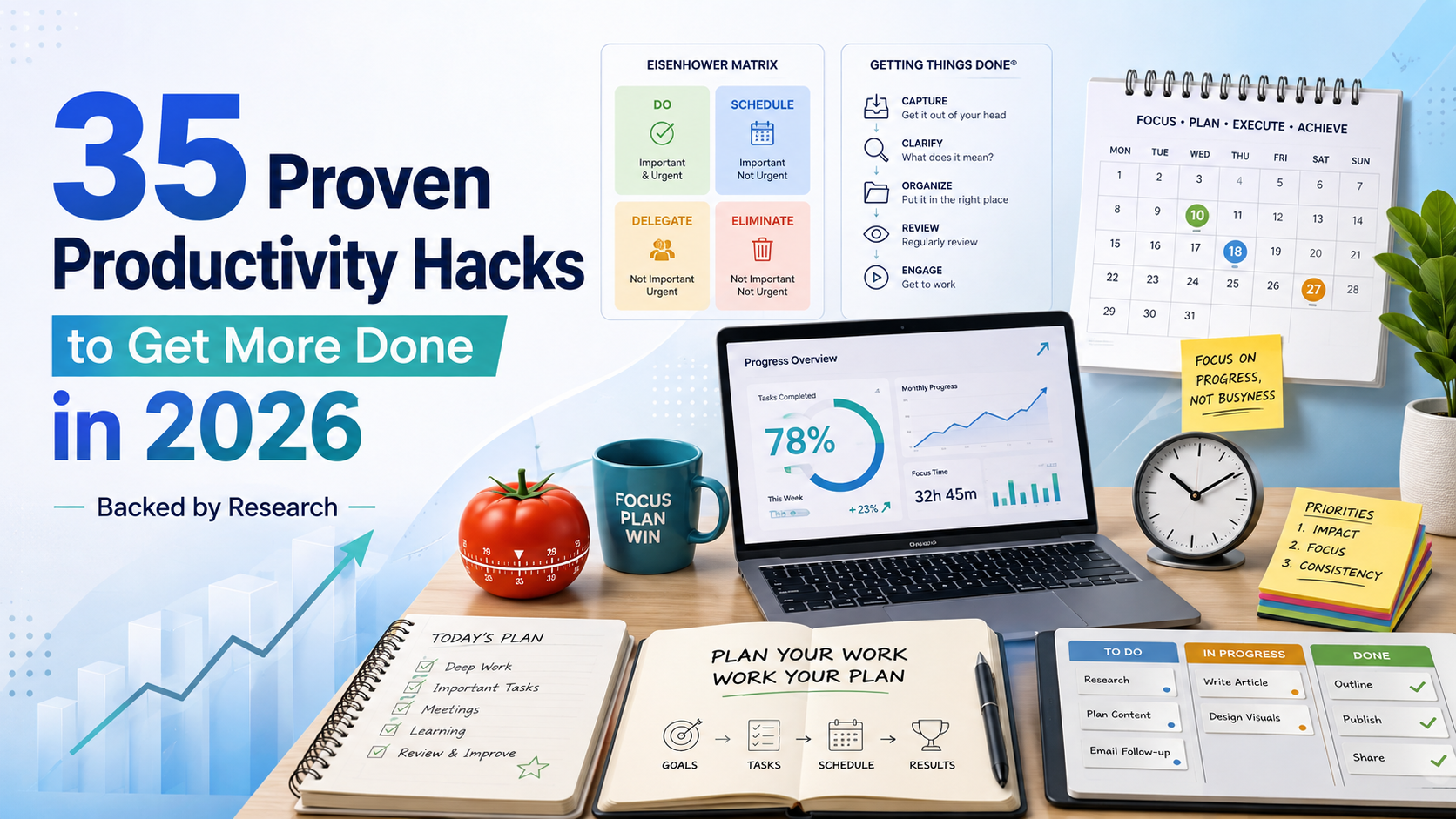
The productivity hacks with the strongest evidence behind them share one theme: they reduce how often your brain has to switch contexts and they force you to decide, in advance, what deserves your attention. Time blocking, the Pomodoro Technique, the Eisenhower Matrix, and David Allen's Getting Things Done method all work by externalizing decisions so you are not re-deciding priorities all day. Layer in energy management (working with your natural focus cycles instead of against them) and you get most of the benefit without needing dozens of separate "hacks." Start with one or two of the frameworks below, run them for two weeks, and keep what actually reduces your stress and increases your output.
Key Highlights of Productivity Hacks
- Multitasking is largely a myth: research from psychologists Joshua Rubinstein, David Meyer, and Jeffrey Evans found that shifting between tasks can consume as much as 40 percent of a person's productive time.
- A single digital interruption can cost far more than the interruption itself. Gloria Mark's research team at the University of California, Irvine found it takes an average of about 23 minutes and 15 seconds to fully return to a complex task after being interrupted.
- Naming your tasks correctly matters as much as scheduling them. Frameworks like the Eisenhower Matrix (urgent versus important) and the Pareto Principle (80/20 rule) exist specifically to stop you from treating every task as equally important.
- The most durable productivity systems combine multiple techniques rather than relying on one: prioritize with the Eisenhower Matrix, schedule with time blocking, and execute with the Pomodoro Technique.
- Productivity is not only a time problem, it is an energy problem. Working with your natural alertness cycles and taking real breaks produces more usable output than simply working longer hours.
- Small-friction fixes, like David Allen's "two-minute rule" variant and James Clear's habit-formation research, remove the biggest barrier to getting started: activation energy, not motivation.
Why Most Productivity Advice Fails
Search "productivity hacks" and you will find hundreds of listicles repeating the same 20 tips with no context on when to use them or why they work. The problem is not a shortage of tips, it is a shortage of systems. A hack that works brilliantly for a solo knowledge worker doing deep analytical work can be actively harmful for a manager who spends most of the day in meetings and needs to stay reactive to their team.
Before adopting any technique below, it helps to diagnose what is actually stealing your time. For most professionals it falls into one of three buckets: too many context switches (multitasking and notifications), unclear priorities (everything feels urgent), or poor energy allocation (doing demanding work at the wrong time of day). The frameworks in this guide map directly onto those three problems, so pick based on your actual bottleneck rather than trying to adopt all 35 hacks at once.
The Science of Focus: What Research Actually Shows
Two research findings, in particular, explain why so many "just power through it" approaches to productivity fail.
The Real Cost of Task-Switching
Psychologists Joshua Rubinstein, David Meyer, and Jeffrey Evans studied what happens in the brain when people switch between tasks. Their research found that each switch forces the brain through two distinct cognitive stages, goal shifting and rule activation, and that the cumulative effect of frequent switching can consume as much as 40 percent of a person's productive time. What feels like "getting more done" by juggling three things at once is, cognitively, closer to doing three things badly and slowly.
The 23-Minute Interruption Tax
Gloria Mark, an informatics professor at the University of California, Irvine, has spent decades studying how digital interruptions affect knowledge workers by directly observing them in offices. Her widely cited 2008 research found that after an interruption, people take an average of roughly 23 minutes and 15 seconds to fully return to the original task, and that they typically complete about two other tasks in between before circling back. Her later work has also tracked how attention spans on a single screen have compressed over time, from an average of about two and a half minutes in 2004 to well under a minute in more recent observations. The implication is not "never get interrupted" (impossible for most jobs) but "batch your interruptions" so the 23-minute tax gets paid a handful of times a day instead of dozens.
Multitasking and Digital Overload
The American Psychological Association's research on multitasking similarly concludes that what people call multitasking is almost always rapid task-switching, and that it carries measurable costs to both speed and accuracy, especially on complex or unfamiliar tasks. This is the scientific basis behind nearly every "single-task" recommendation in this guide.
Prioritization Frameworks That Work
1. The Eisenhower Matrix
The Eisenhower Matrix sorts tasks into four quadrants based on urgency and importance: do now, schedule, delegate, and delete. The underlying idea traces back to a line often attributed to President Dwight D. Eisenhower, who in a 1954 speech credited an unnamed college president with the observation that "what is important is seldom urgent, and what is urgent is seldom important." Management author Stephen Covey later formalized this into the four-quadrant tool used today in his book "The 7 Habits of Highly Effective People." The matrix is most useful for people who feel like everything on their plate is an emergency, because it forces an explicit separation of urgency from actual importance.
2. The Pareto Principle (80/20 Rule)
Named after economist Vilfredo Pareto, who observed that roughly 80 percent of land in Italy was owned by 20 percent of the population, the Pareto Principle has since been applied broadly to work: a small fraction of your tasks or clients typically generate most of your results. Applying it practically means auditing your task list weekly and asking which 20 percent of items are driving 80 percent of your outcomes, then protecting time for those first.
3. SMART Goals
Consultant George T. Doran introduced the SMART framework (Specific, Measurable, Assignable, Realistic, Time-related) in a 1981 article in Management Review. Decades later it remains one of the most reliable ways to convert a vague intention ("be more productive") into something you can actually execute and measure, because vague goals are one of the biggest hidden causes of procrastination.
4. Eat the Frog
Popularized by author Brian Tracy and often traced back to a line attributed to Mark Twain, "eat the frog" means doing your single hardest or most important task first thing in the day, before willpower and decision-making capacity erode. It pairs well with the energy management concepts covered later in this guide.
Time-Based Productivity Techniques
5. The Pomodoro Technique
The Pomodoro Technique was developed by Francesco Cirillo in the late 1980s while he was a university student, using a tomato-shaped kitchen timer (pomodoro is Italian for tomato). The method is simple: work in focused 25-minute intervals, take a short 5-minute break, and after four intervals take a longer 15 to 30 minute break. The structure works because it makes starting a task feel less daunting (you are only committing to 25 minutes) while building in recovery time before mental fatigue sets in.
6. Time Blocking
Time blocking means assigning every task or type of work a specific slot on your calendar in advance, rather than working from a loose to-do list and deciding what to do next in the moment. Because it forces you to estimate how long things actually take and to see conflicts before they happen, it tends to reduce the "urgent" fires that come from double-booked priorities. Many high-performing executives and entrepreneurs, including Elon Musk and Bill Gates, have publicly described using variations of time blocking to structure their days.
7. Timeboxing
A close cousin of time blocking, timeboxing sets a hard time limit for a task regardless of whether it feels "done," which invokes Parkinson's Law (see below) to prevent open-ended tasks like research or editing from expanding indefinitely.
8. Parkinson's Law
British historian C. Northcote Parkinson coined "work expands so as to fill the time available for its completion" in a satirical essay published in The Economist in 1955, based on his observations of bureaucratic growth in the British civil service. The practical productivity application is to deliberately set shorter deadlines than feel comfortable, which often produces the same quality of output in less time simply because there is less room for the task to sprawl.
9. Time Audits
Before adopting any scheduling technique, spend three to five working days logging what you actually do in 30-minute increments. Most people significantly underestimate how much time goes to email, meetings, and low-value tasks until they see it written down, and a time audit gives you the real baseline needed to time-block effectively.
Task and Project Management Systems
10. Getting Things Done (GTD)
David Allen introduced the Getting Things Done method in his 2001 book of the same name. GTD is built on five steps: capture every commitment and idea the moment it appears, clarify whether each item is actionable and what the next physical action is, organize actionable items into the right list, reflect by reviewing your lists regularly (Allen recommends a weekly review), and engage by choosing and executing the next action. The core insight, that your mind is for having ideas rather than holding them, is why GTD practitioners report a state Allen calls "mind like water," a stress reduction that comes from trusting an external system rather than trying to remember everything.
11. The Two-Minute Rule
Author James Clear describes a version of the two-minute rule in "Atomic Habits": if a task takes less than two minutes, do it immediately rather than deferring it, because the cost of tracking and revisiting it later usually exceeds the cost of just finishing it. Clear also uses a broader "two-minute rule" for habit formation, scaling any new habit down to a version that takes under two minutes to start, since the biggest barrier to a new habit is usually starting it, not sustaining it. Note this is a related but distinct concept from David Allen's two-minute guideline inside GTD, which serves the same "do it now" function during the clarify step.
12. Kanban Boards
Originating from Toyota's manufacturing system, Kanban boards visualize work as it moves through stages such as "to do," "in progress," and "done." Limiting how many items can sit in the "in progress" column at once (a practice called a work-in-progress limit) directly counters the task-switching costs described earlier, since it prevents starting five things simultaneously without finishing any of them.
13. The One Big Thing (MIT) Method
Each morning, identify the single "most important task" that would make the day a success even if nothing else got done, and schedule it before anything reactive (email, Slack, meetings) can hijack your energy.
14. Batching Similar Tasks
Grouping similar low-focus tasks (replying to emails, approving invoices, scheduling calls) into one dedicated block reduces the number of context switches across the day, directly addressing the 40 percent productivity loss associated with task-switching.
Focus, Deep Work, and Flow
15. Deep Work
Computer science professor and author Cal Newport defines deep work as professional activities performed in a state of distraction-free concentration that push cognitive capabilities to their limit, contrasted with "shallow work" like email and administrative tasks that can be done while distracted. Newport's core argument is that the ability to focus without distraction is becoming both rarer and more economically valuable, which is why scheduling protected deep work blocks (rather than hoping for spare focused time) tends to outperform an unstructured schedule.
16. Flow State
Psychologist Mihaly Csikszentmihalyi introduced the concept of flow, a state of complete absorption in an activity where action and awareness merge, self-consciousness drops, and the perception of time distorts. Csikszentmihalyi's research found flow is most likely when the challenge of a task is closely matched to a person's skill level, neither so easy that it is boring nor so hard that it produces anxiety. Structuring work to hit that sweet spot, rather than defaulting to the easiest or most urgent task, is one of the more overlooked productivity levers.
17. Single-Tasking
Given the switching-cost research above, deliberately closing every application and browser tab except the one needed for your current task is one of the highest-leverage, lowest-effort productivity changes available.
18. Environmental Design
Removing the phone from the room, using a dedicated workspace, or working in a different location for deep work versus reactive work creates physical cues that support focus, an idea consistent with behavioral research on how environment shapes habit and attention.
Habit and Behavior Hacks
19. Habit Stacking
James Clear describes habit stacking as attaching a new habit to an existing one ("after I pour my morning coffee, I will write my top three priorities for the day") to piggyback on a routine that is already automatic, lowering the willpower required to start.
20. Implementation Intentions
Rather than a vague goal like "I will exercise more," implementation intentions specify exactly when and where a behavior will happen ("I will go for a 20-minute walk at 7 a.m. before checking email"), a format that behavioral research consistently finds more effective at driving follow-through than intention alone.
21. Reducing Decision Fatigue
Every decision, no matter how small, draws on the same limited cognitive resource. Automating recurring low-value decisions (a fixed weekly meal plan, a default outfit, a standard weekly schedule template) preserves that capacity for decisions that actually matter.
22. Temptation Bundling
Pairing a task you tend to avoid with something you enjoy (listening to a favorite podcast only while doing routine admin work, for example) makes it easier to follow through consistently.
Energy Management, Not Just Time Management
A growing body of workplace research argues that sustainable productivity is built on managing energy and physiological state, not simply managing hours on a calendar. A few practical applications:
- Match task difficulty to your chronotype. Most people have a window of one to a few hours where analytical focus peaks (commonly mid-morning for "morning" chronotypes). Schedule your hardest cognitive work in that window and save routine tasks for your natural afternoon dip.
- Take real breaks. Scrolling a phone during a "break" does not allow the same mental recovery as stepping away from screens entirely; short walks, natural light, and movement are more restorative.
- Protect sleep as a productivity input, not a luxury. Sleep researchers have consistently linked insufficient sleep to measurable declines in attention, working memory, and decision quality, all of which are prerequisites for the focus techniques described above.
- Use the "two-minute rule" for movement, too. Standing up, stretching, or taking a brief walk every 60 to 90 minutes counters the physical stiffness and attention decay that come from long stretches at a desk.
Digital Tools and Automation
Modern task and project management tools (such as Todoist, Asana, and Trello) essentially digitize the frameworks above: Kanban boards, GTD-style next-action lists, and calendar-integrated time blocking. The tool matters less than the underlying system; choose one that supports the specific technique you have committed to (a simple list-based tool for personal GTD, a board-based tool for team Kanban) rather than switching tools repeatedly, which itself creates a costly context switch. Where teams increasingly see gains is in automating recurring status updates, approvals, and scheduling so that human attention is reserved for judgment calls rather than repetitive coordination.
Fixing Meetings, Email, and Communication Overload
23. Default to Shorter Meetings
Scheduling meetings for 25 or 50 minutes instead of 30 or 60 builds in a buffer for transition and note-taking, and directly applies Parkinson's Law: the meeting tends to fill whatever time is allotted, so allotting less compresses it without necessarily losing substance.
24. Require an Agenda for Every Meeting
A meeting without a stated purpose and desired outcome is one of the most common sources of wasted organizational time; requiring an agenda in advance also lets participants opt out if they are not needed.
25. Batch Email and Messaging
Checking email and chat at two or three set times a day, instead of continuously, directly reduces the frequency of the 23-minute interruption tax described in Gloria Mark's research.
26. Use Asynchronous Updates
Many status meetings can be replaced with a written async update, freeing the meeting time for discussions that genuinely require real-time back-and-forth.
27. Set Communication Norms
Explicitly agreeing on which channel is for what (email for non-urgent items, chat for same-day items, phone or in-person for true emergencies) reduces the anxiety-driven habit of checking every channel constantly "just in case."
Productivity Hacks for Teams and Managers
Individual productivity hacks only go so far if the surrounding team or organizational culture rewards constant availability over focused output. Managers and project leads play an outsized role here, and this is where personal productivity techniques intersect directly with project management and agile leadership practices.
- Protect team focus time. Blocking "no-meeting" windows across a team calendar gives everyone, not just individuals who self-advocate, room for deep work.
- Prioritize at the team level, not just individually. Backlog prioritization techniques used in Agile and Scrum frameworks (such as ranking a sprint backlog by value and effort) are essentially the Eisenhower Matrix and Pareto Principle applied to team-level work, and they prevent the common failure mode where everyone is individually productive but the team is collectively unfocused.
- Build in structured reflection. Agile retrospectives and GTD's weekly review serve the same underlying function: a scheduled checkpoint to catch what is not working before it compounds. Professionals building broader people-management capability often pursue structured training, such as the Agile Leadership learning path, specifically to formalize these habits across a team rather than leaving them to individual discipline.
- Improve project scheduling discipline. A large share of "urgent" fire drills in project-based work traces back to unrealistic initial scheduling. Strengthening core project management skills such as realistic task estimation and dependency mapping reduces the volume of manufactured urgency that derails prioritization frameworks like the Eisenhower Matrix.
Building Your Personal Productivity System
Trying to implement all 35 techniques above at once is itself an anti-pattern; it recreates the same context-switching problem this guide is trying to solve. A more effective approach:
- Run a time audit for one week to diagnose your real bottleneck: too many interruptions, unclear priorities, or poor energy allocation.
- Pick one prioritization framework (the Eisenhower Matrix is the easiest starting point) and use it daily for two weeks before adding anything else.
- Pick one execution technique that matches your work style: Pomodoro for people who struggle to start, time blocking for people who struggle with over-commitment, or a Kanban board for people managing many parallel small tasks.
- Add one habit-formation tactic, such as habit stacking or the two-minute rule, to make the new system stick past the initial motivation phase.
- Review and adjust every one to two weeks, keeping only what measurably reduces stress or increases completed output, and discarding techniques that added friction without a clear payoff.
The goal is not to use every framework in this guide. It is to build a small, personalized stack, drawn from decades of tested research and real-world use, that you will actually keep using once the novelty wears off.
Key Takeaways
- Frequent task-switching, not a lack of effort, is the biggest hidden driver of lost productivity, with research estimating a cost of up to 40 percent of productive time.
- A single interruption can cost roughly 23 minutes to fully recover from, so batching communication checks matters more than most people assume.
- Prioritization frameworks (Eisenhower Matrix, Pareto Principle, SMART goals) solve the "what should I work on" problem; execution techniques (Pomodoro, time blocking, timeboxing) solve the "how do I actually do it" problem. Most people need both.
- David Allen's Getting Things Done method and James Clear's two-minute rule both target the same root cause of overwhelm: too much mental load and too much activation energy required to start.
- Energy management (working with your natural focus cycles, taking real breaks, protecting sleep) has as much impact on output as any scheduling technique.
- Team and managerial context matters: individual hacks cannot fully compensate for a team culture of constant meetings, unrealistic scheduling, or unclear priorities, which is where structured project management and agile leadership practices add the most value.
- The best system is not the one with the most techniques, it is the smallest set of frameworks you will actually keep using after the novelty wears off.
Schema and Verification Notes
Recommended schema markup: Article schema (with author, datePublished, and dateModified properties) combined with FAQPage schema for the Frequently Asked Questions section above.
Facts that could not be independently verified: Several statistics cited in productivity literature and repeated across many secondary sources (Gloria Mark's "23 minutes and 15 seconds" refocus figure, the specific "44 percent of interruptions are self-initiated" statistic, and the claim that average screen-switching time has fallen from 2.5 minutes in 2004 to under a minute more recently) were gathered from secondary reporting on Mark's research rather than directly from the original peer-reviewed papers, and should be independently confirmed against her published studies before being presented as exact figures. Similarly, the Dwight Eisenhower quote about urgency versus importance is widely attributed to a 1954 speech in which he credited an unnamed college president; the precise original wording and source have some historical ambiguity and are worth a final check against a primary transcript before publication. The specific claim that time blocking is used by named executives such as Elon Musk and Bill Gates is based on widely repeated secondary reporting rather than a primary statement from either individual, and should be treated as illustrative rather than definitively sourced.







 Lowest-Price Challenge











 Personalized Path


.webp)


 USA
USA  Canada
  India
India  UK
UK  Australia
  Singapore


