


 Call Us



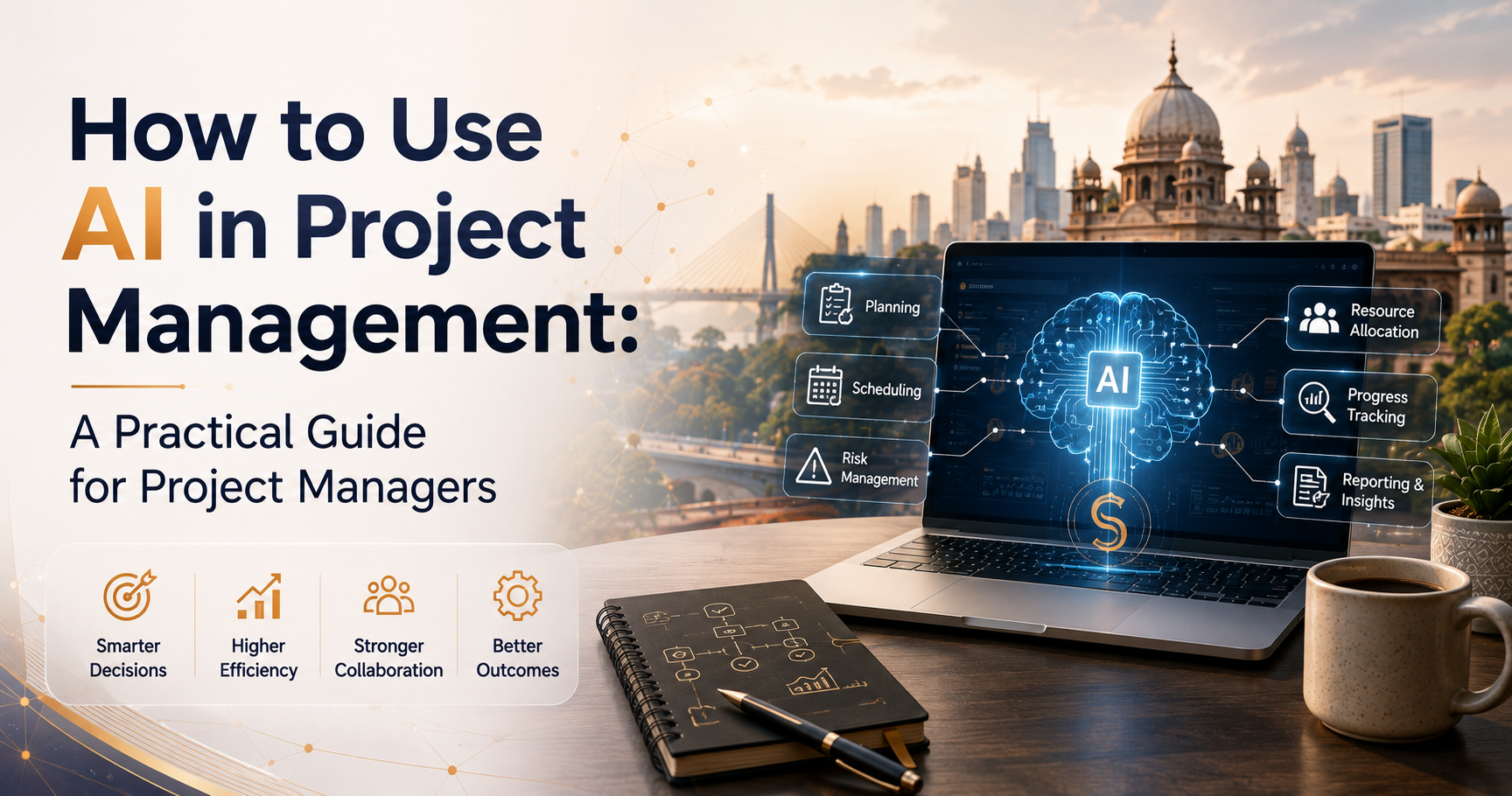
How AI for project scheduling and planning functions It leverages historical project data, current workloads and dependency trends to accelerate the process of creating, modifying and identifying risks on schedules versus manual planning.
PMI’s Pulse of the Profession research found project managers spend up to 54% of their time on administrative tasks such as status updates and schedule adjustments, and a 2024 PMI survey found 70% of project managers report handling more simultaneous projects than they did five years ago.
Tools such as Microsoft Project's Copilot, Asana Intelligence and Wrike's Work Intelligence now automate schedule drafting, dependency mapping and predictive risk flagging. The honest limit The fact is, AI improves efficiency and accuracy, but does not replace judgment. Academic research confirms that AI is best used as a complementary enabler, not as a replacement for the decisions of an experienced project manager.
Key Highlights About AI for Project Scheduling and Planning
- PMI’s Pulse of the Profession® research shows that project managers spend up to 54% of their time on administrative tasks such as status updates, meeting notes and schedule changes.
- A 2024 PMI survey found 70% of project managers report say they manage more concurrent projects than 5 years ago, straining traditional manual scheduling methods.
- AI scheduling tools like Microsoft Project Copilot, Asana Intelligence, and Motion now generate, rebalance, and adjust schedules using real-time workload and priority data.
- Academic research on AI-driven scheduling found large enterprises scored an average of 4.46 out of 5 on predictive analytics usage, well above the sub-4 average reported by small and mid-sized organizations.
- FMI Corporation research found weather alone causes 45% of construction project delays, a category of risk AI scheduling tools can now flag proactively using external data feeds.
- Academic research confirms AI functions best as a complementary enabler for project scheduling, not a replacement for human project management judgment.
AI for Project Scheduling and Planning: How It Actually Works
AI for project scheduling and planning analyzes historical project data, current team workloads, and task dependencies to generate schedules, flag risks, and rebalance priorities faster than a project manager working manually in a spreadsheet or static Gantt chart. Instead of you manually checking whether a delay in one task pushes back three downstream deliverables, the tool traces that dependency chain automatically and surfaces the conflict before it becomes a missed deadline.
This is not a future capability. Tools already in wide use generate draft schedules from natural-language requirements, rebalance individual task queues throughout the day as priorities shift, and flag resource conflicts across an entire portfolio of projects, not just one. If you want to understand the underlying scheduling logic these tools automate, this guide to7 best project scheduling techniques covers the manual methods AI is now accelerating. The shift is less about a single dramatic feature and more about compressing hours of manual coordination work into minutes of automated analysis, freeing the project manager to focus on the decisions that still require human judgment.
The Problem AI Scheduling Actually Solves
The case for AI scheduling starts with a workload problem, not a technology trend. PMI's Pulse of the Profession research found project managers spend up to 54% of their time on administrative tasks: status updates, meeting notes, schedule adjustments, and reporting. That is more than half a working week spent on coordination rather than the strategic thinking and stakeholder relationships that actually determine project outcomes.
The pressure is also compounding. A 2024 PMI survey found 70% of project managers report handling more simultaneous projects than they did five years ago, while average project performance against budget and schedule has not meaningfully improved over the same period. These are the sameproject schedule challenges project managers have wrestled with for years, just compounding faster than before. More projects, same administrative burden per project, and no corresponding increase in hours in the day is exactly the kind of bottleneck AI scheduling tools are built to address.
Which Tools Actually Lead This Category in 2026
Several tools have established themselves as genuine leaders in AI-driven scheduling, each with a different core strength.
Microsoft Project Copilot supports AI-augmented plan drafting directly from natural-language requirements, along with weekly status summarization and resource-balancing suggestions, making it a strong fit for organizations already embedded in the Microsoft 365 ecosystem.
Asana Intelligence focuses on predictive deadline warnings and workload balancing with strong portfolio-level visibility, showing executives where risk is concentrating across multiple projects simultaneously rather than one project at a time.
Wrike's Work Intelligence suite adds AI agents for task triage and project risk prediction, useful for cross-departmental teams managing shifting priorities across functions, a capability that pairs naturally with disciplinedproject schedule management practices already in place.
Motion takes a narrower but sharper approach, automatically rebuilding individual task queues throughout the day as priorities shift, which works especially well for knowledge workers managing several concurrent deliverables rather than large team-wide schedules.
If you are comparing these tools against the broader project management software landscape before committing budget, thisbest project management tools comparison covers pricing and tradeoffs across a wider set of platforms.
Where AI Adds the Most Value: Risk Detection Before It Happens
The clearest, most measurable AI scheduling advantage is proactive risk detection. AI tools can analyze past project data to identify patterns behind previous delays and flag similar risk signals before they repeat. In construction specifically,FMI Corporation research found weather alone causes 45% of project delays, a category of risk that static schedules cannot account for but AI tools integrated with weather and external data feeds increasingly can.
Academic research backs the real-world advantage of this shift. A recent study on AI-driven project scheduling found large enterprises scored an average of 4.46 out of 5 on their use of predictive analytics to improve project work, meaningfully ahead of small and mid-sized organizations, which scored below 4 across the same dimensions. The gap suggests the advantage is real, but adoption maturity still varies significantly by organization size, echoing the broader AI maturity gap seen across other business functions.
What AI Scheduling Does Not Replace
The same academic research is explicit on this point: AI serves as a complementary enabler in project scheduling, not a replacement for human project managers. Successful adoption still requires addressing data quality issues, workforce skill gaps, and clear governance around how much scheduling authority AI actually holds versus how much stays with a human decision-maker, the same governance question covered in this overview ofwhat a project management information system actually needs to support.
This distinction matters practically. An AI tool can tell you that a task is trending three days late based on historical velocity. It cannot tell you whether that delay is acceptable given a client relationship, a contractual penalty clause, or a competing priority elsewhere in the portfolio. That judgment call, informed by AI output but not delegated to it, remains squarely a project management responsibility. Traditional scheduling techniques like thecritical path method andthree-point PERT estimating still underpin what these AI tools are actually calculating; understanding them makes you a better judge of the AI's output, not a less necessary one.
A Worked Example: How AI Catches a Schedule Risk Early
Abstract descriptions of "predictive risk detection" are easier to trust once you see the mechanism play out on a real-shaped example. Consider a software rollout project with a hardware procurement task feeding into an installation task, feeding into a training task, feeding into go-live.
A traditional static schedule shows this dependency chain clearly, but only flags a problem once the hardware procurement task is actually marked late. By that point, the installation team has already been notified of a start date that is no longer realistic, and the training team has already blocked calendar time that may now go unused.
An AI-connected scheduling tool, by contrast, is watching the vendor's historical delivery performance against this specific procurement category, not just this one task's current status. If that vendor has missed its committed delivery window on three of the last five comparable orders, the tool can surface a risk flag against the installation and training tasks days or weeks before the procurement task itself is formally marked late, based on the pattern, not the current status field. This gives the project manager room to have a proactive conversation with the vendor, or to quietly hold the training team's calendar tentative rather than confirmed, well before the delay becomes an official schedule slip.
The mechanism behind this is not exotic. It is pattern matching against historical vendor performance data, combined with dependency mapping the tool already maintains. What makes it valuable is timing: the same conclusion a sharp project manager might reach through experience and instinct becomes available systematically, consistently, and earlier, even on a project where the manager has not personally worked with this specific vendor before.
How AI Scheduling Handles Multi-Project Portfolios
Everything covered so far focuses on a single project's schedule, but the harder and arguably more valuable problem is portfolio-level scheduling, where the same handful of specialized engineers, designers, or analysts are shared across five or six concurrent projects with competing deadlines.
Manually tracking this kind of shared-resource conflict across a spreadsheet-based portfolio view is realistically impossible past a small number of projects, since every schedule change on one project potentially ripples into resource availability on every other project drawing from the same pool. This is precisely where AI-driven portfolio tools add value that individual project-level scheduling cannot: by maintaining a live view of committed allocation across every active project simultaneously, the tool can flag the moment a specific specialist becomes double-booked across two projects, often before either individual project manager would notice it from their own narrower view.
Asana Intelligence's portfolio-level risk visibility, mentioned earlier, is built specifically around this problem: showing executives and PMO leads where risk concentrates across a full portfolio rather than requiring someone to manually cross-reference individual project schedules. The practical benefit is catching resource conflicts while there is still time to renegotiate priority or bring in additional capacity, rather than discovering the conflict only once both project managers are already fighting over the same person's calendar.
This portfolio-level view is also where the AI maturity gap discussed in project management circles becomes visible in practice. Organizations that have only adopted AI scheduling at the individual project level, without connecting that data across projects, are still functionally managing a portfolio manually, just with better individual project schedules feeding into the same old spreadsheet rollup.
Overcoming Team Resistance to AI Scheduling
Tool selection is rarely the hardest part of an AI scheduling rollout. Team resistance is. A scheduler or team lead who has manually managed a project's timeline for years, and takes real pride in that skill, can reasonably experience an AI scheduling recommendation as a challenge to their judgment rather than a helpful input.
The most effective response is not to argue that the AI is right and the human is wrong, since that framing guarantees defensiveness. It is to position the tool explicitly as surfacing patterns a human reasonably cannot track manually across dozens of tasks and historical data points, not as replacing the judgment call itself. Frame early wins narrowly: point to one specific instance where the tool flagged a real risk earlier than it would otherwise have been caught, rather than making a sweeping claim that the tool is simply better at scheduling in general.
Involve your most skeptical team member in reviewing the tool's first few recommendations directly, rather than rolling it out to the whole team simultaneously and hoping for organic buy-in. A skeptic who catches the tool making a genuinely wrong call, and sees that call get corrected through the human review step you built into your rollout plan, develops far more durable trust in the system than a skeptic who is simply told the tool is reliable. Adoption resistance rooted in a legitimate skill and professional pride deserves this kind of direct, evidence-based engagement, not a mandate handed down without explanation.
A Practical Rollout Plan for AI Scheduling
- Start with one well-understood project, not your most complex or highest-risk initiative, so you can validate the tool's output against your own manual judgment before trusting it broadly. A solidproject plan template gives you a consistent baseline to compare the AI's output against.
- Feed it real historical data, since AI scheduling accuracy depends heavily on the quality and volume of past project data available to it.
- Keep a human review step on every AI-generated schedule change, at least until your team has built enough confidence in the tool's pattern recognition for your specific project types.
- Train your team on what the tool is actually doing, not just how to click through it, since adoption resistance often comes from not understanding why a recommendation was made. Building this fluency deliberately is exactly what Simpliaxis'sGenerative AI for Project Managers Training is designed for.
- Measure the administrative time saved explicitly, since that reclaimed time is the real business case, not the novelty of the tool itself. This ties directly into how youmanage project resources once that time is freed up for higher-value work.
Conclusion
AI for project scheduling and planning is not a novelty layered on top of the same old Gantt chart. It is a direct response to a documented problem: project managers losing over half their time to administrative coordination while handling more simultaneous projects than ever before. Tools like Microsoft Project Copilot, Asana Intelligence, and Motion already compress that burden meaningfully, but the judgment calls behind every schedule tradeoff remain a human responsibility, not something to delegate away
Start with one project, feed the tool real historical data, and keep a human review step in place until your team has earned confidence in what the AI is actually recommending. Simpliaxis's Generative AI for Project Managers Training helps you apply AI tools to real scheduling, risk, and reporting work, without losing ownership of the decisions that matter.






 Lowest-Price Challenge











 Personalized Path


.webp)


 USA
USA  Canada
  India
India  UK
UK  Australia
  Singapore


