


 Call Us



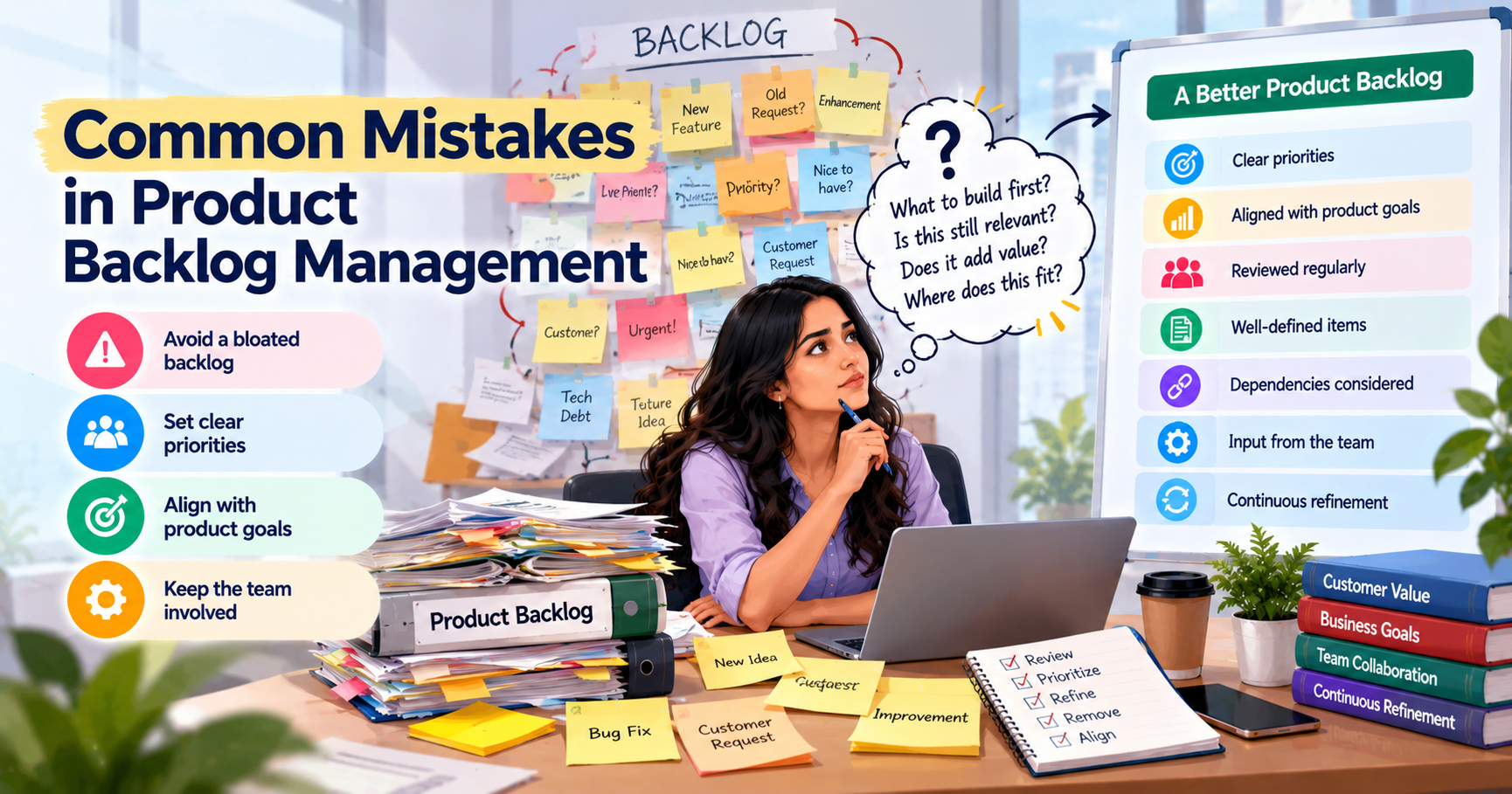
You do not need to fix every problem in one day. Start with the mistakes that make it hardest for your team to decide what to do next.
Key Highlights of Common Mistakes in Product Backlog Management[a]
- A product backlog is a list of work that a team may do to improve a product. This could be new features, bug fixes, customer requests, and other changes. The list is used by the Product Owner to determine the priority of work for the team.
- However, keeping a backlog manageable can be hard. Requests are coming in. New ones. Customers want to see innovation. Stakeholders also have their own needs. The team may also find issues to be fixed. If everything is added to the backlog without a proper review, the list can become too long and hard to manage.
- Some teams keep old requests for years. Others mark almost every item as urgent. In some cases, the team spends so much time writing and updating backlog items that it has little time left to discuss the work that matters now.
- These problems can slow down the team and make it more difficult to meet customer needs.
- The Product Owner has an important role to play in avoiding these mistakes They need to know what customers want, listen to stakeholders, work with the dev team, and decide what items are worth the most attention. These skills are also very useful for professionals preparing for the Certified Scrum Product Owner (CSPO) certification.
If you want to understand the role of a Product Owner and how Scrum works, you can read more about CSPO Certification Training.
In this blog, we will look at common product backlog management mistakes, why they happen, and what you can do to avoid them. The aim is simple: help you keep your backlog useful without making the process harder than it needs to be.
What are the Scope and Size Mistakes?
The first set of mistakes is related to the number of items in the backlog and the amount of information they contain.
A backlog should help the team understand the work ahead. It should not become a place where every idea is kept forever.
The Backlog Is Too Big
A large backlog is not always a problem. Some products have many features and serve different types of users. They may naturally need a long list of possible improvements.
The problem starts when nobody checks whether those items are still useful.
Imagine that you manage a shopping app. New payment options, changes to the search page, better order tracking, and many other features are requested by customers. All these requests are added by the team, but the old ones are rarely checked.
After a while, there are hundreds of items in the backlog. Some still matter; some are not needed anymore. Some will even mention features the team has already built.
Now, each time the Product Owner reviews it, he has to search through a long backlog list to find the work that needs attention.
This is time-consuming and can lead to the same discussions recurring over and over again.
How to avoid this mistake
Start by checking what is already there.
Remove duplicate requests. Close items that have already been completed. Review old ideas and decide whether they still solve a real problem.
If an idea sounds useful but needs more research, move it to a separate idea list until the team has enough information to consider it.
Do not try to keep the backlog small just for the sake of it. Focus on keeping it useful. The team should be able to find important work without getting lost in old requests.
The Backlog Is Too Detailed
Some Product Owners want every item to be fully written before it stays in the backlog. They add long descriptions, acceptance criteria, estimates, technical details, and other information even when the work may not happen for several months.
This can waste a lot of time.
Think about a feature that the team may work on six months from now. The team spends hours discussing how it should work. Later, customer feedback changes the idea, and much of that earlier work is no longer useful.
The problem is not that details are bad. The problem is adding them too early.
The Scrum Guide explains that Product Backlog items become clearer as the team learns more about the product and the work. Refinement is an ongoing activity, not a task that must be completed for the entire backlog at once.
You can read more in the Scrum.org guide to Product Backlog refinement.
How to avoid this mistake
Give each item only the detail it needs at that point.
An idea for the future may need just a few lines explaining the problem. A feature that the team may work on soon needs more information so that everyone understands what needs to be done.
Add details as the work gets closer. This gives the team more time to focus on current needs and reduces the chance of doing the same work twice.
The Backlog Becomes a Wish List
A Product Backlog can slowly turn into a wish list when every request is added without asking whether it is worth doing.
Customers may ask for more features. Sales teams may want changes for a particular customer. Support teams may report complaints. Developers might propose technical enhancements.
These ideas can be helpful, but the team can't do all of them at once.
For example, a customer might want five more options on a dashboard. Instead of immediately putting all five requests in the backlog, the Product Owner should learn why customers want them.
Or perhaps customers aren't finding the information they need. This is easily fixed by a simple change to the dashboard and does not require 5 new options.
As the team continues to add requests without understanding what they are for, the backlog becomes a list of things people want rather than a list of work that has been selected for a clear reason.
How to avoid this mistake
Before adding an idea to the active backlog, ask a few simple questions.
- What problem does this solve?
- Who is facing this problem?
- Do we have any feedback or information to support the request?
- Does it fit the product's current goals?
- Does it need to be done now?
The answers help the Product Owner decide what to do next. Ideas may be added to the backlog. Others could need more research, or might not be worth the effort.
Remember, collecting an idea and promising to build it are two different things.
What are the Refinement and Readiness Mistakes?
Backlog refinement helps the team understand the work ahead of them before they start. This allows the Product Owner and Developers to discuss the problem, ask questions, and clarify confusion.
Problems occur when things are too vague, or when the team spends time planning work that is not ready for a decision.
Items Are Not Appropriately Refined
An item may be too vague for the team to understand what needs to be done. Well-formed product backlog items state the problem and expected result clearly.
Perhaps you have something in your backlog such as "Improve the checkout page." This sounds simple, but it doesn't explain what's broken with the current page.
Are customers facing payment errors? Is the page difficult to use? Are people leaving before completing their orders?
Each problem may need a different solution.
If the team begins without understanding the issue, members may have different assumptions. This results in confusion, additional work, and delays.
The opposite problem can also happen. An item may contain so much information that the main problem is difficult to find.
How to avoid this mistake
Before an item reaches the top of the backlog, make sure the team understands the basics.
- What is the problem?
- Who is affected?
- What result are we trying to achieve?
- Are there any important limits or dependencies?
- What questions still need answers?
The amount of detail will depend on the work. A small bug fix may need very little explanation, while a major feature may need more discussion.
The Product Owner should explain the problem and expected result. The Developers should take part in the discussion and help identify the work involved.
The aim is to make the item clear enough for a useful conversation, not to write a long document for every task.
Confusing a Release Plan with a Product Roadmap
A product roadmap, a release plan, and a Product Backlog are related, but they are not the same thing.
A product roadmap shows where the product is heading. It may include major goals, areas of improvement, and expected time frames.
A release plan focuses on what the team expects to deliver as part of a release and when it may be available.
The Product Backlog contains the ordered work that may help improve the product. This includes features, fixes, research, and technical changes.
Problems start when teams use these three things as if they serve the same purpose.
For example, the roadmap may show that the team plans to improve reporting over the next few months. That does not mean every report, screen, and technical change needs to be decided today.
But the team may still need to talk with users, review data, and learn what changes would be most useful.
Roman Pichler's product strategy framework explains how product vision, strategy, roadmap, and backlog work together.
How to avoid this mistake
Use the roadmap to show the product's direction. Use the release plan to discuss expected delivery where needed. Use the Product Backlog to order and manage the work.
Do not treat every early idea as a fixed promise. Plans may need to change when the team receives new information.
What are the Prioritization Mistakes?
Prioritization helps the Product Owner decide what work to tackle first.
That’s hard when everything feels urgent, or the team doesn’t have a good way to rank things.
All is marked high priority.
When every item is marked as high priority, the team still does not know what to do first.
Let’s say the backlog is a payment error, a request for a new report, a small design change, and a technical upgrade. All four items were marked as high priority.
Which one should the team pick?
The label does not answer the question.
This often happens because stakeholders want their requests to receive attention. Sometimes, the Product Owner also finds it difficult to tell people that their requests may have to wait.
But the team has limited time. It needs to make choices.
How to avoid this mistake
Compare the items instead of treating each one as urgent on its own; see how to prioritize the product backlog.
Ask which problem affects customers the most, which item supports the current product goal, and which issue creates the greatest risk.
You might need to fix a payment mistake before you can add a new report, because the error prevents customers from taking a critical action.
Priority labels can help, but the order of the backlog should make the team’s choices obvious.
No Prioritization Criteria Established
Without clear rules for comparison of work, priorities can change depending on who is asking for something and the last request discussed.
A stakeholder keeps asking about an item, so it comes to the forefront. Another may remain low on the list, even if they have solved a problem that impacts many customers.
This can lead to repeated arguments and make the process feel unfair.
How to avoid this mistake
Agree on the factors that matter when comparing items. Depending on the product, these may include:
- Customer value
- Business impact
- Urgency
- Risk
- Effort
- Dependencies
- Available evidence
- Product goals
The team does not need a complicated scoring system. A simple discussion using shared criteria may be enough.
If you use one of the common agile prioritization techniques, remember that its results depend on the information you provide. A score cannot make a poor assumption correct.
What matters is that the Product Owner uses a clear approach and can explain why one item comes before another.
Ignoring Dependencies When Ordering the Backlog
Some tasks depend on other tasks being completed first.
For example, a team may want to build a new reporting feature, but the data needed to create the report is not yet available. If this dependency is not checked and the reporting feature is at the top, the team might not be able to finish it as intended.
Dependencies might be technical changes, data access, design work, approvals, or help from another team.
Ignoring them can cause delays and block work.
How to avoid this mistake
Discuss dependencies while refining the backlog.
Find out what needs to happen before an item can be completed. Then decide whether the team needs to work on something else first or whether the dependency can be removed.
Do not automatically place every technical task before customer-facing work. Instead, understand which changes are needed and how they support the result the team wants to achieve.
This makes it easier to plan the work in a sensible order.
What are the Strategic Alignment Mistakes?
Strategic alignment means ensuring the work in the backlog is aligned to the product goals.
A team can do a lot and still not make the progress the product needs. This can happen when people are busy ticking things off without checking in on why they matter.
The Backlog Isn't Connected to a Product Roadmap or Goal
A backlog may contain useful items but still fail to support the product's main goals.
For instance, a team might keep adding small features that are easy to finish. But it may be that the current goal of the product is to make it easier for new users to begin using it.
If the team spends its energy on irrelevant changes, it may not make good progress toward that goal.
This does not mean every small fix needs a formal link to a roadmap item. Some work is needed to keep the product working properly. The main concern is whether the backlog, as a whole, supports the direction of the product.
How to avoid this mistake
Make sure the team understands the current Product Goal.
See something? How does it help you get to that goal? Or is it solving another important need, such as fixing a serious problem or reducing risk?
If the connection is not clear, the item may need further research or be moved down in the backlog.
Adapt this roadmap as customer needs, technical findings, or business needs change.
The roadmap should inform the work, but not restrict the team’s ability to respond to new information.
No Clear Product Vision to Filter New Ideas
A product vision describes the reason the product exists, its intended audience, and its objectives.
Without a clear vision, it is harder to decide which ideas deserve attention. Almost every request sounds like it would be useful because there is no common direction to compare it against other needs for the team.
This can cause a number of problems. The backlog is growing too fast, priorities are changing too often, and the team is spending time on work that does not support its main purpose.
Roman Pichler's product strategy framework connects product vision with strategy, roadmaps, and backlog decisions.
How to prevent this mistake
Make sure the product vision is clear to the team and important stakeholders.
When a new request arrives, ask whether it supports the people the product serves and the problem it is meant to solve.
For example, if the product aims to make a task easier for users, a new feature should have a clear reason for helping them do that. If the connection is weak, the idea may need more research before it receives attention.
The vision will not answer every question. But it gives the team a starting point and makes it easier to explain decisions.
What are the Collaboration and Process Mistakes?
Product backlog management should not happen in isolation. The backlog is managed by the Product Owner, but the team has to communicate and discuss the work too.
Even a well-written backlog can be difficult to use if communication is bad.
The Backlog Isn't Shared or Co-Created with the Dev Team
When the Product Owner prepares the backlog alone, important details may be missed.
There might be technical risks, dependencies, or problems that are not clear beforehand but are known to the Developers. They may also have ideas for solving the problem in a simpler way.
If they see the work only when development is about to start, there may be little time to answer questions or change the plan.
How to avoid this mistake
Discuss upcoming work with the Developers during refinement.
Explain the problem, describe the result you want, and give the team time to ask questions. Discuss dependencies and effort before the work is selected.
The Product Owner remains accountable for the backlog and its order. The Developers bring their technical knowledge and help work out what can be done.
Not every stakeholder needs to attend every discussion. Invite the people who can help the team understand the work.
You can read more about this in the Scrum.org guide to Product Backlog refinement.
Uncontrolled Access: Anyone Can Add Items Without Gatekeeping
Customer feedback and stakeholder ideas are important. But if every request is simply added to the active backlog without review, the list can become unwieldy.
It may contain duplicate requests, vague descriptions, and ideas not supportive of current goals.
The answer is not to stop people from sharing ideas. The team needs a simple way to review those ideas before treating them as active backlog work.
How to avoid this mistake
Create a basic process for submitting requests.
Ask people to explain the problem, who is affected, and why the change may be useful. The Product Owner then decides if the request should go in the backlog, require additional research, be combined with another item, or simply not be done.
Also, make one thing clear: adding a request does not mean the team has promised to build it.
Over-Dependence on a Single Product Owner
The Product Owner has an important role, but the whole team should not depend on one person to explain every item or remember every decision.
If all the knowledge of the product resides with the Product Owner, the work can be slowed down when this person is unavailable. Team members may also struggle to understand why a decision was made.
How to avoid this mistake
Share useful product information with the team. Make the big decisions easy to find; talk about client input when refining; explain why the major priorities are major priorities.
The Product Owner may choose to have others help with Product Backlog management, but the Product Owner remains accountable for effective Product Backlog management.
Sharing information does not take away that responsibility. It helps the team work with fewer delays and misunderstandings.
Not Updating the Backlog Regularly
Customer needs change. New information becomes available. Sometimes the team solves a problem differently than it initially planned to.
If the backlog is not reviewed, old items may remain even when they are no longer useful.
For example, a customer may ask for a feature to solve a specific problem. That could be fixed in another pass later. If the original request is still in the backlog, someone may inquire about it again, unaware that the issue has already been resolved.
How to avoid this mistake
Review the backlog regularly. Check old items, update the order, remove duplicates, and add detail to work that is getting closer.
Scrum does not set a fixed schedule for Product Backlog refinement. Teams decide how often they need to do it.
A product with changing customer needs may require more reviews than a product with less change.
The idea is to keep the backlog useful without dumping too much work on things that aren’t going to happen any time soon.
What are the Structural Mistakes?
Structural errors happen if the backlog is structured in a way that makes it more difficult for the team to see what’s important.
Adding New Items in the Wrong Position (Front vs. End)
A new request should not automatically go to the top of the backlog just because it is new.
You shouldn’t have every new item automatically going to the bottom at the same time. A new request could be a serious customer problem or risk to address.
The mistake is following a fixed rule without checking the item's value.
For example, one-off requests like fixing a serious payment error could take precedence over older feature ideas. A request for a small design change may not need to move ahead of work that supports an important product goal.
How to avoid this mistake
Review each new item before deciding where it belongs.
Compare with the present work. Think about importance, urgency, dependencies, and relation to product goals.
If the new item matters more than the current top items, change the order. If it does not, keep it lower until there is a good reason to move it up.
The order should reflect what the team understands about the product, not simply when a request arrived.
Multiple uncoordinated parallel backlogs maintained
Some teams have separate lists for bugs, new features, technical improvements, and customer requests. These lists can be helpful for collecting information, but each has its own set of priorities, and this can cause problems.
For example, the feature list may show one set of priorities while the technical team has another list of work that affects the same product. The team may struggle to compare the two and decide what should happen first.
The Scrum Guide describes one Product Backlog as the single source of work for a product. Even when several Scrum Teams work on the same product, they use the same Product Backlog.
How to avoid this mistake
Keep one Product Backlog for each product and use labels, categories, filters, or views to organise the work.
Separate lists can still help with collecting ideas or handling specific activities. However, they should not create competing priorities for work that belongs to the same product.
If the organisation manages different products, each can have its own backlog. The important thing is to keep the work for one product connected.
Who Usually Causes Each Type of Mistake?
Product backlog mistakes do not always come from one person. They can be caused by unclear roles, poor communication, or a process that doesn’t work well.
If the team knows where a problem comes from, they can fix it and not have the same problem happen again.
Mistakes of the Product Owner
The Product Owner may carry over old items or over-prioritize items. They may spend too long preparing work that may not be done soon. These can create problems.
Another common problem is avoiding hard decisions. A Product Owner might leave a request in the backlog simply because a stakeholder asked for it.
The way forward is to review the value of the work, use clear goals, and explain why some requests need to wait.
Product backlog management is more than just writing descriptions. It also means deciding what is worth paying attention to.
Mistakes by Stakeholders
Stakeholders might expect every request to be added or might assume something in the backlog is a promise of delivery.
They might ask for things without telling you what the problem is or what they hope to gain from it.
Stakeholder feedback is still relevant. Those people may know a lot about the customers, the business needs, and the risks.
The answer is to give them a simple way to share ideas and explain how requests are reviewed. They should understand that the Product Owner has to compare each request with other work.
Team and Process-Driven Mistakes
The team may contribute to problems when refinement happens too late, Developers are left out of discussions, or dependencies are missed.
Also, there are no regular reviews, and old work can sit in the backlog for too long.
The fix is improved communication and discovering an easy way to look back and iterate on future work.
The team should know what information they need, how priority is discussed, and how things that are not clear are handled.
Organizational and Structural Mistakes
Some problems start at the organisational level.
Different departments may have separate lists. Teams may work towards different goals. Nobody may be sure who makes the final decision about priorities.
These issues cannot always be solved by asking the Product Owner to work harder.
The organisation needs clear responsibilities, shared product goals, and a way to compare work across teams.
How to Audit Your Own Backlog for These Mistakes?
Backlog audit helps you to find problems and decide what needs to be changed. You don’t have to examine every item in detail at this point.
Follow these steps to get a clear picture of the backlog.
Step 1: Check top items
Begin with the highest items in the backlog.
Are they obvious? Does the team know what needs to be done? Are they consistent with current product goals?
If the team can’t justify why these items are the first priority, review the order.
Begin with these items, as they are more likely to impact future work.
Step 2: Identify old and duplicate items
View Requests that have been pending for a long time. Make sure they’re still solving a real problem, and that the same need isn’t being met by another item.
Never throw anything away just because it’s old. Some of the older requests may still apply.
Check their current value before deciding whether to keep, move, or remove them.
Step 3: Decide on the level of detail
Look for future items that are more detailed than the team needs now.
If the team is spending hours preparing features that may not be considered for several months, it may be doing too much too early.
Keep the near-term stuff clear, but keep fuzzy ideas fuzzy until the team learns more.
Step 4. Review the criteria for prioritizing
Find out how the team determines the first item.
If the answer has more to do with who asked for the work, the team needs clearer criteria.
Agree on customer value, risk, urgency, effort, dependencies, and product goals.
Also check to see if the team is doing this with incoming new requests.
Step 5: Confirm Alignment with Product Goals
Check that the backlog is aligned with the current Product Goal.
Look for things that don't fit anymore with where the product is going. Identify items that may need further research before the team addresses them.
Check for a backlog of little requests and the major problems that are still outstanding.
Step 6: Verify New Items The Backlog Enters
Check whether people know how to make requests.
Look for vague descriptions, the same item twice, and requests added without explaining the problem.
Be sure to make it clear that the submission of an idea does not mean the team is committed to delivering it.
Step 7: Check How the Team Works Together
Ask whether the Developers can access the backlog and take part in refinement.
Learn whether key questions are often asked only after work begins. When this is happening a lot, the team might have to talk about upcoming work earlier on.
Also check that the people who need to make decisions and the people who need product information can access them.
Step 8: Choose a Few Changes to Make First
Do not try to fix every problem at once.
Start with the issues that confuse the most or waste the most time. For example, the team could remove duplicate items, improve the next ten items, and set a regular review routine.
Decide who will handle each action and check the results later.
The purpose of an audit is not to make the backlog look perfect. It is to help the team use it more easily.
What are the Best Practices to Prevent These Mistakes Long-Term?
It is good to clear the backlog once, but if the team does not change the way it works, the same problems may reappear.
A few simple habits can make backlog management easier over time.
Keep Product Goals Clear
Make sure everyone understands what the product is trying to achieve.
Use Product Goals to guide decision-making about new requests and existing work. Describe the shifting of priorities.
This helps the team understand the reason behind its work instead of focusing only on tasks.
Review the Backlog Regularly
Check the backlog often enough to keep it useful.
Keep the list up to date, deleting old items and adding new ones as they come up.
Small reviews are easier to manage than a large cleanup after months of neglect.
Refine Work at the Right Time
Focus on items that are likely to be selected soon.
Don’t waste time writing the details for every future idea. Give information when the team needs it to make a decision.
This leaves more time for current work and reduces unnecessary effort.
Engage the Right People
Talk to Developers about upcoming work. Let them ask questions about effort, risks, and dependencies.
Ask stakeholders for information about customer needs and business problems.
The Product Owner should make sure the right information is available before important decisions are made.
Clear Selection Criteria
Compare work by factors important to the product such as value, risk, urgency, dependencies, and effort.
Share major priority changes so stakeholders understand why one request is prioritized over another request.
This can reduce repeated arguments and help people accept that some work needs to wait.
Keep One Shared Product Backlog Per Product
Use categories, labels, and filters to organise the work.
This helps the team see different types of items without losing the overall order. It also makes it easier to compare customer requests with technical improvements.
Make Important Decisions Easy to Find
When an item is delayed or removed, record the reason if it is likely to matter later.
You do not need to write a long explanation for every decision. A short note may be enough.
This can help prevent the same questions being asked again and can give stakeholders a clearer picture of what happened to their requests.
Check Whether the Process Is Working
Look at how easily the team can understand upcoming work and make decisions.
You can see how old backlog items are. How often priorities shift. How many duplicate requests you get.
These measures can help you find problems, but do not use them as strict targets. For example, removing useful items just to reduce the number of old requests will not improve the product.
The real goal is to help the team make better decisions.
Build Your Product Ownership Skills
Product backlog management is not just about keeping a list clean. It also means understanding customer needs, working with other stakeholders, making trade-offs, and translating day-to-day work to product goals.
These skills can help Product Owners manage priorities and guide product development more effectively.
The CSPO Certification Training may be useful for professionals who want a structured understanding of Scrum and product ownership. If you already have product ownership knowledge and want to build on it, you can also read about Advanced CSPO Certification Training.
Product backlog management can get messy if teams keep adding work without checking to see if it still matters. Old requests pile up, each one appears to be urgent, and people spend time talking about work that may never happen.
The trick is to keep the backlog usable and easy to read. Review old items, clarify the order, involve the Developers, and verify that the work supports the product's goals.
The Product Owner does not have to decide everything himself. But they need to make sure the team understands what matters and why. A clear backlog helps everyone focus on the work that can really make a difference.
It’s also important to remember that a backlog will never remain the same forever. Customer needs change. New information comes in. Some ideas are less useful. It is reviewed regularly so the team can deal with these changes without losing sight of its goals.
If you want to build your knowledge of product ownership and Scrum, you can read more about Simpliaxis CSPO Certification Training. Professionals who want to build on their existing product ownership knowledge can also consider Advanced CSPO Certification Training.
A good Product Backlog is not about having a perfect list. It is about helping the team decide what to do next, understand why it matters, and use its time on work that improves the product.






Certification_1789983976.png)




 Lowest-Price Challenge











 Personalized Path


.webp)


 USA
USA  Canada
  India
India  UK
UK  Australia
  Singapore


