


 Call Us



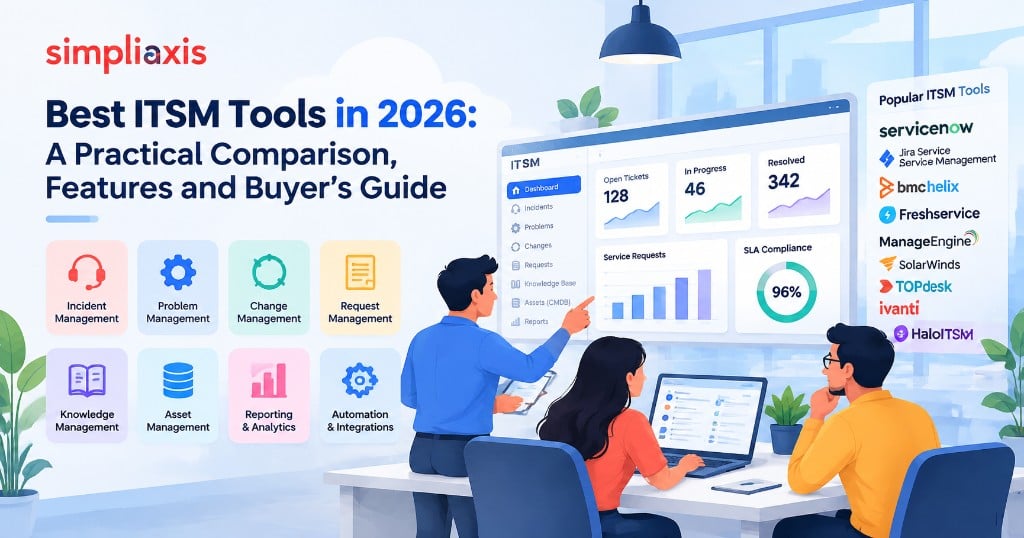
ITSM tools are software platforms that help IT teams manage services: they record and route tickets, handle incidents, problems, changes and requests, keep a knowledge base, track assets and performance report. The best ITSM software is the one that fits your size, processes and budget, not the one with the longest feature list.
This guide explains what ITSM tools do, which features matter, how the leading platforms and open source options compare, and how to choose one. It is based on how vendors position their products and on common ITSM practice. We have not run a hands-on benchmark of every tool, and features and pricing change often, so confirm current details on each vendor's site before you decide.
Key Highlights of ITSM Tools
- ITSM tools support practices such as incident, problem, change, request, asset and knowledge management.
- The main choice factors are fit with your processes, ease of use, integrations, automation, reporting, scalability and total cost.
- Enterprise platforms, such as ServiceNow and BMC Helix, suit complex organisations, while tools such as Freshservice, Jira Service Management and ManageEngine often suit smaller or mid-sized teams.
- Open source options such as GLPI and iTop reduce licence cost but need more in-house effort.
- Run a proof of concept with your real tickets before you sign a contract.
What Are ITSM Tools and What Do They Do?
IT service management (ITSM) is the way IT teams design, deliver, support and improve services for the business. ITSM tools put that work on a common platform, so that requests and incidents are not handled through scattered emails and chat messages.
Most tools combine several modules:
- Service desk and ticketing for requests and incidents
- Incident, problem and change management workflows
- Self-service portal and knowledge base
- Asset and configuration management (often with a CMDB)
- Service catalogue and request fulfilment
- SLA tracking, reporting and dashboards
- Automation and integrations with monitoring, chat and development tools
If you want background first, our guides on ITIL vs ITSM and the benefits of ITSM explain the discipline, and the article on the ITIL service desk covers the first line of support.
ITSM vs ITAM vs Help Desk vs ESM Software: What Is the Difference?
Vendors use several overlapping labels. This table separates them.
| Category | Main purpose | Typical features | Who uses it |
| Help desk software | Log and resolve user tickets | Ticketing, email and chat intake, basic reporting | Small IT teams and support desks |
| ITSM software | Manage IT services end to end | Incident, problem, change, request, knowledge, SLA, CMDB | IT service teams of all sizes |
| ITAM (IT asset management) | Track hardware, software and licences | Asset records, discovery, lifecycle and licence tracking | IT operations and finance |
| ESM (enterprise service management) | Extend service management to HR, facilities and other teams | Shared portal, workflows and catalogue across departments | Whole organisation |
Many ITSM platforms now bundle ITAM and ESM modules, so the line between categories is blurry. Decide first which outcomes you need, then check which category the shortlisted tools actually cover.
Which Features Should the Best ITSM Software Include?
Match features to your real needs. These are the criteria that matter most.
1. Process fit. Check that it supports the practices you actually run: incident, problem, change, request and knowledge. If you follow ITIL, look for workflows that map to the ITIL process you use.
2. Ease of use. Agents and end users should be able to work without long training. Poor usability drives people back to email.
3. Automation. Look for rules for routing, approvals, notifications and common requests, and for virtual agents or chatbots where useful.
4. Integrations. Check connections to monitoring, identity, chat, HR and development tools through APIs and ready-made connectors.
5. Knowledge management. A good knowledge base cuts repeat tickets. See our note on ITIL knowledge management.
6. Asset and configuration data. If you need a CMDB, check how data is discovered and kept accurate.
7. Reporting. Standard and custom reports for SLAs, trends and workload.
8. Scalability and deployment. Cloud or on-premise, multi-team and multi-site support, and performance under load.
9. Security and compliance. Access controls, audit logs, data location and any certifications you need.
10. Total cost. Licences per agent are only part of it. Add implementation, customisation, training, integration, support and upgrade costs.
11. Vendor support and community. Quality of documentation, partner networks and user communities.
How Do the Best ITSM Tools Compare in 2026?
The table below summarises how well-known tools are typically positioned. Treat it as a starting shortlist, not a ranking. Verify features, editions and pricing on each vendor's website.
| Tool | Typically suited to | Commonly cited strengths | Points to check |
| ServiceNow ITSM | Large enterprises with complex, cross-department workflows | Broad platform beyond ITSM, strong workflow and automation, mature CMDB | Cost, implementation effort and the need for skilled administrators |
| Jira Service Management | IT and engineering teams already using Atlassian tools | Close link with Jira Software and Confluence, ITIL-aligned templates, strong for dev and ops collaboration | Depth of advanced ITSM features for larger enterprises, add-on needs |
| BMC Helix ITSM | Large organisations with established ITSM processes | Long ITSM heritage, enterprise-grade process coverage | Complexity and implementation effort |
| Freshservice | Small and mid-sized IT teams | Cloud-based, quick setup, easy to use, built-in automation | Fit for very complex enterprise requirements |
| ManageEngine ServiceDesk Plus | Teams that want ITSM with asset management, cloud or on-premise | Wide feature set, flexible deployment, often considered cost-conscious | Interface and customisation preferences, edition differences |
| SolarWinds Service Desk | Teams that want a straightforward cloud service desk | Simple service desk and asset features | Depth of advanced workflows |
| TOPdesk | Organisations that value ease of use and shared service management | Usability and service management beyond IT, strong presence in Europe | Regional support and integration needs |
| Ivanti Neurons for ITSM | Organisations that want ITSM tied to endpoint and asset management | Integration with Ivanti's wider portfolio | Fit if you do not use other Ivanti products |
| HaloITSM | Smaller IT teams and managed service providers | Flexible configuration and modern interface | Support coverage and scale for large enterprises |
Names and ownership change over time as vendors rebrand or merge, so check the current product names when you shortlist.
ServiceNow vs Jira Service Management: Which ITSM Platform Fits Your Team?
This is the comparison buyers ask about most, so it deserves its own view.
| Question | ServiceNow | Jira Service Management |
| Typical buyer | Large enterprise, many departments | IT and software teams, from small to large |
| Strength | Enterprise workflow platform with deep ITSM and wider business workflows | Collaboration between IT, development and business teams within the Atlassian ecosystem |
| Setup effort | Often larger and may need specialist partners | Often lighter, especially for teams already using Jira |
| Customisation | Very extensive, with a learning curve | Flexible through configuration and marketplace apps |
| Change and release links | Built-in change and release modules | Strong link to development work in Jira Software |
| Best when | You need one platform for many enterprise workflows | You want fast adoption and developer-friendly workflows |
Neither is universally better. The right answer depends on team size, existing tools, budget and how much customisation you need. If your teams already use Jira daily, our comparison of Jira Cloud vs Jira Server helps you choose a deployment model.
Cloud vs On-Premise ITSM Tools: Which Deployment Model Should You Choose?
Deployment affects cost, control and effort.
| Factor | Cloud (SaaS) | On-premise or self-hosted |
| Setup speed | Fast, often days or weeks | Slower, needs servers and installation |
| Upfront cost | Lower, usually subscription | Higher, includes infrastructure |
| Maintenance | Vendor handles updates | Your team handles patches and upgrades |
| Control and data location | Depends on vendor regions and terms | Full control of data and configuration |
| Customisation | Often within vendor limits | Wider scope, but harder to upgrade |
| Best for | Most small and mid-sized teams | Strict data rules or heavy customisation needs |
Many organisations now prefer cloud tools unless regulation or data residency rules require self-hosting.
Are There Free and Open Source ITSM Tools?
Open source and free options can work well for small teams or those with strong technical skills.
| Tool | What it offers | Trade-offs |
| GLPI | Ticketing and IT asset management | You manage hosting, upgrades and support unless you buy a service |
| iTop | Service desk and CMDB based on ITIL concepts | Needs configuration skills |
| Znuny (OTRS-based) | Ticketing and service desk | Community or paid support options vary |
| Zammad | Ticket system for support teams | Lighter on formal ITIL processes |
Many commercial vendors also offer free or entry-level plans, often limited by agent count or features. These can be a good way to test, but plan limits and prices change, so check the vendor's current terms. "Free" rarely means zero cost once you count setup, hosting, maintenance and staff time.
How Do ITSM Tools Map to ITIL Practices?
ITSM tools are built around service management practices. This table shows how common modules line up with ITIL 4 practices, as described on the PeopleCert ITIL 4 practices page.
| ITSM tool module | Related ITIL 4 practice | What to check in the tool |
| Ticketing and service desk | Service desk, incident management | Routing, priority matrix, SLA timers |
| Problem records | Problem management | Linking incidents, known error records |
| Change workflows | Change enablement | Approval rules, risk scoring, change calendar |
| Service catalogue | Service catalogue management, service request management | Request forms, approvals, fulfilment tasks |
| Knowledge base | Knowledge management | Article lifecycle, search, links to tickets |
| CMDB and assets | Service configuration management, IT asset management | Discovery, relationships, data quality |
For deeper reading on the practices a tool must support, see our guides on change control management and the ITIL roles and responsibilities that sit behind each workflow.
How Are ITSM Tools Priced? Common Pricing Models Explained
We do not quote prices because they change often and vary by edition and region. The common models are:
- Per agent per month. You pay for each person who works tickets. This is the most common model for cloud tools.
- Tiered editions. Higher tiers add automation, asset management, change management and reporting.
- Add-on modules. Asset management, discovery, virtual agents and enterprise service management may cost extra.
- Usage-based elements. Some features, such as AI or automation runs, may be metered.
- Support and implementation fees. Partner services and premium support often add to the total.
Ask each vendor for a three-year total cost for your expected number of agents and modules, and compare like for like.
How to Choose the Right ITSM Tool: A 6-Step Process
1. Define your goals. Write down the problems you want to solve, such as slow resolution, no visibility or poor change control.
2. Map your processes. List the practices you need now and in two years. Do not buy for processes you will never run.
3. Set a budget with total cost. Include implementation, training and integration.
4. Shortlist three to five tools. Use the criteria above and ask peers what they use.
5. Run a proof of concept. Test with real tickets and real agents, including your hardest workflow, such as change approval.
6. Check references and the contract. Ask for customers of similar size, and review exit terms and data export.
ITSM Tool Buying Checklist for Demos and Trials
Use this list in demos.
- Can it handle our incident, problem, change and request workflows without heavy custom code?
- Can agents and users learn it quickly?
- Which automations are built in and which need development?
- What integrations exist for our monitoring, identity and chat tools?
- How does it manage the CMDB and asset data?
- Can we report on SLAs, trends and cost the way we need to?
- How are updates and releases handled?
- What does the full three-year cost look like?
- What support levels are included?
- How easy is it to export our data if we leave?
What Does a Typical ITSM Tool Implementation Look Like?
Implementation takes more than installing software. A phased plan reduces risk.
| Phase | Key activities | Typical output |
| 1. Plan | Agree goals, scope and owners, and map processes | Project plan and requirements |
| 2. Configure | Set up categories, priorities, SLAs, workflows and the portal | Working core service desk |
| 3. Migrate and integrate | Import data, connect monitoring, identity and chat | Connected tool with clean data |
| 4. Pilot | Run with one team and fix issues | Pilot feedback and adjustments |
| 5. Train and launch | Train agents and users, then roll out in stages | Live service with support |
| 6. Improve | Review metrics, tune workflows and add modules | Continual improvement backlog |
Many projects stall on adoption and change resistance, which our guide to ITIL implementation challenges explains along with ways to handle them.
How Are AI and Automation Changing ITSM Tools?
Most vendors now add AI features such as virtual agents, ticket summarisation, suggested knowledge articles and automatic categorisation. These can reduce routine work, but they depend on good data and clear processes. Test any AI feature on your own tickets, check how it handles sensitive data and keep a human review step where errors would be costly. For wider context, see our overview of IT service management trends.
What Are the Most Common Mistakes When Choosing ITSM Tools?
- Buying for features, not processes. A powerful tool with messy processes just automates the mess.
- Ignoring adoption. If agents and users dislike it, data quality falls.
- Underestimating implementation. Configuration, data migration and training take time.
- Customising too much. Heavy customisation makes upgrades hard.
- Skipping a proof of concept. Demos show the best case.
- Forgetting the exit plan. Check how data is exported if you change vendors.
Which Skills Help You Get the Most From an ITSM Tool?
A tool does not fix weak processes. People who understand the underlying practices configure and use tools better. The ITIL 4 Foundation certification gives a shared language for incident, problem, change and request management. To see how versions differ, read ITIL 4 vs ITIL 5. For teams that connect ITSM with delivery, our overview of DevOps tools shows where service management and engineering tools meet.
Conclusion
The best ITSM tool is the one your team will actually use to run the processes you need, at a cost you can sustain. Start from your goals and processes, shortlist a few tools, test them with real tickets and look at the full cost. Treat any list, including this one, as a starting point, and confirm current features and pricing with the vendors.
Build the process skills first: Get a shared language for incident, problem and change with the ITIL 5 Foundation training.
Get hands-on with Jira: Learn to configure boards and workflows with the Jira software training.





 Lowest-Price Challenge











 Personalized Path


.webp)


 USA
USA  Canada
  India
India  UK
UK  Australia
  Singapore


