

 Combo Courses
 Call Us





_1730268805.png)







_1763641894.png)







_1751519626.webp)









_1730208711_1744091896_1761738442.webp)
_1730208753_1744092007_1761742400.webp)











































_1782982795.png)









_1782981113.png)







_1730269739.png)

_1738237575.png)































_1733741106.png)






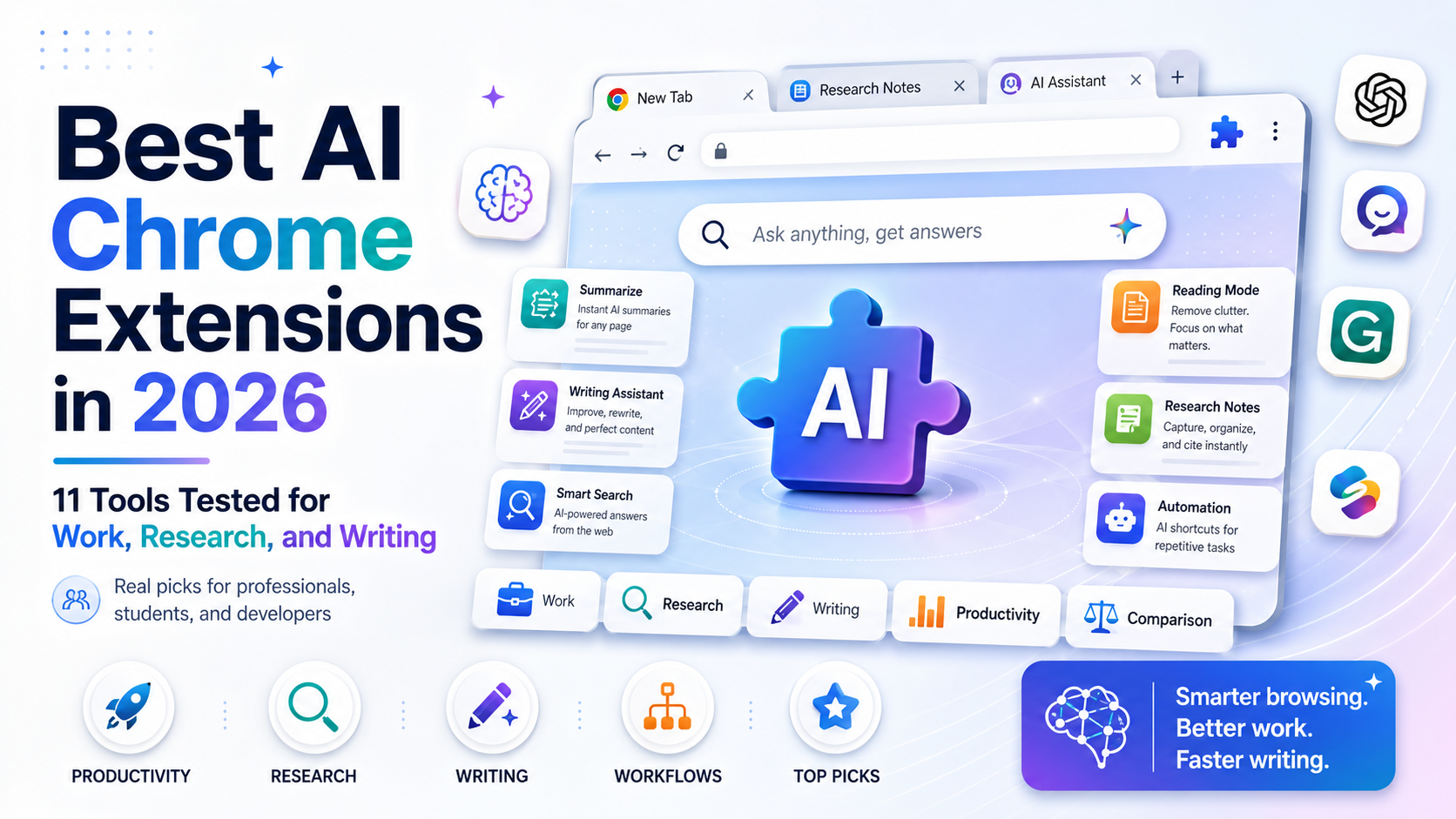
The best all-round AI Chrome extensions in 2026 are Monica and Sider for multi-model chat and page-level assistance, Merlin AI for search-grounded answers on any site, and Perplexity for real-time cited research. If you only need one category, pair a general-purpose sidebar assistant with a specialist tool: Grammarly or QuillBot for writing, Bluedot or Otter.ai for meeting notes, and Speechify for text to speech. Chrome itself has also added native Gemini features in 2026, so before paying for an extension, check whether the built-in assistant already covers your use case.
Key Highlights of Best AI Chrome Extensions 2026
- Multi-model sidebar assistants like Monica and Sider now bundle chat, writing, translation, and image generation into a single extension, and both report ratings above 4.5 on the Chrome Web Store.
- Chrome added native Gemini features directly into the address bar and a persistent sidebar in 2026, including an agentic "auto browse" mode for AI Pro and Ultra subscribers, which overlaps with what several paid extensions already do.
- Pricing for AI extensions ranges from fully free (most Perplexity-branded search extensions) to over $25 per month for premium writing and research tools like Grammarly Plus at monthly billing.
- Naming confusion is a real risk in this category. Several unofficial extensions use "Perplexity" or similar names in their titles despite not being published by Perplexity AI, so always verify the publisher before installing.
- The AI browser landscape is moving fast: OpenAI shut down its Atlas browser in mid-2026 even as it continues investing in browser-level AI elsewhere, a reminder that this category changes quickly and today's leaderboard will look different within a year.
- Developer-focused AI extensions have also been rebranding, most notably Codeium's browser and IDE plugins, which became Windsurf Plugins in 2025.
Why AI Chrome Extensions Still Matter in 2026
Chrome extensions remain one of the fastest ways to bring AI into the tools professionals already use every day, whether that is drafting an email in Gmail, researching a vendor comparison, or summarizing a long PDF policy document. Instead of switching tabs to a separate AI chat window, an extension puts the model directly into the page you are working on. That matters for project managers reviewing status reports, business analysts researching a market, developers debugging inside documentation, and students working through dense academic papers.
At the same time, the ground has shifted under this category in 2026. Google has pushed native Gemini capability straight into Chrome's address bar and a built-in sidebar, and OpenAI, Perplexity, and others have experimented with entire AI-first browsers rather than just extensions. That means the practical question for most professionals is no longer just "which extension is best," but "do I need a separate extension at all, or does my browser already do this." Teams building AI literacy as part of their workflow, including those going through a structured AI-native foundations certification, benefit from understanding both layers so they can pick the right tool rather than paying for overlap.
How We Evaluated These Extensions
Every extension in this guide was assessed against the same criteria, drawing on Chrome Web Store listing data, each vendor's own pricing page, and independent review aggregators, rather than relying on any single competitor's blog post for facts:
- Current Chrome Web Store rating and review volume, checked directly against each extension's own listing where possible.
- Published pricing, taken from the vendor's official pricing page rather than third-party estimates, since AI tool pricing changes often.
- Core feature set, meaning what the extension actually does inside the browser, not just what the underlying AI model can do in isolation.
- Recency and stability, meaning whether the product has been renamed, rebranded, or deprecated recently, which matters a great deal in a category that is consolidating quickly.
- Best-fit use case, since a tool that is excellent for meeting notes is a poor fit for academic research, and vice versa.
Ratings and install figures for AI products change frequently and sometimes vary between different regional or duplicate listings for the same product, so treat the numbers below as a snapshot from mid-2026 rather than a permanent figure, and confirm current numbers on the Chrome Web Store before you install.
The 11 Best AI Chrome Extensions in 2026
1. Monica: Best All-Purpose Multi-Model Assistant
Monica is a browser sidebar that puts chat, writing help, translation, and image generation behind a single keyboard shortcut (Ctrl+M on Windows, Cmd+M on Mac). It gives users access to multiple underlying models, including GPT-4, DeepSeek V3 and R1, Claude 3.5 Haiku, and image models like Flux Pro, Flux Dev, and Kling, without needing separate subscriptions to each provider.
- Best for: Professionals who want one extension that replaces several single-purpose AI tabs.
- Pricing: Free tier with roughly 40 basic queries per day; Pro at $9.90 per month; Pro+ at $19.90 per month for higher usage limits and more advanced models.
- Chrome Web Store rating: Approximately 4.9 out of 5, with a large review base.
2. Sider: Best for Multi-Model Comparison at Scale
Sider is another all-in-one sidebar assistant, giving instant access to GPT-4 class models, Claude, Gemini, and more than 20 other models from a single panel on any website. Sider was recognized in Chrome's own Editors' Picks and Favorites lists in recent award cycles, and reviewers commonly cite it as one of the more heavily used AI assistants in this category, with figures reported in the tens of millions of users across different listings.
- Best for: Users who want to compare answers across many different AI models without leaving the page.
- Pricing: Free tier with limited daily usage; Starter around $4.20 per month ($50 per year); Basic around $6.70 per month ($80 per year); Pro around $12.40 per month ($149 per year); Unlimited around $16.70 per month ($200 per year). Confirm current tiers on Sider's official pricing page, since these change periodically.
- Chrome Web Store rating: Reported in the 4.3 to 4.5 range across different listing snapshots.
3. Merlin AI: Best for Search-Grounded Answers on Any Site
Merlin AI, founded in 2021, brings a ChatGPT-style assistant to any webpage with a single click and adds search-grounded answers plus document analysis on top of a base chat model.
- Best for: Marketers, content creators, and researchers who want grounded, source-aware answers rather than a pure chatbot.
- Pricing: Free plan with roughly 102 queries per day; Pro at $29 per month on monthly billing or around $19 per month with annual billing; Teams plan around $15 per seat per month with a two-seat minimum. Check Merlin's pricing page directly, since these figures are frequently updated.
- Chrome Web Store rating: Approximately 4.7 out of 5.
4. Perplexity: Best for Real-Time Cited Web Research
Perplexity's own browser extensions bring its cited, real-time search engine directly into Chrome, which is valuable for anyone who needs a quick, source-backed answer instead of a plain chatbot response. One important caveat: because "Perplexity" is a popular brand name, the Chrome Web Store lists several extensions with similar titles from different, unrelated publishers, with ratings and quality that vary widely between listings. Always check the publisher name on the official Perplexity site before installing, rather than picking the first similarly named result.
- Best for: Fast, source-cited research directly from the address bar or a right-click menu.
- Pricing: Free to use for core search functionality; Perplexity's paid Pro plan (accessed via account, not the extension itself) unlocks additional models and higher usage limits.
- Chrome Web Store rating: Varies significantly by listing; verify you are installing the extension actually published by Perplexity AI before trusting any specific star rating.
5. Grammarly: Best for Professional Writing Quality
Grammarly remains the most established writing assistant in this category, checking grammar, tone, and clarity in real time across Gmail, LinkedIn, Google Docs, and most text fields in Chrome. Its AI features now include one-click draft generation, outline building, tone adjustment for different audiences, and built-in plagiarism and AI-content detection.
- Best for: Anyone who writes professionally in the browser and needs dependable grammar and tone checking on top of AI drafting.
- Pricing: Free plan with essential checks; Plus plan around $12 per month on annual billing (roughly $25 per month if billed monthly); Business tiers available for teams.
- Chrome Web Store rating: Approximately 4.5 out of 5.
6. QuillBot: Best for Paraphrasing and Grammar Together
QuillBot combines a grammar checker, paraphrasing tool, AI detector, and text humanizer in one extension, with more than 5 million installs reported on its Chrome Web Store listing.
- Best for: Students and non-native English writers who need to reword and polish text quickly, alongside grammar correction.
- Pricing: Free version with basic paraphrasing and grammar checks; Premium at roughly $14.95 per month.
- Chrome Web Store rating: Reported between 4.1 and 4.68 depending on the specific listing snapshot, with thousands of reviews.
7. Wiseone: Best for Deep Reading and Research Comprehension
Wiseone is built specifically to help readers understand dense articles, research papers, and long-form technical content, offering in-line explanations, source verification, and summarization as you read rather than a general chat window.
- Best for: Analysts, researchers, and students working through long or technical documents who want comprehension help without leaving the page.
- Pricing: Free plan limited to around 10 queries per day; Wiseone Pro at roughly $10 per month for expanded usage.
- Chrome Web Store rating: Mixed reviews; users consistently praise the core reading experience but frequently flag the free tier's daily query limit and pricing as points of friction, which is worth weighing before committing to a paid plan.
8. Bluedot: Best Bot-Free Meeting Notetaker
Bluedot records, transcribes, and summarizes meetings on Google Meet, Zoom, and Microsoft Teams without adding a visible bot to the call, and can push notes automatically into CRM tools and Notion.
- Best for: Managers and client-facing teams who want meeting notes without an obvious recording bot joining the call.
- Pricing: Free tier with limited functionality; paid plans generally range from about $12 to $18 per month depending on usage tier.
- Chrome Web Store rating: Approximately 4.1 out of 5.
9. Otter.ai: Best for High-Volume Meeting Transcription
Otter.ai's Chrome extension provides real-time transcription and AI summaries for meetings on Zoom, Microsoft Teams, and Google Meet, and can also transcribe audio from any browser tab, including recorded lectures or podcasts.
- Best for: Teams and students who need generous monthly transcription minutes rather than a small number of meetings.
- Pricing: Free plan with 300 minutes per month; Pro at roughly $16.99 per month for 1,200 minutes plus AI chat; Business at around $30 per user per month.
- Chrome Web Store rating: Approximately 4.6 out of 5 on its dedicated extension listing, though the review count on that specific listing is modest compared to Otter's overall user base, so treat it as directional rather than exhaustive.
10. Speechify: Best for Text to Speech
Speechify converts any webpage, PDF, or document into natural-sounding narrated audio, which is useful for professionals who want to consume long articles or reports while commuting or multitasking, and it is one of the highest-rated extensions in this entire list.
- Best for: Anyone who wants to listen to web content instead of reading it, including long-form articles and research PDFs.
- Pricing: Free tier limited to roughly 2,000 words per week; Premium around $15 per month billed monthly, or approximately $139 per year (about $11.58 per month) on annual billing.
- Chrome Web Store rating: Approximately 4.9 out of 5, with one of the largest review counts of any extension in this category.
11. Windsurf Plugins (formerly Codeium): Best for Developers
Windsurf's browser and IDE plugins, previously branded as Codeium, bring AI code completion and explanation into the browser for developers researching documentation, Stack Overflow threads, or code repositories. The rebrand from Codeium to Windsurf took effect in 2025 as the company shifted its primary identity toward its flagship Windsurf editor, so developers searching for "Codeium extension" support in 2026 should look for Windsurf branding instead.
- Best for: Developers who want AI code assistance while reading documentation or reviewing code on the web, not just inside an IDE.
- Pricing: Free tier available; paid plans align with Windsurf's broader editor subscription tiers.
- Chrome Web Store rating: Not independently verified at the time of writing; confirm current rating and installs directly on the listing before relying on it, since the rebrand may affect how reviews are attributed across the old and new listings.
Teams standardizing on AI-assisted development as part of a broader upskilling plan may find it useful to pair a tool like this with a structured generative AI training course for software developers, so engineers understand both the extension's capability and its limits.
Comparison Table: Best AI Chrome Extensions at a Glance
| Extension | Best For | Free Tier | Paid Pricing (Approx.) | Chrome Web Store Rating |
|---|---|---|---|---|
| Monica | All-purpose multi-model assistant | ~40 queries/day | $9.90 to $19.90/month | ~4.9 |
| Sider | Comparing answers across 20+ models | Limited daily usage | $4.20 to $16.70/month | ~4.3 to 4.5 |
| Merlin AI | Search-grounded answers anywhere | ~102 queries/day | $19 to $29/month | ~4.7 |
| Perplexity (official) | Real-time cited research | Yes, core features free | Pro via account subscription | Verify publisher first |
| Grammarly | Professional writing and tone | Basic checks free | ~$12 to $25/month | ~4.5 |
| QuillBot | Paraphrasing plus grammar | Basic features free | ~$14.95/month | ~4.1 to 4.68 |
| Wiseone | Deep reading comprehension | ~10 queries/day | ~$10/month | Mixed |
| Bluedot | Bot-free meeting notes | Limited | ~$12 to $18/month | ~4.1 |
| Otter.ai | High-volume transcription | 300 min/month | ~$16.99 to $30/month | ~4.6 |
| Speechify | Text to speech narration | ~2,000 words/week | ~$11.58 to $15/month | ~4.9 |
| Windsurf Plugins | AI coding assistance | Yes | Tiered with editor plans | Not independently verified |
Native AI in Chrome vs Third Party Extensions
The single biggest change in this category during 2026 is not a new extension, it is Chrome itself. Google has rolled out Gemini directly into the browser, including an "@gemini" shortcut in the address bar for instant conversations, a persistent sidebar that can read and summarize the current page or multiple open tabs, and an agentic "auto browse" feature for AI Pro and Ultra subscribers in the United States that can carry out multi-step tasks across the web from a single prompt. This means some of what dedicated extensions have charged for, such as page summarization and basic multi-tab context, is increasingly available for free or bundled into a Google subscription you may already have.
At the same time, the broader AI browser race has proven volatile. OpenAI shut down its Atlas browser in mid-2026 even while continuing to invest in browser-level AI ambitions elsewhere, illustrating how quickly standalone AI browsing products can be discontinued or repositioned. The practical takeaway for professionals is to treat any single AI browsing tool, whether a full browser or an extension, as replaceable, and to prioritize tools that export your data (notes, transcripts, saved chats) in a portable format so switching later is not painful.
For teams building internal AI literacy, this is also a useful teaching moment: understanding when a native browser feature already solves a problem, versus when a specialized extension is genuinely worth paying for, is exactly the kind of judgment covered in applied programs like Simpliaxis's Artificial Intelligence certification training.
How to Choose the Right AI Chrome Extension for Your Role
For Project Managers and Business Professionals
Look first at meeting and writing tools, since most of the daily workload is status updates, stakeholder emails, and meeting follow-ups. Bluedot or Otter.ai for meeting notes, paired with Grammarly for written communication, covers most needs. Professionals formalizing AI use in project delivery may also want to review Simpliaxis's Generative AI for Project Managers training and its companion resource on AI tools and trends in project management, both of which go beyond browser extensions into full workflow integration.
For Researchers, Analysts, and Students
Prioritize Perplexity (verified official version) for cited answers and Wiseone for comprehension of dense material. A general-purpose assistant like Monica or Sider is a reasonable backup for anything outside those two tools' specialties.
For Developers
Windsurf Plugins (formerly Codeium) is the most directly relevant option for in-browser code assistance, though most developers will pair it with an in-IDE AI assistant for the bulk of actual coding work.
For Anyone on a Budget
Start with what is free: Perplexity's core search features, Grammarly's free tier, and Chrome's own native Gemini features cost nothing and cover a large share of common use cases. Simpliaxis also maintains a broader, non-extension-specific list of free AI tools worth checking before paying for any premium plan.
Security and Data Privacy Checklist for AI Extensions
- Confirm the publisher name on the Chrome Web Store listing matches the vendor's official website, especially for popular brand names like Perplexity that attract lookalike extensions.
- Review the permissions an extension requests. An extension that only needs to read the current page should not request access to all browsing history or the ability to modify content on every site you visit.
- Check whether meeting-recording tools like Bluedot or Otter.ai comply with your organization's recording consent policies before joining external calls, since laws on recording consent vary by jurisdiction.
- For any tool processing confidential business documents, verify the vendor's data retention and training-use policy directly on their site rather than assuming defaults.
- Periodically audit installed extensions and remove ones no longer in active use, since dormant extensions with broad permissions are a common attack surface.
Key Takeaways
- Monica, Sider, and Merlin AI lead the general-purpose, multi-model assistant category, each with Chrome Web Store ratings above 4.5 in most recent snapshots.
- Specialist tools still outperform generalists in their niche: Grammarly and QuillBot for writing, Bluedot and Otter.ai for meetings, Wiseone for deep reading, and Speechify for text to speech.
- Chrome's native Gemini integration in 2026 has closed the gap for basic summarization and Q&A tasks, so evaluate what your browser already does for free before paying for an extension.
- Brand-name confusion is a real risk, particularly around Perplexity-branded extensions, so always verify the publisher before installing.
- This category consolidates and rebrands quickly, as shown by Codeium becoming Windsurf and OpenAI discontinuing its Atlas browser, so revisit your extension choices periodically rather than assuming today's setup is permanent.
- Pair extension use with structured AI skills training so teams understand not just which tool to click, but when a tool is genuinely the right choice for the task.








 Lowest-Price Challenge











 Personalized Path


.webp)


 USA
USA  Canada
 India
India UK
UK Australia
 Singapore


